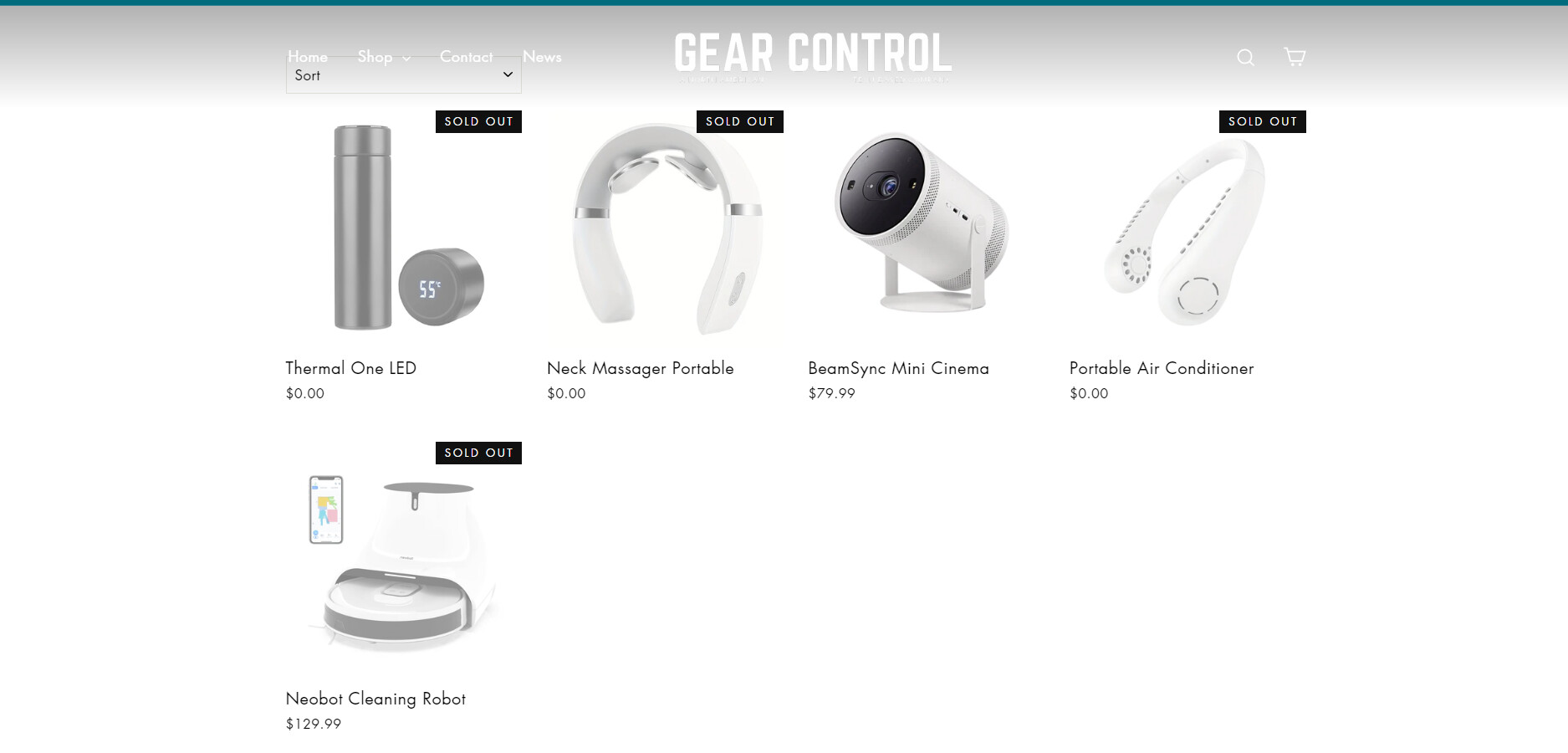
i need help with fixing the position of the collections page after coder edited it but didnt put it back int place, please help ill attach an image here
Topic summary
A coder edited a collections page, causing positioning issues that weren’t corrected afterward. The main problem involves misaligned screen elements on the collections page.
Proposed Solution:
- Add custom CSS code to the theme.liquid file
- Insert code below the
<head>tag - A code snippet and screenshot were provided as reference
Current Status:
- The fix partially worked on some pages
- New issue emerged: the logo moved down on certain pages
- Problem specifically affects the shop page and pages using the collections template
- The issue is concentrated on the “all collections” page
Next Steps:
- User requested to identify all affected pages for a comprehensive fix
- Store URL provided for troubleshooting: 9f016b-4.myshopify.com/collections/all-collections
The discussion remains ongoing as the initial solution didn’t fully resolve the positioning problems across all pages.
Hey @edin73 ,
Use this and see
Go to your theme’s “Edit Code” Option, then in the search bar type “theme.liquid”
Below the tag “” tag paste the following. Screenshot attached for reference.
Screenshot is for reference only, the correct code to paste is the one shown above.


Hey @edin73 ,
I applied it only on the collection page, because you mentioned the issue is on the collection page. Can you list all the pages where this issue is happening?
the shop page, its directed to the all collections page but wit ha gem pages templaet on it
1 Like