Klaviyo reviews on collection page stars not centred

Topic summary

A user installed Klaviyo reviews on their Shopify store (Impulse theme) and successfully added star ratings to the collection page using a code snippet in the product-grid snippet. However, the stars appear misaligned above the product image.

Initial Issue:

  • Stars need to be centered and repositioned below the product name and price (currently above the image)
  • User also wants to hide stars when no reviews exist

Partial Solution Provided:
One respondent suggested adding CSS code to base.css:

.klaviyo-star-rating-widget {
    text-align: center;
}

Current Status:

  • The centering CSS worked, but the positioning issue remains unresolved
  • User shared their store URL (oceanluxe.com.au) for further assistance
  • Another respondent requested store access to provide a complete solution
  • Question about hiding stars for products without reviews is still unanswered
Summarized with AI on October 31. AI used: claude-sonnet-4-5-20250929.

We just installed Klaviyo reviews and I was able to add the code below to add stars under the product image on the collection page by inserting the code on the produc-grid snippet, but I want to centre it and move it down under the product name and price.
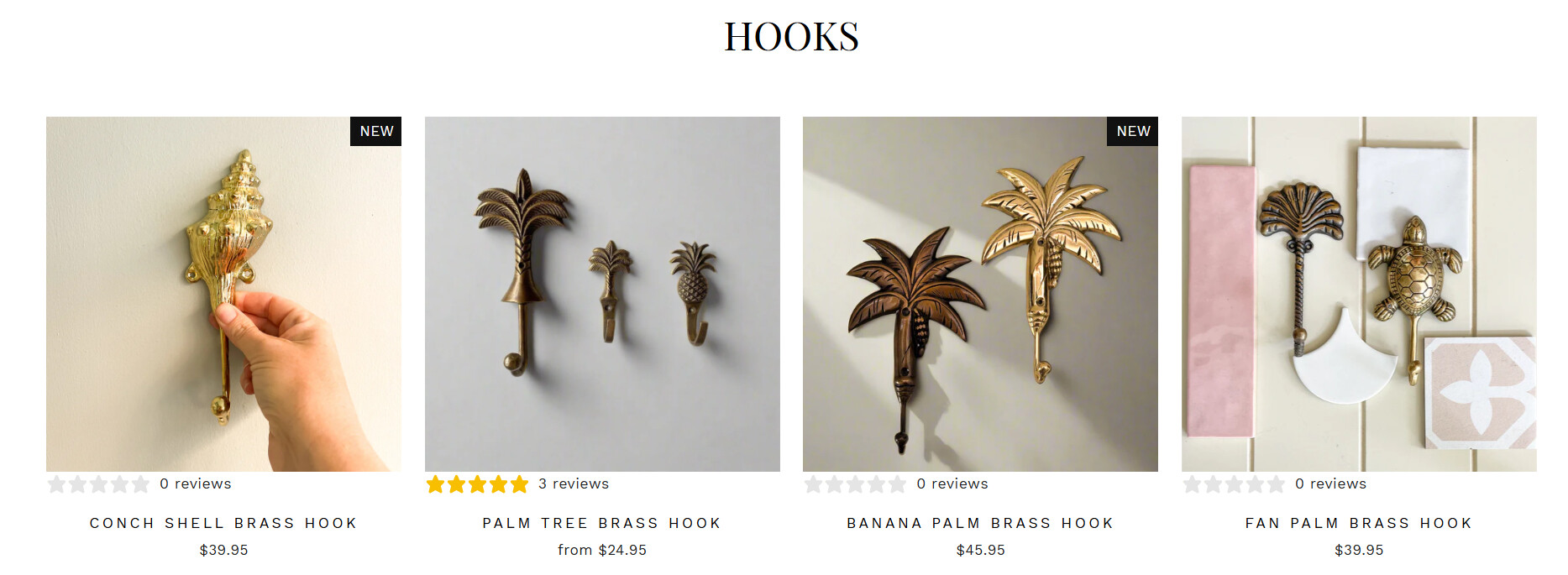
I’m using Impulse theme

Hello @Nicola_Johnston ,

Follow these steps:

  1. Go to Online Store → Theme → Edit code

  2. Open your base.css file and paste the following code at the bottom:

.klaviyo-star-rating-widget {
    text-align: center;
}

Regards
Guleria

Hi @Nicola_Johnston
Can you kindly share your store link (with the password, if any) with us? We will check it and suggest you a solution if possible.

Thanks it centred it but how to I place it under the product name and price? Is there a way to remove the stars if there is no reviews?

It’s https://oceanluxe.com.au/