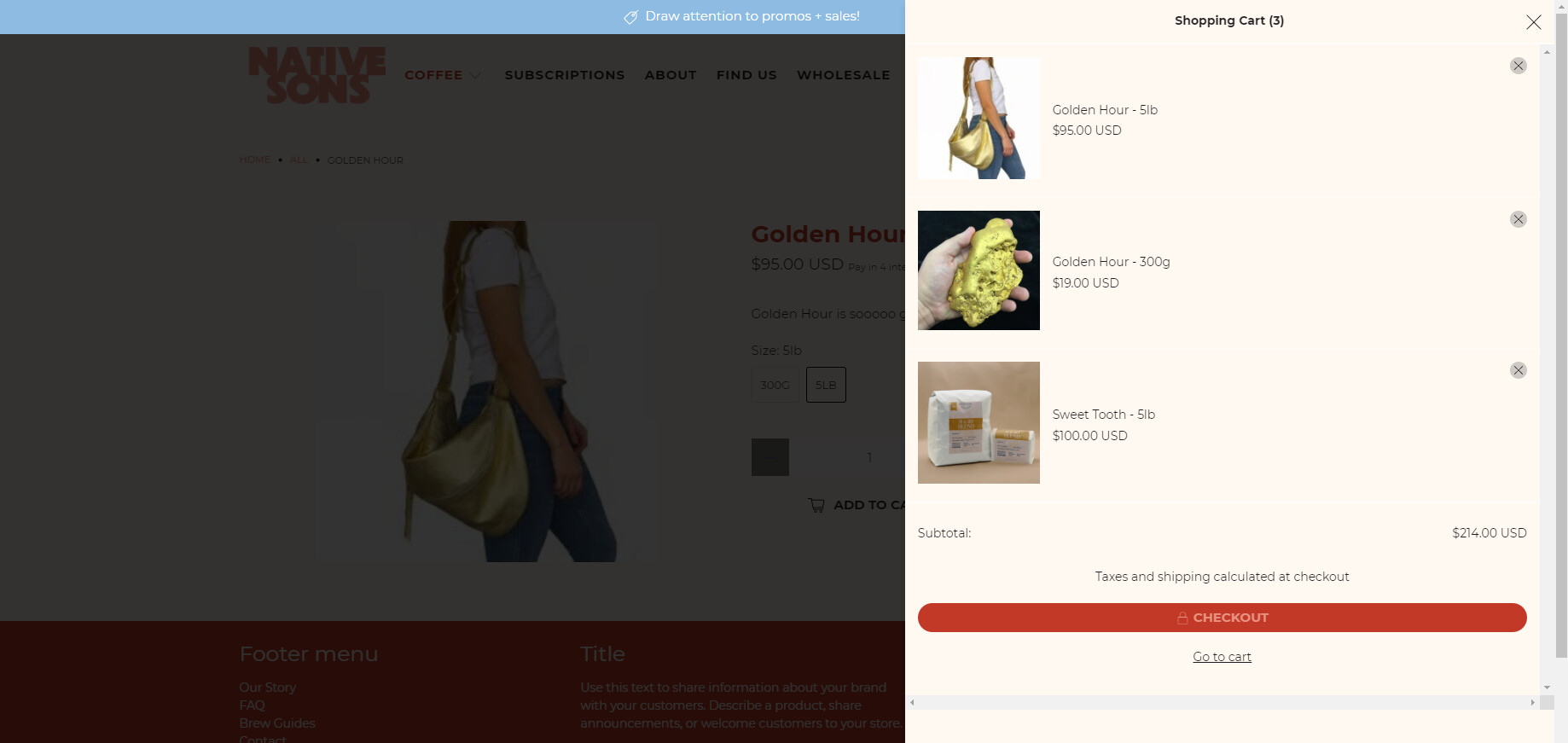
Make "Drawer" cart style full height

Topic summary

A Shopify store owner is experiencing an issue where their drawer-style cart doesn’t extend to full height, leaving blank space at the bottom and cutting off longer item lists when scrolling.

Two CSS solutions were provided:

Solution 1 (BSSCommerce-HDL):

  • Add custom CSS in the theme.liquid file, above the </head> tag
  • Targets the drawer cart to adjust height properties
  • Includes a before/after screenshot showing the fix

Solution 2 (ZestardTech):

  • Insert CSS code at the bottom of the styles.css file
  • Uses max-height: 100vh !important on .ajax-cart__form
  • Hides overflow on specific reward elements
  • Also includes a visual result

Both approaches modify the cart’s CSS to utilize the full available vertical space. The discussion remains open with no confirmation from the original poster about which solution worked.

Summarized with AI on November 7. AI used: claude-sonnet-4-5-20250929.

We are currently using the “Drawer” style cart on our Shopify store but it only seems to be taking up a portion of the designated space cutting off any longer list of items.

How would we edit this to make it full height instead of having the bottom portion be the blank space?

Our URL is: https://native-sons-roasters-3430.myshopify.com/

1 Like

Hi @nativesons ,

Step 1: Go to Shopify Admin → Online Store ->Theme → Edit code

Step 2: Search file theme.liquid

Step 3: Insert this code above tag:


Here is result:

Hope this can help you,

If our suggestions are useful, please let us know by giving it a like or marking it as a solution. Thank you :heart_eyes:

Hi @nativesons

  1. In your Shopify Admin go to online store > themes > actions > edit code
  2. Find Asset > styles.css and paste this at the bottow of the file:
.ajax-cart.ajax-cart--drawer .ajax-cart__form {
max-height: 100vh !important;
}
#theme-ajax-cart.is-drawer {
overflow: hidden !important;
}