Hi,
How can I make the image banner (on home page) responsive and keep the same proportions when the screen size changes on desktop? RIght now the image looks good on regular lapotop, but if displayed on a large screen the image stretches and changes the propositions. I have attached photos to illustrate. For refereance, this is the way I want my image banner to behave: https://kyari.co/
Laptop view (look fine)
Large wide screen: stretches weird an lossed part of the image
All help is appreciated 
Hi @Totalmann ,
You can follow these steps to make the banner image keep its proportion when the screen size changes
-
Go to Shopify Admin > Online Store > Theme > Edit Code
-
Open base.css, theme.css, styles.css, or custom.css and paste the code snippet below
#Banner-template--18787820634393__e9e8a34c-54c4-43b5-ad03-20bfa0a78317 {
  min-height: 55vh !important;
}
This is the result on a very large screen:
Hope this helps you solve the issue.
Please don’t forget to Like and Mark it as an Accepted Solution if you find this helpful. Thank you!
Hi @Totalmann ,
Delete the following code segments
Here is result:
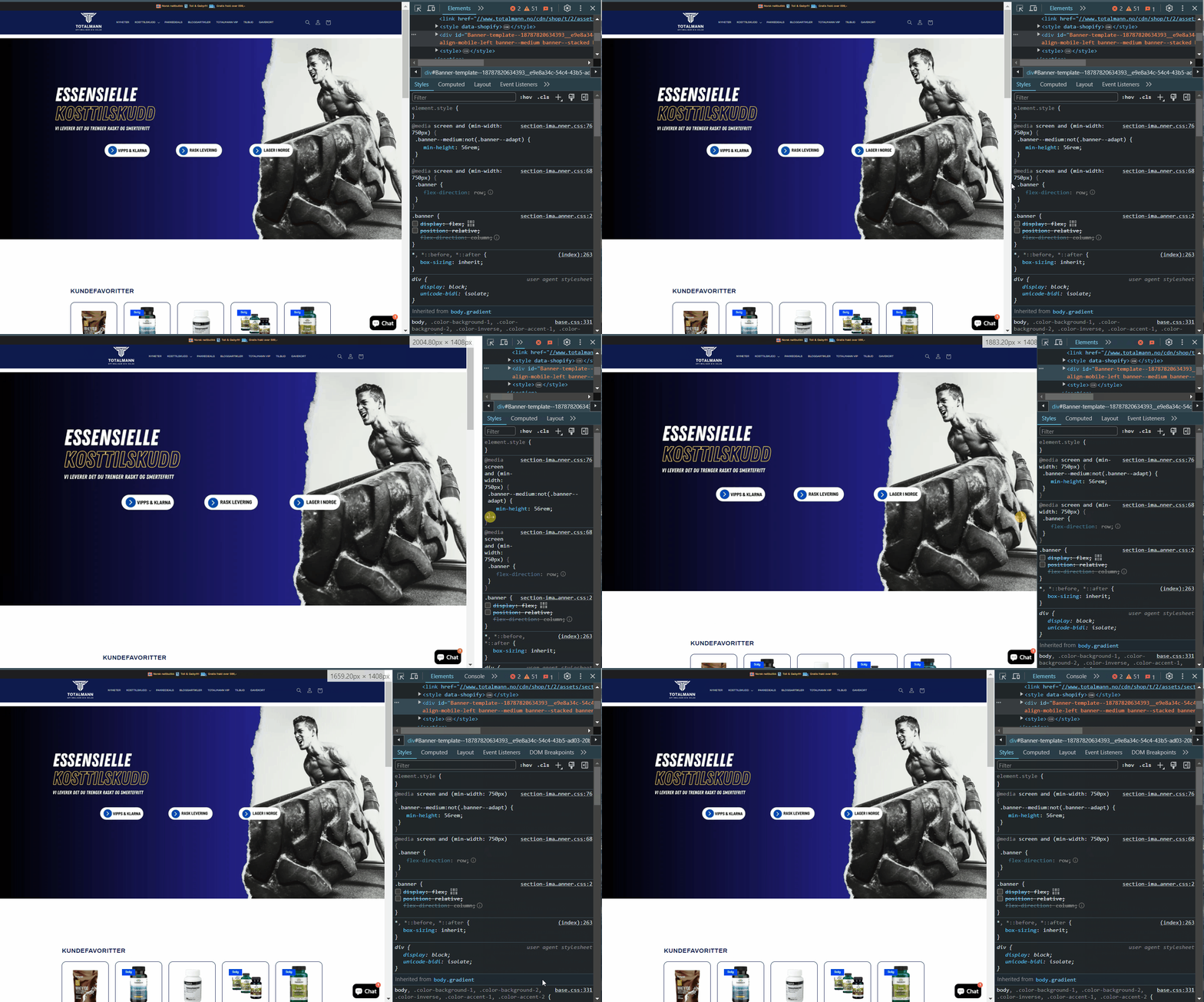
Hope this can help you,
If our suggestions are useful, please let us know by giving it a like or marking it as a solution. Thank you
Hi,
I pasted the code at the bottom of the base.css, but it made no difference 
I did some changes to the code a while back to be able to display different images on mobile and desktop. Maybe that has something do do with it?
Here is how it looks in the theme editor:
Thanks for the swift answer 
Hi,
This worked but it made other sections extended and weird looking (see video). I only removed the small square sections you marked in the last 2 snippets. The first snippet I removed completely. Maybe I did something wrong here?

Hi @Totalmann ,
If pasting the code snippet into base.css didn’t work, try pasting it into theme.css, styles.css, or custom.css. Reload your site a couple of times before testing the changes. And don’t forget to save the file!
Hope this will help you!
Hi,
Those files does not exist in my code, only the base.css.
I tried pasting the snippet into the “section-image-banner.css” but no resault there either.


