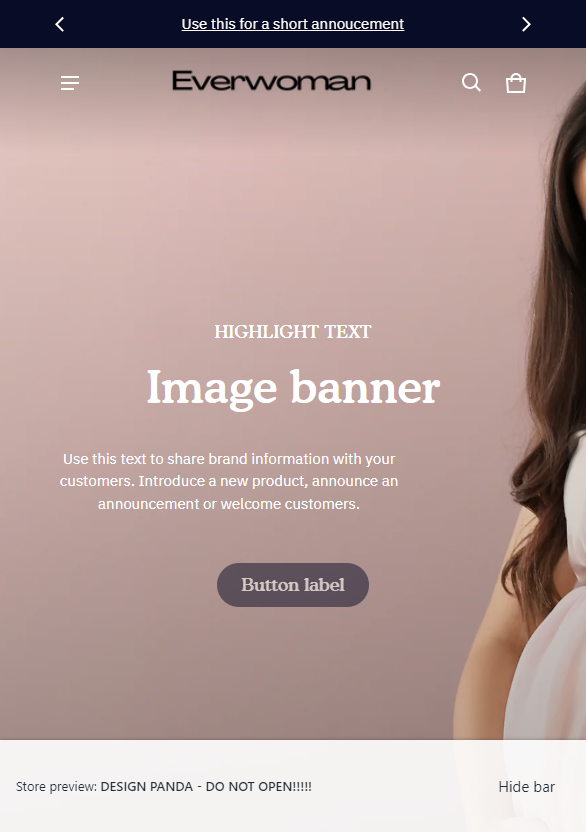
Hi,
hope someone can help.
I would like to make the mobile logo centered, for some reason the theme doesn’t have this option:(
Thank you 
Hi,
hope someone can help.
I would like to make the mobile logo centered, for some reason the theme doesn’t have this option:(
Thank you
Hi @Daniel19901
Please add this code to Custom CSS in Online Store > Themes > Customize > Theme settings
@media (max-width: 749px) {
.header__logo { justify-content: space-between; }
.header {grid-template-columns: 2fr auto 1fr !important; }
}
Hello @Daniel19901
Go to online store ---------> themes --------------> actions ------> edit code------->base.css/theme.css
add this code at the end of the file.
.header-logo {
color: var(--color-normal-text);
margin: auto !important;
align-content: center !important;
}
and the result will be ( on all screens)
If this was helpful, hit the like button and mark the job as completed.
Thanks
Hi @Daniel19901
Check this one.
@media only screen and (max-width: 749px){
.header__logo.d-flex.middle-xs {
    display: grid;
    grid-template-columns: auto 1fr;
}
sht-menu-drwer-opner.d-block.header__icons.d-none-lg {
    width: fit-content;
}
.header-logo {
    text-align: center;
}
.header__icons.header__icons--right.d-flex.fw-wrap.end-xs.middle-xs.ml-12 {
    margin-left: 0px;
}
}
Please don’t forget to Like and Mark Solution to the post that helped you. Thanks!