
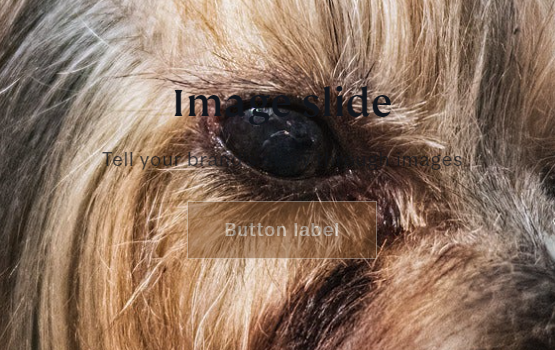
Hello, I just need help getting rid of the annoying white banner/background around my button and text, I’ve tried numerous things, nothing has worked, any help would be appreciated. I am using Origin theme.
1 Like
Hi @TeaydenL
This is Henry from PageFly - Landing Page Builder App
You can try this code by following these steps:
Step 1: Go to Online Store->Theme->Edit code.
Step 2: Search file base.css
Step 3: Paste the below code at bottom of the file → Save
.slideshow__text.banner__box.content-container {
background: transparent !important;
}
a.button.button–primary {
opacity: 1 !important;
}
Hope that my solution works for you.
Best regards,
Henry | PageFly
1 Like
Hi @TeaydenL
Check this one.
From your Shopify admin dashboard, click on “Online Store” and then “Themes”.
Find the theme that you want to edit and click on “Actions” and then “Edit code”.
In the “Assets” folder, click on “base.css, style.css or theme.css” file, depending on which file your theme uses to store its CSS styles. At the bottom of the file, add the following CSS code:
.slideshow__text.banner__box {
    background: transparent;
}
.slideshow__text.banner__box * {
    color: white;
}
And Save.
Result:

Note: I make the text color white. This is before the text color change.
Please don’t forget to Like and Mark Solution to the post that helped you. Thanks!
1 Like
Thank you so much! Could also use help changing the button color to white, let me know if this is possible, thanks so much.
1 Like
