Hi there!
I’m currently making a website & have made clickable links to different categories on the homepage by using 1 gallery picture multiple times underneath one another.
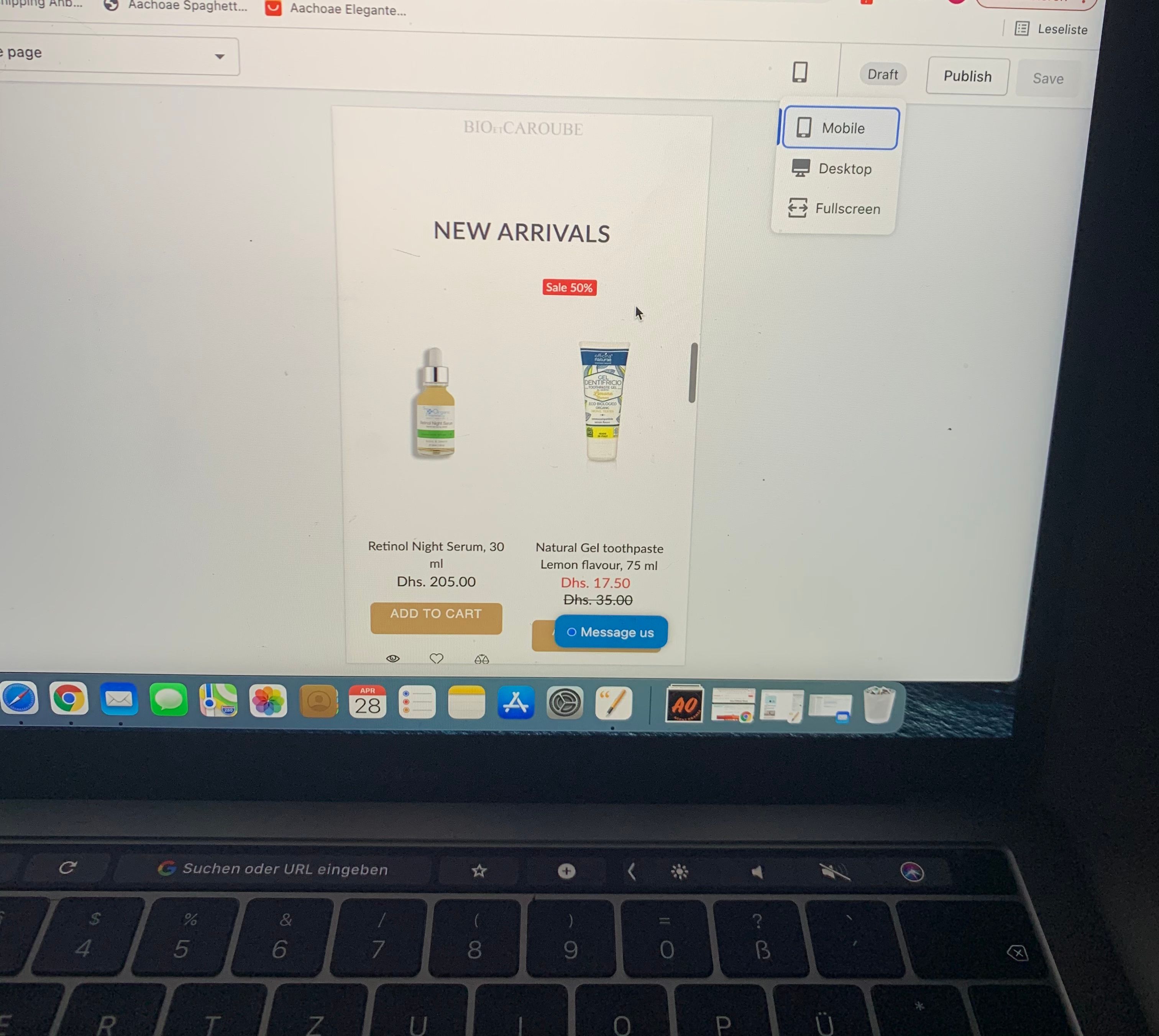
It looks great on the desktop site however when I go to the mobile view it the gallery picture does not show in full & it looks awful.
Is there a way to make the mobile home page look the same as the desktop homepage? The rest of the pages are fine on the mobile view, it’s just the homepage where I am experiencing problems.
Any help is much appreciated!
Thanks,
Ani
1 Like
Hello, @WrittenbyAni
Thanks for post.
Please share your site URL,
So I will check and provide a solution here.
Hi,
The website is www.writtenbyani.com
Thanks,
Ani
@WrittenbyAni
Thanks for it
sorry site not work can you please check
@WrittenbyAni
Thanks
- Go to Online Store->Theme->Edit code
- Asset->/theme.scss.liquid->paste below code at the bottom of the file.
@media (max-width:749px) {
.image-bar--medium .image-bar__content, .image-bar--medium .image-bar__item {
    height: auto;
}
}
Amazing - it worked! Thanks so much for your help!
Im having the same issue. My website is www.4evergoujie.com
1 Like
@4everGoujie
sorry for this issue can you please add this code
- Go to Online Store->Theme->Edit code
- Asset->/theme.scss.liquid->paste below code at the bottom of the file.
@media only screen and (max-width: 749px) {
.hero--medium {
    height: 157px;
}
}
@4everGoujie
sorry for this can you please provide a screenshot?
Hi Dear Ketan Kumar,
I‘m having the same issue. We have now a theme online and published but work on a new one which is not published so i cannot just share the link to change because it would change in the wrong theme.
Can you please help me to let the theme look like the desktop version? should i give you permission as staff?
Regards
Alex
1 Like
@TheClique
sorry for this issue if possible to share store preview link so i will check and update
Yes sure
NOTE: The theme must have the name “Copy of DRECOMMERCE FIVERR”
PLEASE DO NOT CHANGE ANYTHING IF THE THEME HASN´T THIS NAME
PREVIEW LINK OF Copy of DRECOMMERCE FIVERR:
https://foxyskin.me/?_ab=0&_fd=0&_sc=1
Thank you very much
@TheClique
thanks
sorry i can’t see any issue can you show me issue
the issue is that i would like the mobile version to look like the desktop version
1 Like
@TheClique
can you please add attachment mobile banner issue images?
You see in the pictures how the Desktop versions looks and how terrible the mobile version looks
i want it to look like the desktop version on mobiles
@TheClique
if you have set the same desktop view it’s was doesn’t good UX
also, to much smaller content if you have set this look
do you need this view? many changes of backfile and customization
I would need a much better mobile version because this one is automatic designed from the desktop version and it doesnt look good