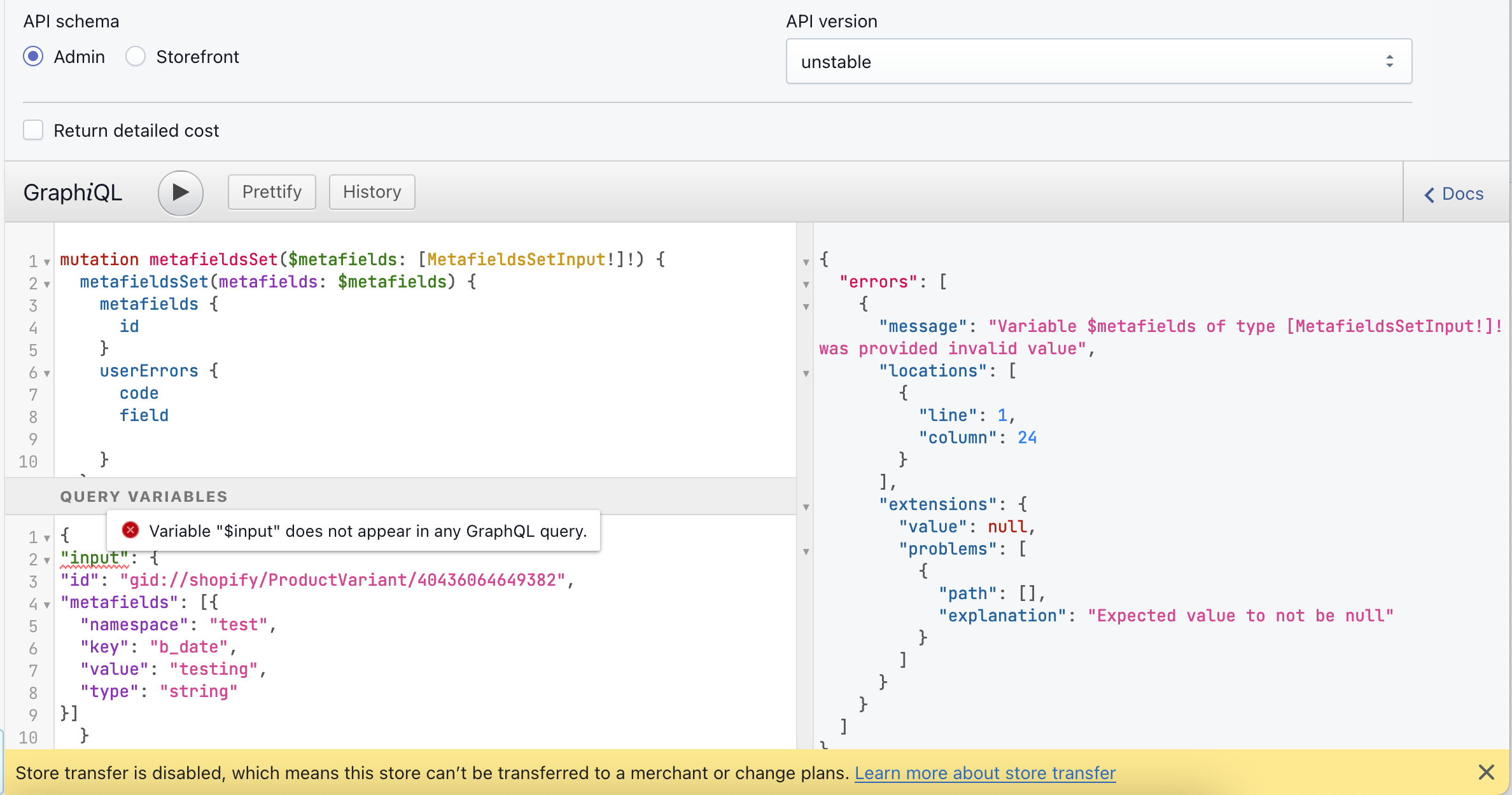
Every time I try this I get an INTERNAL_SERVER_ERROR with a requestId but no error information. I’ve sent it to Shopify but had no reply yet. So I’m wondering if anyone’s ever actually managed to get this working?
It’s on the unstable API channel but it should still be usable, right?
Taking a look at the unstable metafieldsSet mutation, it may be possible that some error handling is missing for certain types of errors. For any calls made to the unstable version of the API, I would recommend adhering strictly to the new definitions of types, and avoiding any deprecated types.
Hi @csam , thanks for getting back to me mutli-channel!
I’ve replied to your email but just for anyone else who finds this…
Yes, it was the new types - needed json instead of json_string. The complication was that the error message didn’t contain any information, but that’s only to be expected with an unstable version of the API.
The mutation and input are exactly as described in the docs.
The issue I was having was that the type param used to be called valueType, and the possible values have changed. If you take a look at the link in the accepted answer, that has the mapping from the old valueType to the new type.
As @ElRuberino mentioned, you will need to use the unstable version of the API, as this feature is still being developed and is not officially released. It is possible to access this through the GraphiQL app
Hi guys@csam@ElRuberino
Tanks a lot for your answers!
It really solved the mutation error but now the next problem in input code.
Could you please show the example of correct input code? Because I tried everything ))
This is one of my try down below: