Hey team,
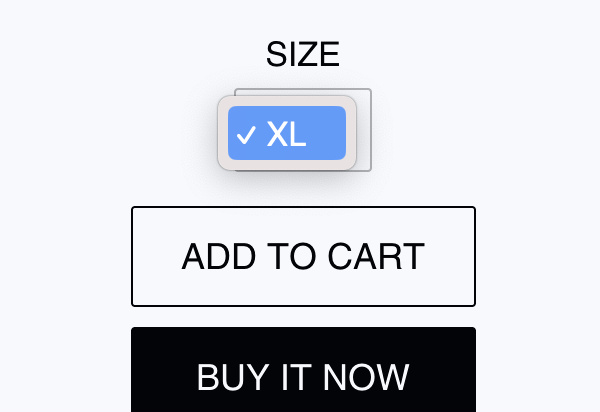
I would like to change my variant input selection to a solid box, with no pop out for the variant, where there is a single option for Variant.
For example, this image below shows there is only size XL for this item, I would like to remove the dropdown arrows, center the text and show as a single blocked variant.
This is my desired outcome:
Similar to the above, but not rounded.
Thank you for any help
-
Locate the code that renders the variant selection dropdown in your theme files. This is typically found in the product template or a related section or snippet.
-
Find the code that generates the variant dropdown and modify it to render a solid box instead. Replace the dropdown code with the following HTML code:
{% assign variant = product.selected_or_first_available_variant %}
{% if variant %}


{% endif %}
- Add CSS styles to customize the appearance of the variant option box. You can add the following CSS code to your theme’s stylesheet or use the theme customization options:
.variant-option {
display: inline-block;
background-color: #000;
color: #fff;
padding: 10px 15px;
text-align: center;
cursor: pointer;
}
.variant-option input[type="radio"] {
display: none;
}
.variant-option label {
display: block;
}
Thank you for your response, I wasn’t able to add the CSS in minimal theme, or it didn’t update once I did. Also it looks to change the input form button in other locations.
E.g. I have updated the variant button to 20% width, but it has also changed my customer login input.
I just want it specifically for Variant Form.