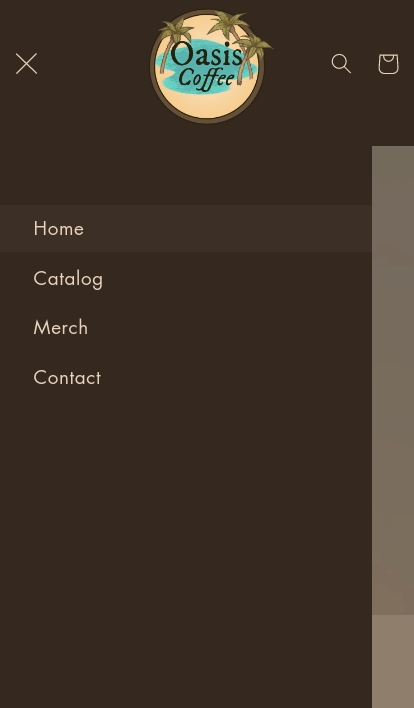
Hey there, I recently added a custom section to my Shopify store so that I can have a video background on my landing page, everything works fine, except for when I go on mobile and try to open the side bar, it ends up not showing over the video but works fine everywhere else. Any ideas?
the site is oasiscoffee.store
I followed a tutorial for the custom section which is here (https://ecomexperts.io/blogs/liquid-tutorial-shopify/background-video)
Hello @MaxStovall ,
To fix this issue, you need to add the below-provided CSS code in your video section CSS file.
Find the code below.
.videoBox{
z-index:0 !important;
}

image.png
Hope this helps, let us know if we can be of any further help with your Shopify journey.
All the best,
CedCommerce
Hello @MaxStovall ,
It’s GemPages support team and glad to support you today.
I would like to give you the recommendation to support you so kindly follow the steps below:
- Go to Online Store > Theme > Edit code of your current theme
-
Open your theme.liquid theme file
-
Paste the below code before
For example,
If you require any further information, feel free to contact me.
Best regards,
GemPages Support Team
1 Like