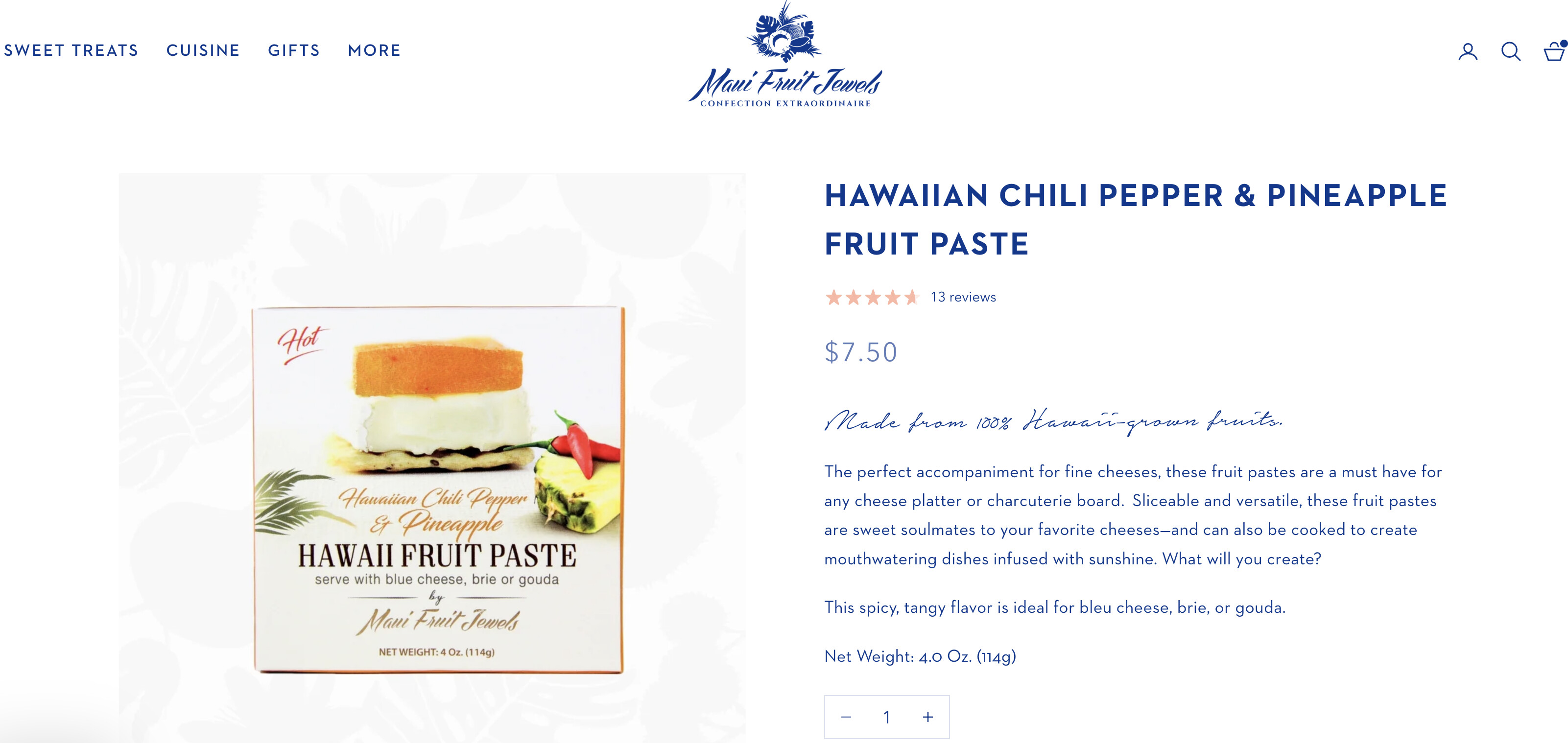
Hi there, I’m trying to move the star rating next to the product price on my product pages.
I used other code shared in this forum but couldn’t get it to work. Appreciate any pointers.
My site is mauifruitjewels.com
TIA!
Hi there, I’m trying to move the star rating next to the product price on my product pages.
I used other code shared in this forum but couldn’t get it to work. Appreciate any pointers.
My site is mauifruitjewels.com
TIA!
@benidesign You can do it from customize > product move up/down the section/block
Thanks @kazi_1 , this doesn’t work.. I’m trying the have the reviews on the same line as the price.. so the price left aligned and the star rating right-aligned, but on the same line.
Hello @benidesign
Thank you for submitting your query to the Shopify community. I’d be happy to assist you. Could you please provide the store URL and password (if it’s password-protected) so I can review and get back to you with an update?
@benidesign Then product template need customization. If you can provide access i can try.
Hi @benidesign
Currently, since the star and price blocks are on the same level, it’s not possible to edit them to appear side by side.
To customize this, you’ll need to add the star code inside the price code. I see you’re using the Klaviyo app to show the stars. You can reach out to their support team for assistance with this.
I hope this helps
Best,
Daisy
Hi @devcoders , thanks for being willing to take a look. The site is https://www.mauifruitjewels.com