I want to move the search bar to the other side of the header so my logo will be centered on my site. The website is www.shopcuzzo.com
HI my friend @Mrstep ,
For your requirement ‘want your logo to be centered on my site,’ it’s not necessary to move the search icon to the left. Keeping the entire icon group (search, account, cart) together would make more sense according to Shopify’s standards.
You can simply adjust the CSS a bit to center your logo. Follow my instructions below.
Step 1: Go to Admin → Online store → Theme > Edit code:

Step 2: Search for the file base.css. And add this code snippet to the end of the file.
.header {
  display: flex;
  justify-content: space-between;
  align-items: center;
}

.header__heading {
  position: absolute;
  left: 50%;
  transform: translateX(-50%);
}
Step 3: Save and reload home page.
=>> The result:

I hope these instructions will help you. If they are helpful, please give us likes and mark as the solution.
Have a nice day sir!
I’m sorry, I should have been more clear on what I needed the desktop is great! it is for the mobile.
Hi @Mrstep ,
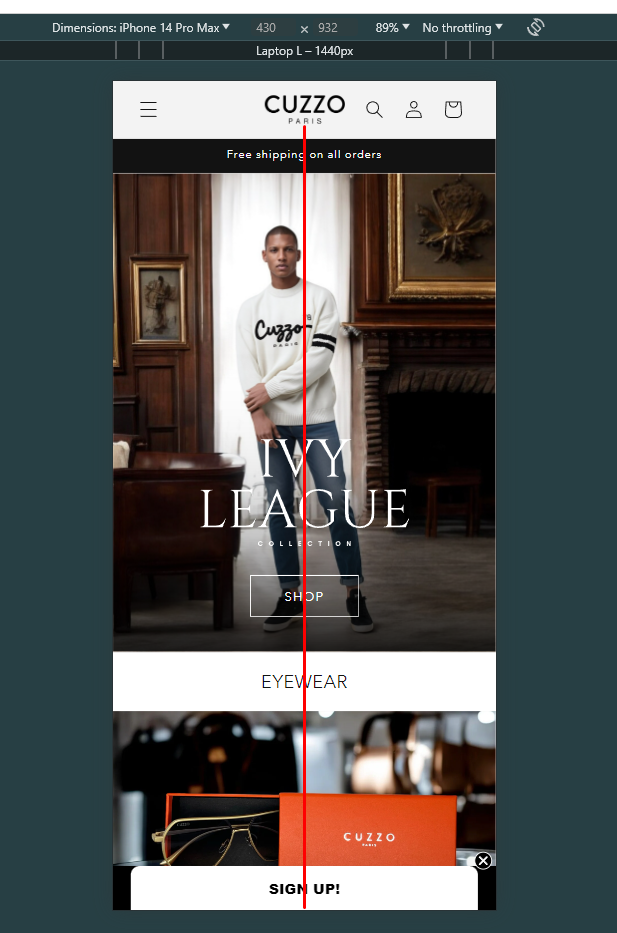
For mobile view, you just need add this code in base.css:
@media only screen and (max-width: 768px) {
    h1.header__heading {
        position: absolute !important;
        left: 50% !important;
        transform: translateX(-50%) !important;
    }
}
The result look like this image below:
I hope this instructions will help you. If they are helpful, please give us likes and mark as the solution.
Have a nice day sir!
Thanks so Much! still new to this does it matter where I paste it in the .css file?
Hi @Mrstep ,
You can add this code snippet to the end of the file base.css.
 It’s such my honor to help you, bro. Can you give us some Likes, it will be the greatest motivation for us.
Thanks in advance!
Have a nice day! ^^