Multiple images under eachother with the same size and without outline in product page

Topic summary

A Shopify store owner using the Dawn theme encountered image stacking issues on product pages. When multiple images were added using the “Desktop layout - Stacked” option, the second image appeared smaller and shifted left, with an unwanted outline despite using transparent PNGs.

Solution provided:
A CSS code snippet was shared to add to the base.css file, targeting .scroll-trigger.offscreen and .scroll-trigger--offscreen.animate-fade-in elements with width: 100% and max-width: 100%.

Current status:
The fix resolved the desktop display issue successfully. However, a new problem emerged on mobile: images now shift slightly right and the interface shows 3 image indicators despite only 2 images being uploaded. The original poster is seeking additional help to resolve this mobile-specific issue.

Summarized with AI on November 9. AI used: claude-sonnet-4-5-20250929.

Hello,

I have a small problem with my shopify product page, nothing too serious but I think it should be easy to solve. When I have multiple images on a product page they won’t stack under eachother in the same size. The first picture is the normal size I want but the second one is smaller and weirdly shifted on the left side. In the shopify store editor i use the option: Desktop layout → Stacked.
Also the images are transparent .pngs but for some reason they have this weird outline.

Is there a way to fix it and have multiple images stacked with the same size underneath each other?

I use the Dawn theme.

Shop link: https://4374713074.vision/

Password: rtaipu
Hi @motyckaa ,

Add below css to base.css file.

ul.product__media-list li.scroll-trigger:not(.scroll-trigger--offscreen).animate--fade-in {
    width: 100%;
    max-width: 100%;
}

Thank you

the code works, the images are the same size! thank you so much!!!

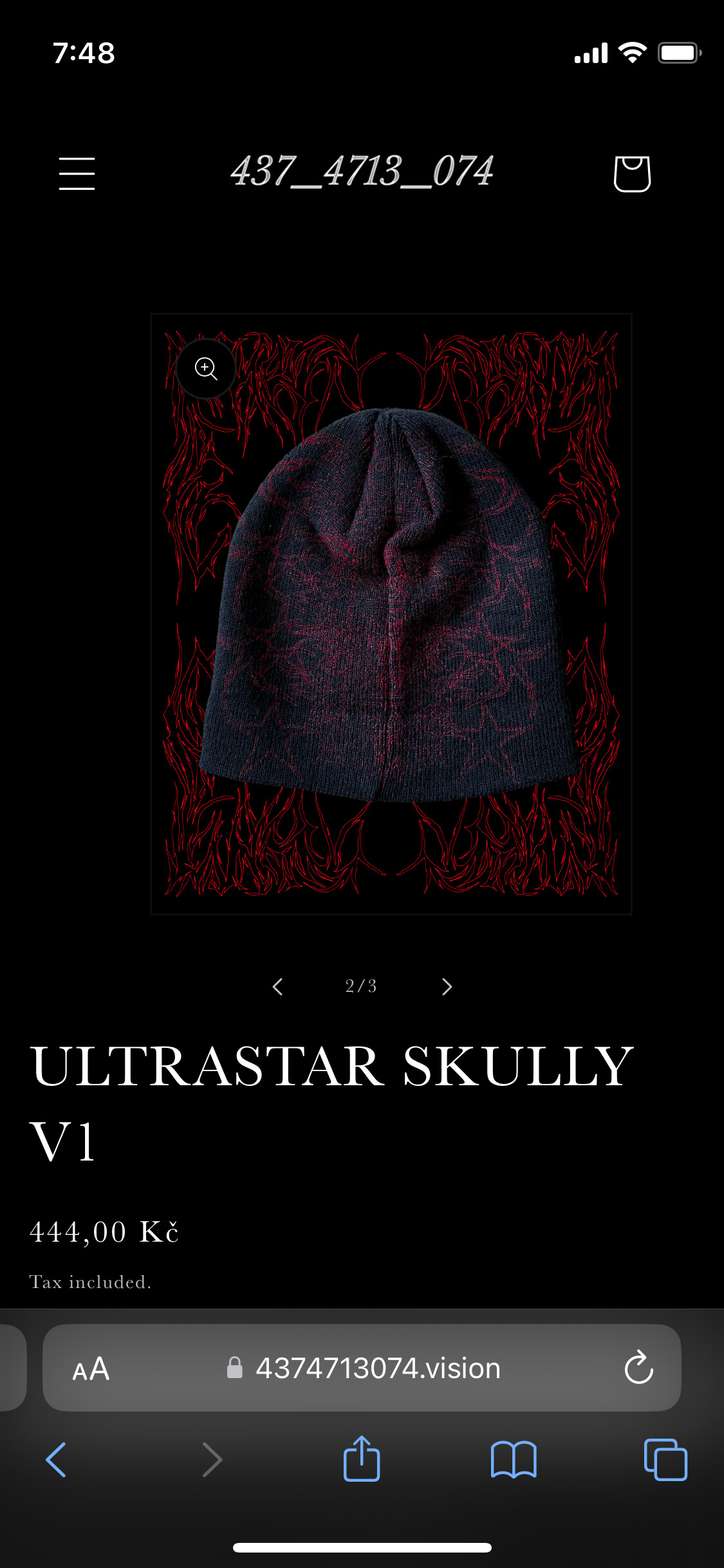
well it works on desktop, but for some reason it made the phone version shift the image to the right a little bit and now shows that there are 3 images instead of two, but i can only see the two that are uploaded there.

do you know how to solve it please @LuffyOnePiece ? thank you