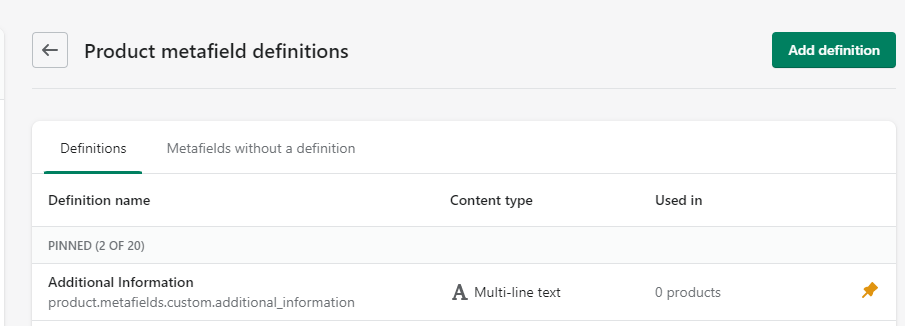
Hello! I am using Ella Theme. I wanted to add multiple-line text in the product tab under ‘Specification’ however it is not showing in the choices of metafield. The option shows only single-line textThe metafield I created:
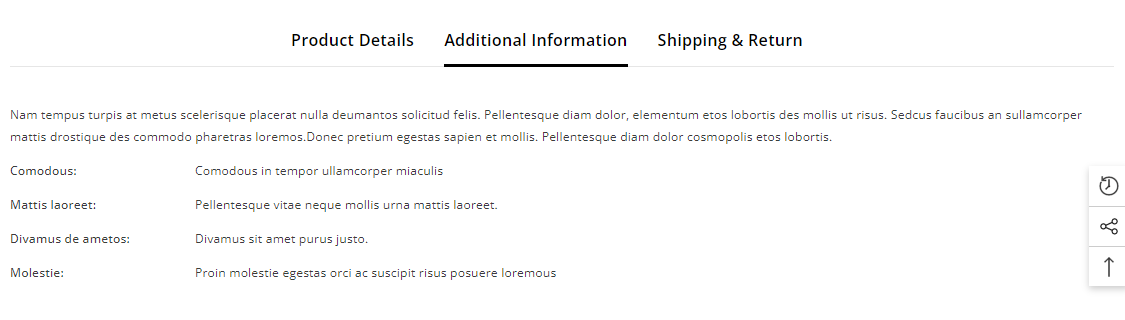
I wanted to assign it in the product tab under ‘Additional Information’ >>
But everytime I tried to select a metafield, the option shows single-line text metafield only>>
Do I need to edit the code for this? Can anyone help me here?
3 Likes
@kristinejrb
yes, please add meta filed code in your code then show here also share product url
1 Like
Hi @Genius_Basit4 I figured out how to do it now
@KetanKumar Hi thanks for the reply. I figured out how to do it now
1 Like
Vizono
January 8, 2024, 9:17am
6
Hello can you show me how to do it? I’m having the same problem. Would muchly appreciated
1 Like
@Vizono
oh sorry for that issue
metafile alreyd allow to single text, multi text and right text option you have easy to use can you try this if any issue let me know
Vizono
January 9, 2024, 6:09am
8
Yes I’m using multi-line text meta field but it shows single line text on the page
1 Like
Vizono
January 10, 2024, 6:33am
10
@KetanKumar Do I add it in here? Thanks.
![meta].jpg|1324x752](upload://5yTNqxY1UyrTg4W4MpYncvAdiSc.jpeg)
1 Like
@Vizono
yes right also used right text its easy ti just shirt+enter .
Vizono
January 10, 2024, 2:58pm
12
I typed but it is not working on the product page. It shows the text is sticking together. What would be the problem? Thanks.
SC99
May 4, 2024, 11:25pm
13
Hello Kristin, I am also using Ella theme and having exactly same issue. I am also want to use Multiline in Metafield andi can only see Single line. Please let me know how you fixed it.


 please…
 Thank you!