HI we are a luxury wellness brand, and we would like to offer an incentive (a gift) when signing up for our newsletter, how would we do that? How best to keep track of it?
1 Like
 I’m Ellie from BOGOS team! Thank you, @br20251 , for joining our BOGOS AMA event!
This can be easily done with Shopify Flow and the BOGOS app:
Step 1: Use Shopify Flow app to automatically tag customers who subscribe to your newsletter. For example, you set the tag is “subscribed”
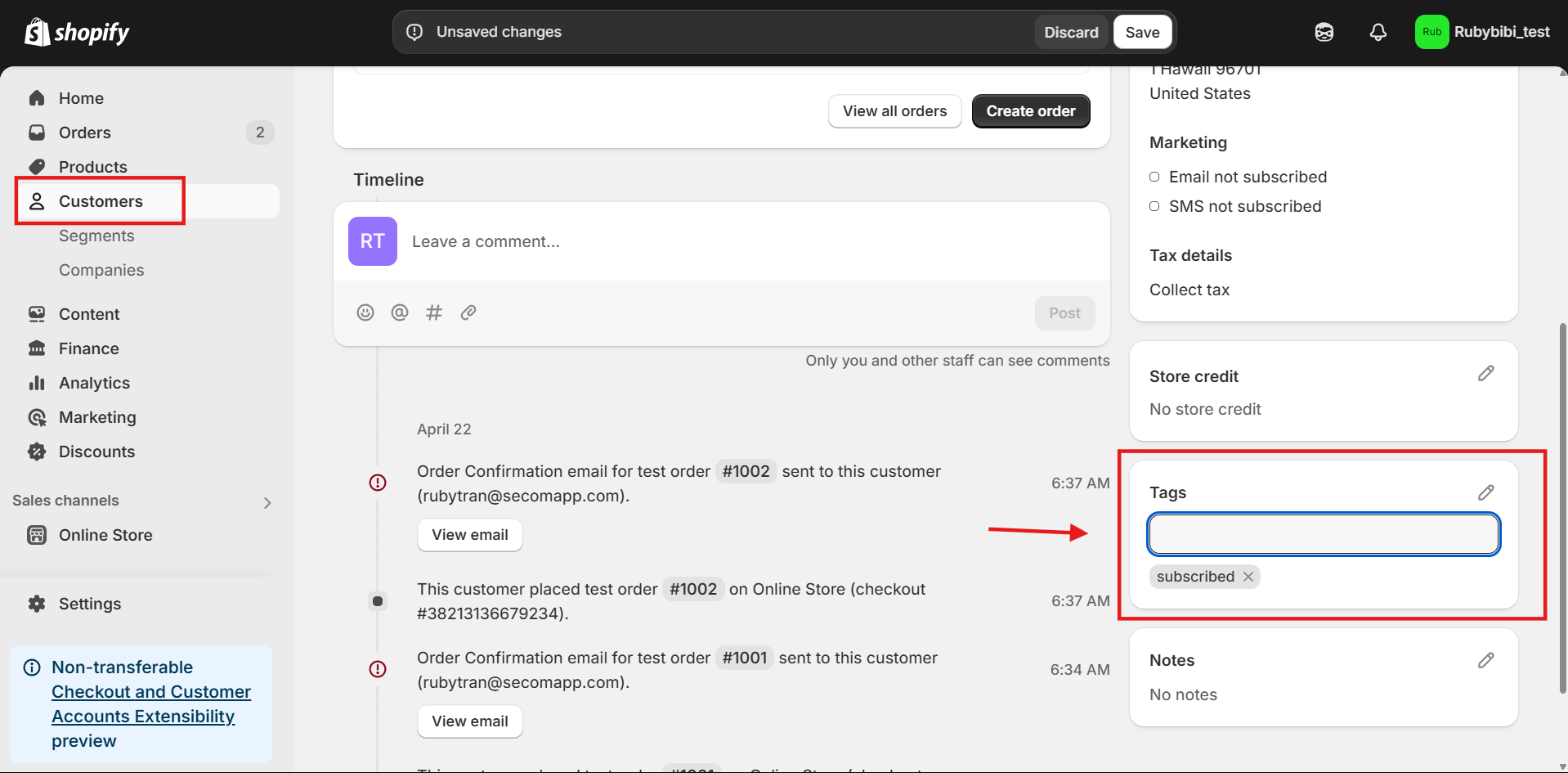
Step 2: Create a BOGO offer with BOGOS app
Step 3: In “offer sub condition” field, choose “customer tags” > enter the tag “subscribed”. This way, BOGOS will check if the customers have the right “subscribed” tag or not. If yes, they can get a BOGO with the gift automatically added to cart.
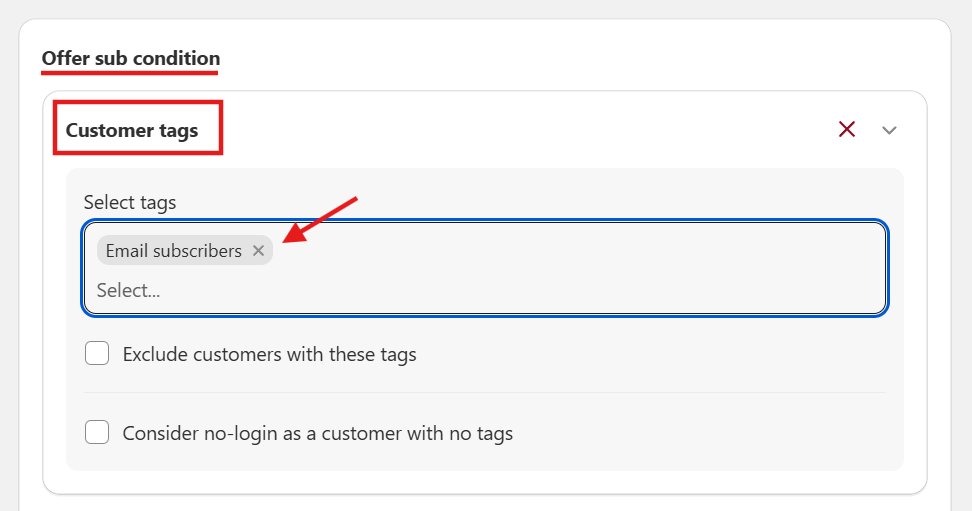
 Try BOGOS (4.9 rating, 2k+ reviews) for 7-free days now!
I hope my answer is helpful. If you have any further questions, I’m always here for you 

Hi @br20251 ,
Great idea! Offering a gift for newsletter sign-up is a proven way to grow your list and delight new subscribers.
Here’s how to set it up and track everything easily:
1. Capture Emails with a Signup Form
Use a popup or embedded form that appears based on scroll depth or time on page so it feels timely, not intrusive. Make sure the gift and any conditions are clearly explained.
2. Create and Deliver the Gift
For a digital gift, upload a free product or PDF in Shopify and share a hidden link or unique discount code.
For physical gifts, add a product to your catalog and tag it as a newsletter gift. You can then tag new subscribers with “newsletter-gift” and fulfill their orders manually or automatically using Shopify Flow.
3. Automate the Welcome Email
Send a welcome message via Shopify Email or a third-party app. Include the gift link or discount code, and outline any next steps (like adding the gift item to their cart).
4. Track Signups and Redemptions
Tag new subscribers so they’re easy to filter in your Customers list. Use Shopify Reports or exports to track who’s signed up, and monitor discount usage or order notes to confirm redemptions.
Looking for an Easier Way to Automate Your Welcome Gifts?
Check out Retentionly – AI Email Marketing . It’s beginner-friendly with AI integration to guide your setup. You only pay for the emails you send, and our team sets up your automations for free, so you can focus on growing your brand.
Need a hand? Just reach out via our live chat, we’re happy to help!
Cheers,
Retentionly Team
If this helped, feel free to like or mark it as solved so others can find it too.