Hi there, I’m just getting back to coding after 10 years, and switched to Shopify from Wix.
I am using the Editions theme, so it is a paid, 3rd party theme. Store is https://brokenneedle1.myshopify.com/. It’s live but not at all done. I had my WIX tethered to my domain, so no one is technically looking for it.
I’ll try to explain this as best as I can. I am trying to make page templates with sections from my theme. I watched a couple videos, and am a little familiar with the theme, as all the tutorials are for different themes, so I sort of know how it’s adjusted.
I have a couple text pages (policies, shipping, about, inquiries) and contact form pages. I am using the Slideshow section in my theme to add a photo at the top, and wanted to have the page title go across the slideshow. Some of the pages can have the same photo, but they’d have different titles.
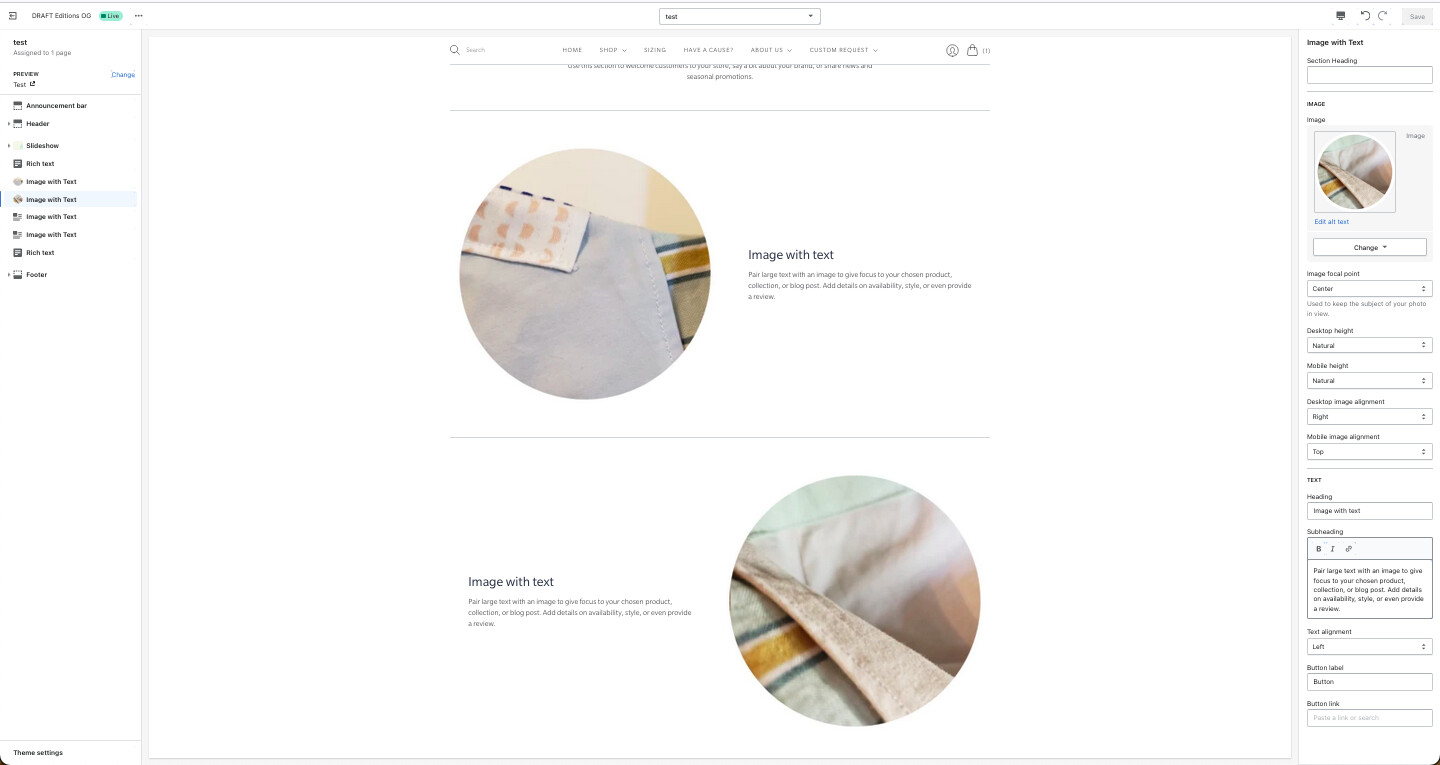
Right now I just have a Test page template that I made, a contact page template, and the default page template. I was experimenting adding sections in them to make them better than the Shopify page setup in the admin. In my new Test page template, I wanted to add a couple different Image-with-text sections, so I added {% section ‘dynamic-image-with-text’ %} a couple times in the page.test.liquid (under Templates). 4 times, to be specific. All 4 sections showed up when I went to edit the theme, but when I went to edit one, it edited ALL four. So I’ve duplicated the code for the dynamic-image-with-text Section and added numbers to the duplicates to have them different elements.
I also noticed this problem between the slideshows on the Test and Contact page template. So I duplicated the dynamic-slideshow section and added dynamic-image-with-text to Contact, and dynamic-image-with-text2 to test.page.liquid template.
Do I need to duplicate and add a different dynamic-slideshow section to each template if I want a different image or text overlay for the page title?
Is this how it should be done? I noticed it didn’t affect any of my Home page elements that used the same sections.
Some photos below.