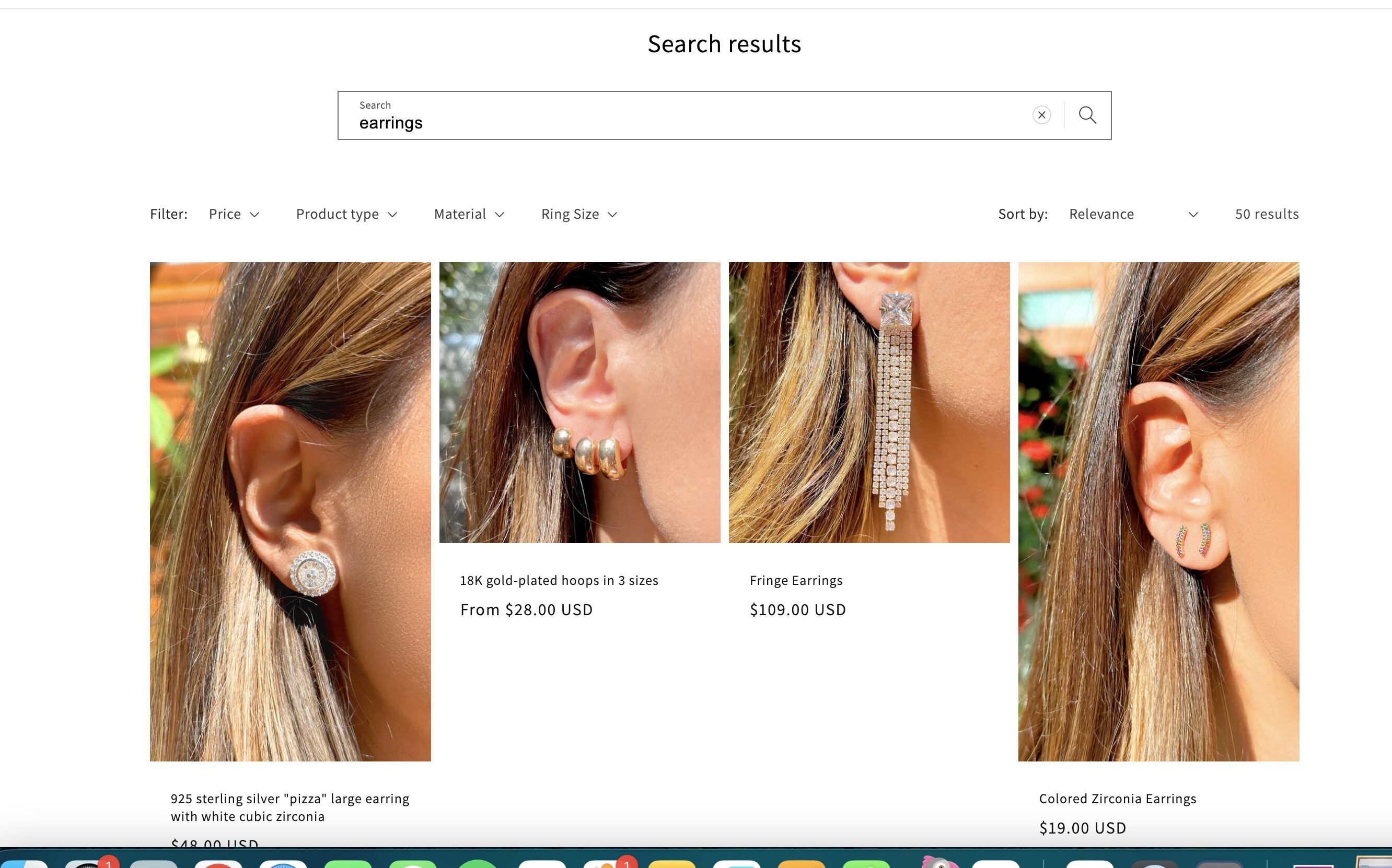
I use the dawn theme, so when I search for something It doesn’t show up like same-size squares or rectangles. it’s just with the search box the whole website is cool.
Topic summary
A Dawn theme user encountered an issue where product images displayed in inconsistent sizes during search results, rather than appearing as uniform squares or rectangles.
Solution provided:
- Navigate to: Store Admin → Sales Channels → Online Store → Themes → Customize → Search → Search Results → Image Ratio
- Select either “Portrait” or “Square” option
- Click Save
The issue was quickly resolved with this built-in theme setting, requiring no custom CSS code.
Hi @luizahaddad
Please share your store URL so that we can have a quick look and share the CSS snippet that can make the images the same size.
Thanks.
Hi @luizahaddad
Please go to your store admin > Sale channels > Online Store > Themes > Customize > Search > Search results > Image ratio, select Portrait or Square, click Save

1 Like
You killed. Easy. thank you very much.