How do I change the background color and text colour of all policy page and contact us pages.
i want background colour: #FAF8F1
text colour: #D94F16

URL: shopcheri.co
password free
How do I change the background color and text colour of all policy page and contact us pages.
i want background colour: #FAF8F1
text colour: #D94F16
URL: shopcheri.co
password free
hi
first step is to add html class to pages for this
you can add the following on theme.liquid.
Go to online store > next to themes click on three dots then edit code > under layout > theme.liquid
then insert {{ page.handle }} to <body tag so it looks like
.Then we can add specific css to page.
Hi @shopcheri this is Qasim ready to help you.
Hello @shopcheri ,
Edit theme.liquid
search for
here just before to it add this code
{% if request.path == '/policies/privacy-policy'
   or request.path == '/policies/shipping-policy'
   or request.path == '/policies/contact-information' %}


{% endif %}
Regards
Guleria
Hi @shopcheri
Try this one.
main#MainContent:has(.shopify-policy__container) {
    background: #FAF8F1;
    max-width: 100%;
    margin-bottom: -20px;
}

.shopify-policy__body {
    max-width: 560px;
    margin: auto;
}
.shopify-policy__title h1 {
    margin-top: 0;
    padding-top: .67em;
}

.shopify-policy__container * {
    color:  #D94F16;
}

.shopify-policy__body .rte p {
    margin-bottom: 0;
}
Your Feedback Matters! Please mark the solution and give likes to posts that helped you. Your appreciation fuels our motivation to assist you better!
thanks so much! that worked!
i just check the mobile version.
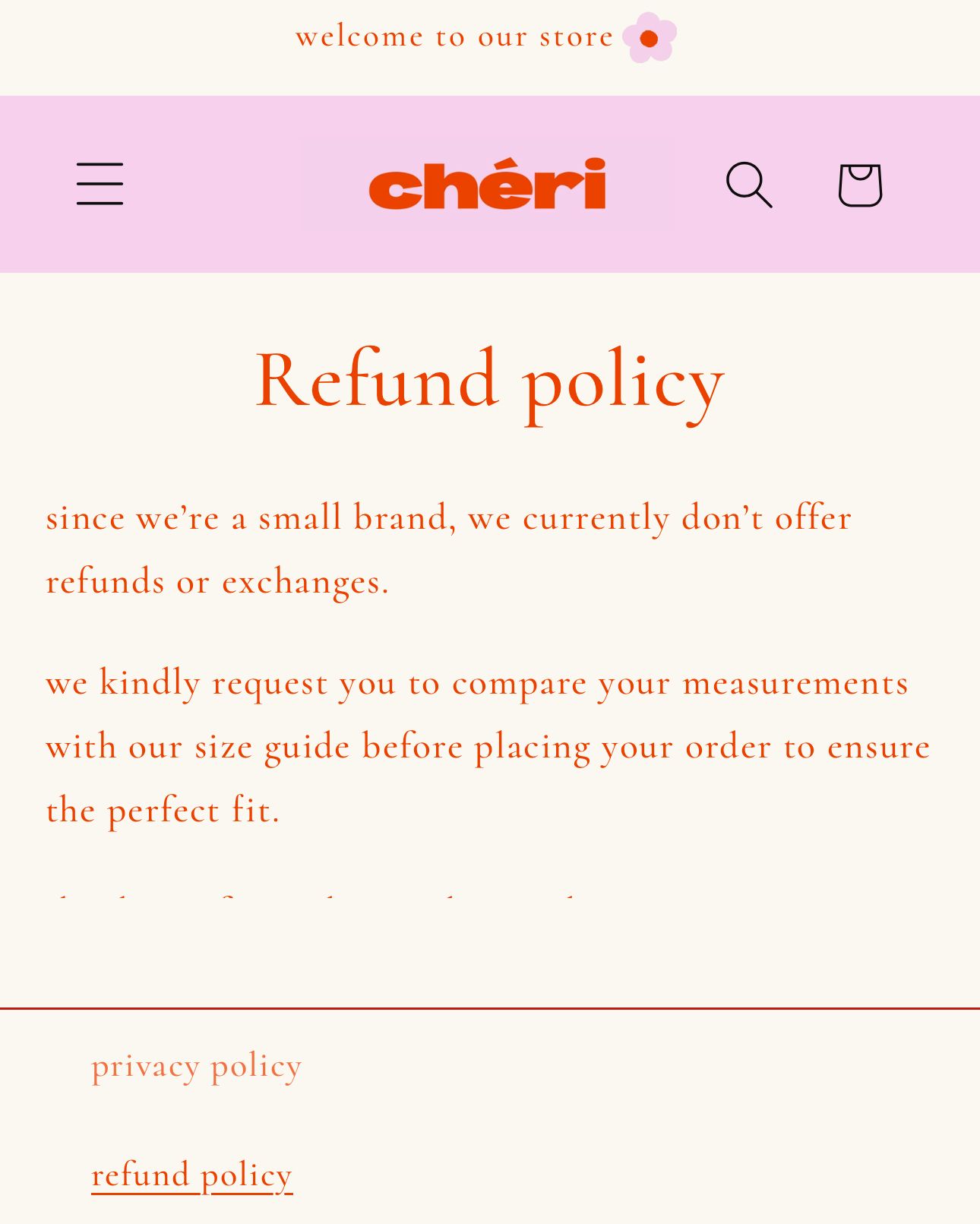
so the last from the refund policy, and contact us page is being cut for some reason.
is there a solution for that?
last line*
Oh, It’s from the footer padding.. As you can see on the code I provide I didnt add anything on the footer.
Try to find the file “refund.policy” you can search it
And find this line.
You can add some comment sign.
or remove it.
When I remove this is the result.
Your Feedback Matters! Please mark the solution and give likes to posts that helped you. Your appreciation fuels our motivation to assist you better!
i cant seem to find “refund policy” anywhere
is there any other way ?
facing same issue with your code adjustment:
the last line from ALL policy sections as well contact us page is being cut off.
please suggest how tot fix this issue.