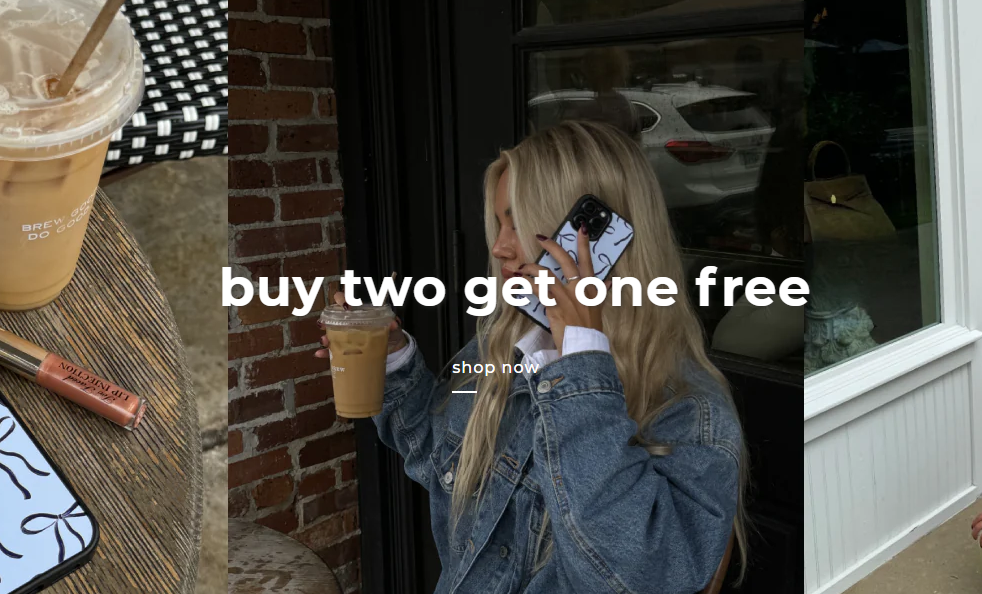
Hi! Is anyone able to help me with the positioning of the visible part of my banner button underline?
On my current live theme, it’s positioned as it should be, with the line beginning directly under the button text. When I duplicate this section or duplicate the theme for a draft theme, it is no longer in the correct position, see the images below.
This is how it should be:

This is how it is when I duplicate it:

here is the URL to my theme: https://8zeh90dm6h5cr0e4-27884224571.shopifypreview.com
Hi @Element1
You can try to follow this step
Step 1: Go to Edit code
Step 2: Find file base.css and add this code at the end of the file
a.button.button--primary {
    justify-content: unset !important;
}
Result
Best,
DaisyVo
Hi! Unfortunately this didn’t work
Hi @Element1 Can you share an image of where you add the code?
Hi @Element1 you must click “Save” to code work
I already did that haha. I had removed the code since you asked for a screenshot three days after I told you it didn’t work. I just added it back to show you where I had placed it. That code simply doesn’t work, at least not in the base.css file. I’m not totally clueless about code, I know how to find the base.css file and save my changes ?