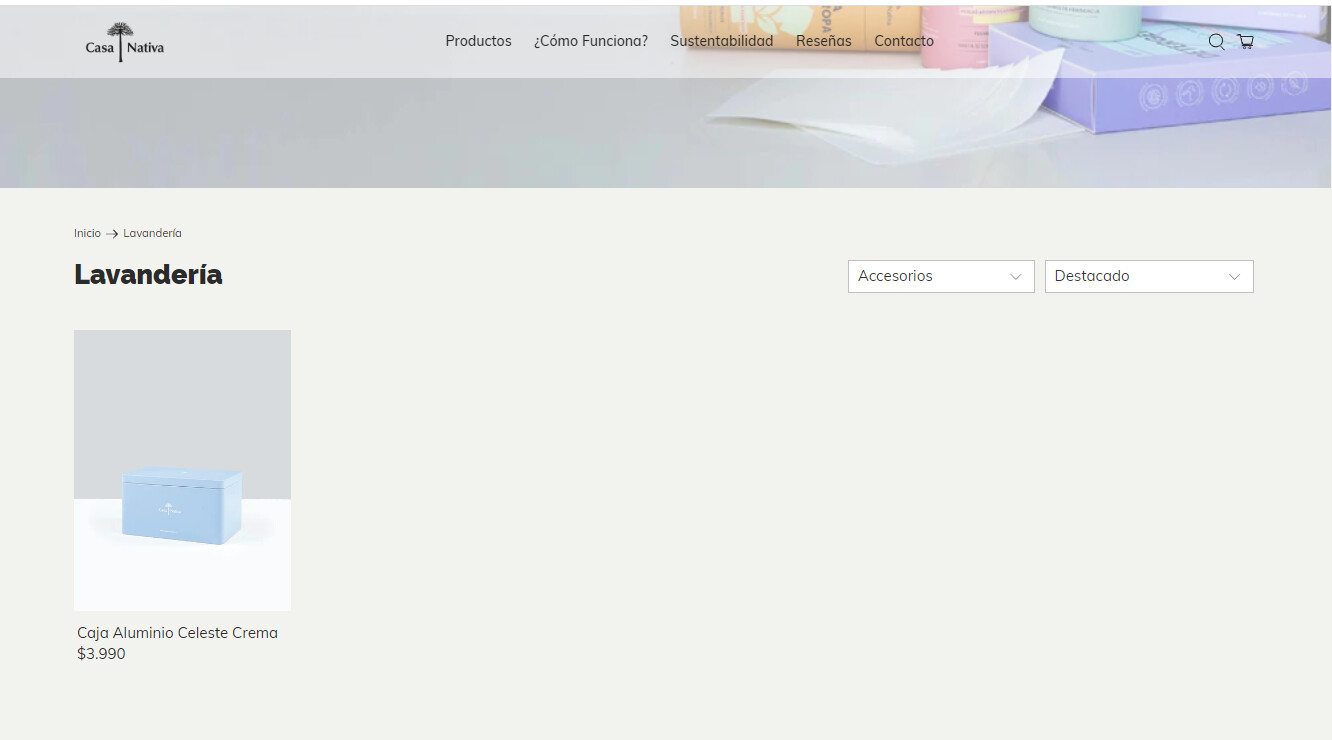
I am using the Flex bloom theme. There is no problem if the number of products is 4 or more on the collection pages. However, the dimensions of the product field change if I use the product filter and it’s just 1 or 2 product.
This is the link: https://casa-nativa.cl/
1 Like
Hi @CasaNativa
made4Uo
November 18, 2022, 5:14pm
3
Hi @CasaNativa ,
I was able to see the problem, your product size is smaller when you have 1 or 2 products. I would suggest contacting the theme provider.
We can make changes but to do it right, you need to remove the one-fourth code. There would be an if statement that need fixing.
The website looks like this after I remove the one-fourth class
The code is in the collection. See the inspect tool here
You can also do the following to fix the problem.
From your Admin Page, click Online Store > Themes >Actions > Edit code
In the Asset folder, open the style.scss
Paste the code below at the very bottom of the file.
.one-fourth.medium-down--one-half.small-down--one-half.column.has-thumbnail-sticker.has-secondary-image-swap.thumbnail.product__thumbnail.product__grid-item.thumbnail__hover-overlay--false.has-padding-bottom {
    width: calc(100% - 20px);
}
Hi @CasaNativa
I would like to give you some recommendations to support you.
Please go to Online Store > Themes > click 3 dots button > Edit code > Style.css add code at the end of the file Style.css
.collection__content .collection__main .collection-matrix .one-fourth .product-image__wrapper .image-element__wrap img {
    width: 927px !important;
}
I hope you find the answer useful or if you need further support, do not hesitate to reach out to us.
Kind & Best regards,