Hello wizards,
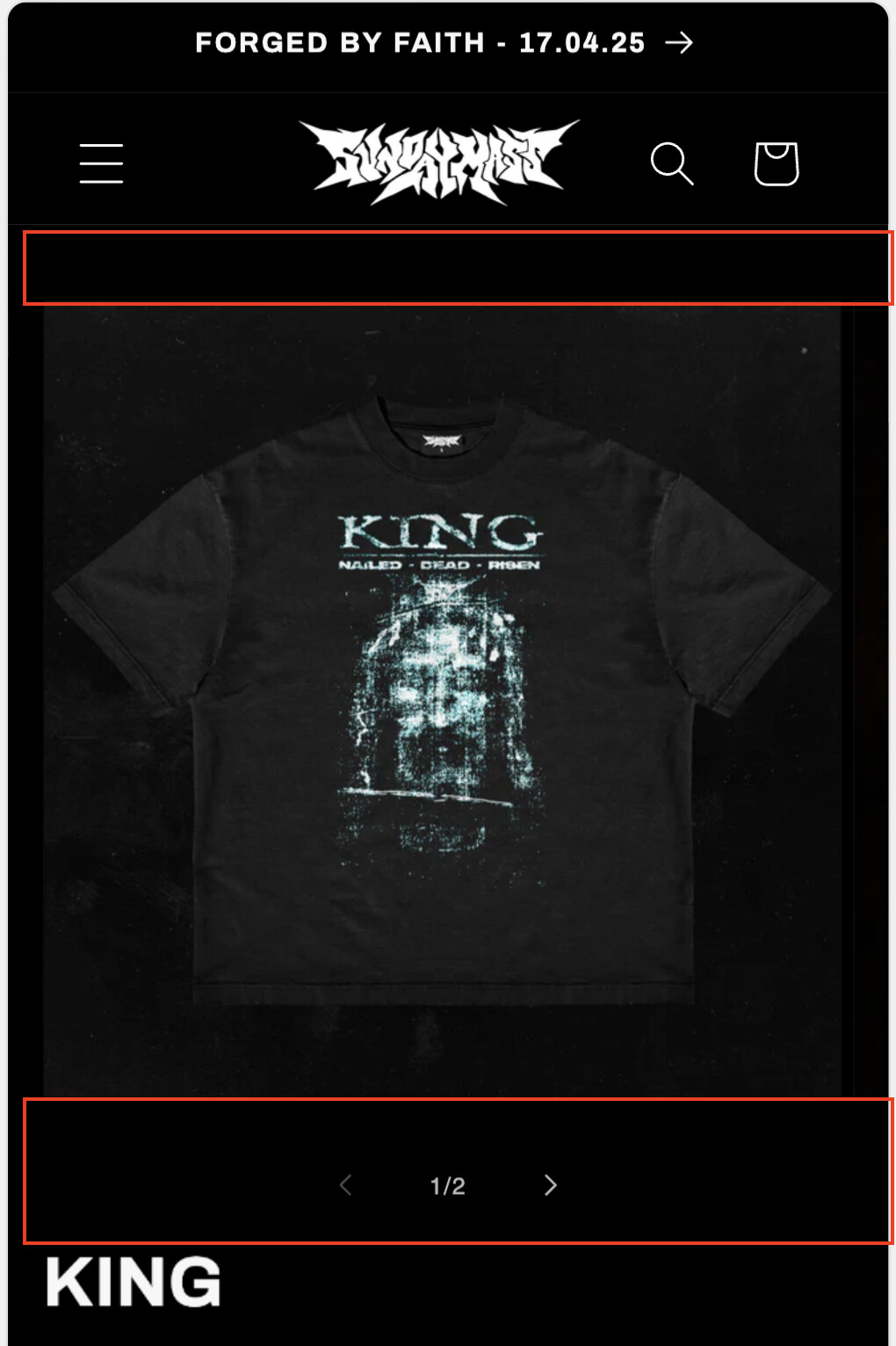
Im trying to enlarge the product thumbnail on the product pages to fill the entire screen (red boxes).
Cant figure out how. www.sundaymass.store
please see attached
Hello wizards,
Im trying to enlarge the product thumbnail on the product pages to fill the entire screen (red boxes).
Cant figure out how. www.sundaymass.store
please see attached
Hi @massmonster .
Here’s how to achieve that:
@media screen and (max-width: 749px) {
    .product__media-list .product__media-item {
        width: 100% !important;
        margin-left: 0px !important;
    }
}
If done correctly, the result should be like this:
I hope this helps!
If you don’t want to edit the theme code directly, you can use a code injection app like the one in my signature.
thank you mate, thats fixed that issue and the product page is almost perfect,
only issue is theres still a bit of padding between the pagination arrows and the bottom of the image…
theres also padding between the pagniation arrows and the product title
please advise
There’s padding above and below the pagination arrows, indeed. Could you describe what you want to do with it? You can’t remove it completely as it will be difficult to notice/click the arrows.
Ive managed to move the pagination so that its ontop of the thumbnails. the spacing is good.
however, there is now a new issue… for a product with 2 photos the pagination will show 1/3.. for a product with 5 photos paginaiton shows 1/6…
very strange. any ideas?
hey me again
turns out this only worked on the main product page, ive got a seperate product page template for my other items, how do i update that aswell?