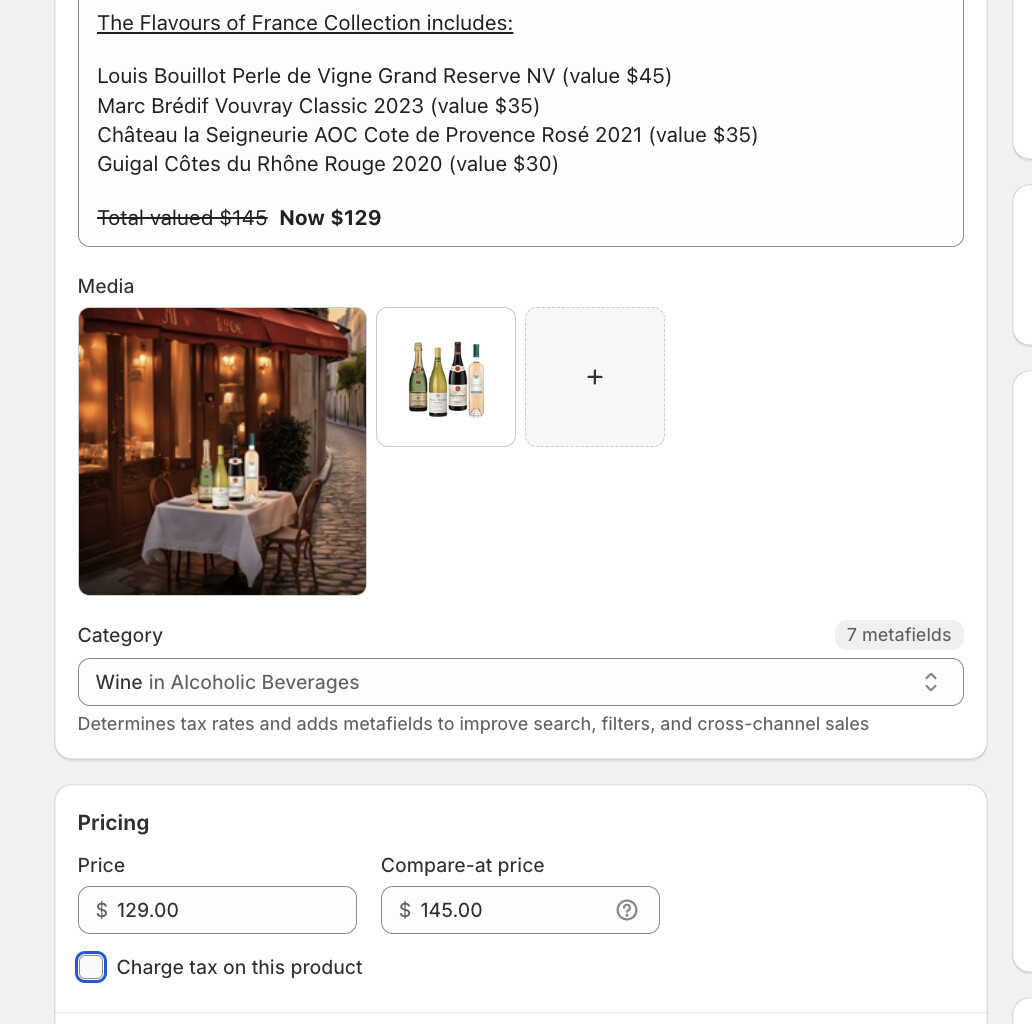
When I include the “compare-at-price” field like this within a product:
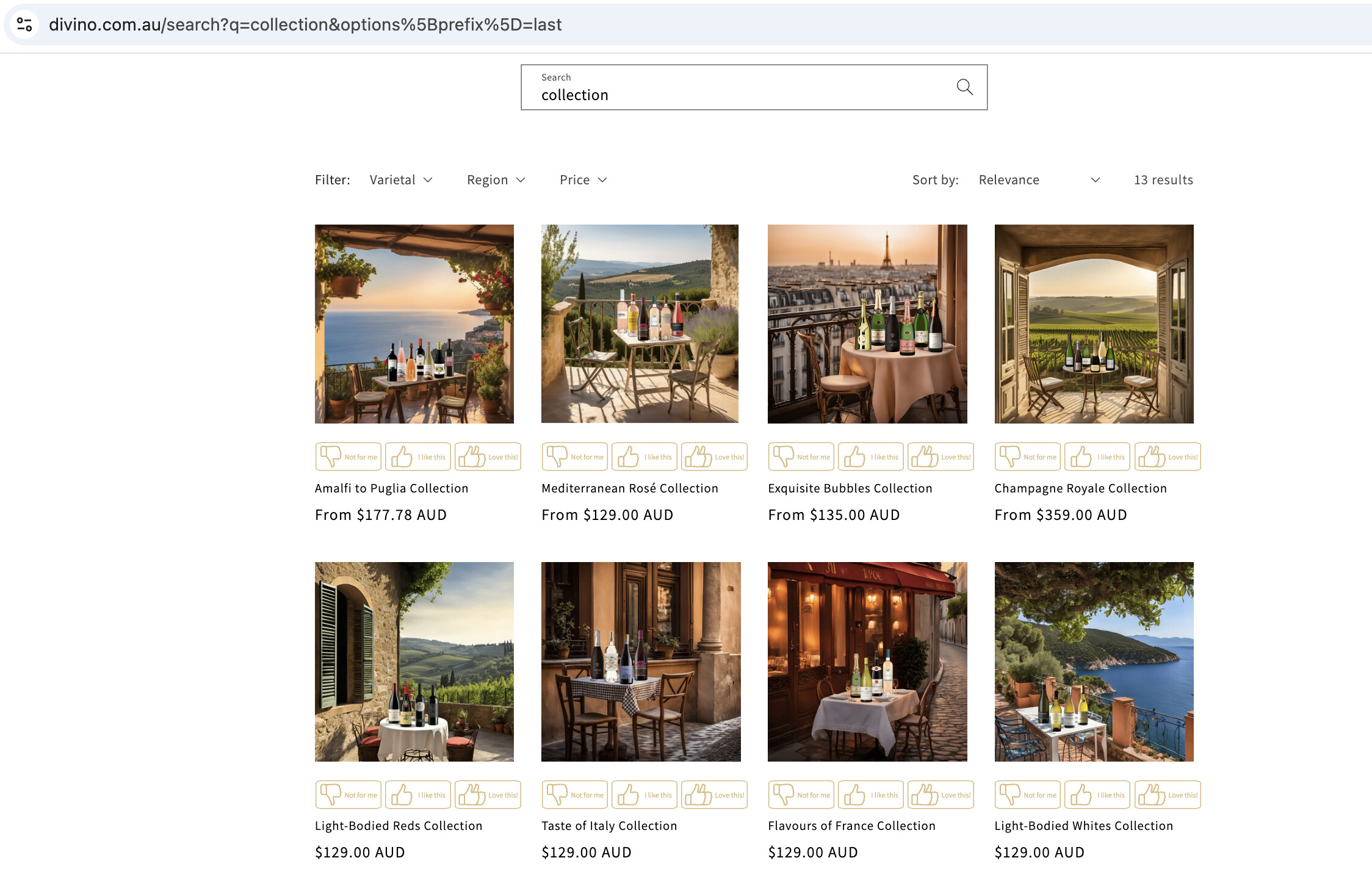
As a result, the product name and price does not appear in the list view. Only the image appears only it’s own (which is not clickable), and no other product detail appears.
It is definitelty the “compare-at-price” field that causes this, because when I remove the “compare-at-price”, the product detail appears in the list view:
Does anyone know how to fix this? I would like to show the original “compare-at-price”.
Hi @missjo13 ,
We need to show compare at price by modifying the theme code.
It’s not shown by default? What code do you suggest I try?
Every theme has unique file structures and naming conventions, making it challenging to pinpoint the exact file to update without reviewing your theme’s code. Generally, the file you’re looking for might be named something like product-info.liquid. You can search within this file for the section that displays the product price and add the following variable to display the compare-at price: {{ product.compare_at_price | money }}.
Hi @Asad-Mahmood , I’m using the Dawn theme. In what template or section should I find this “compare_at_price”?