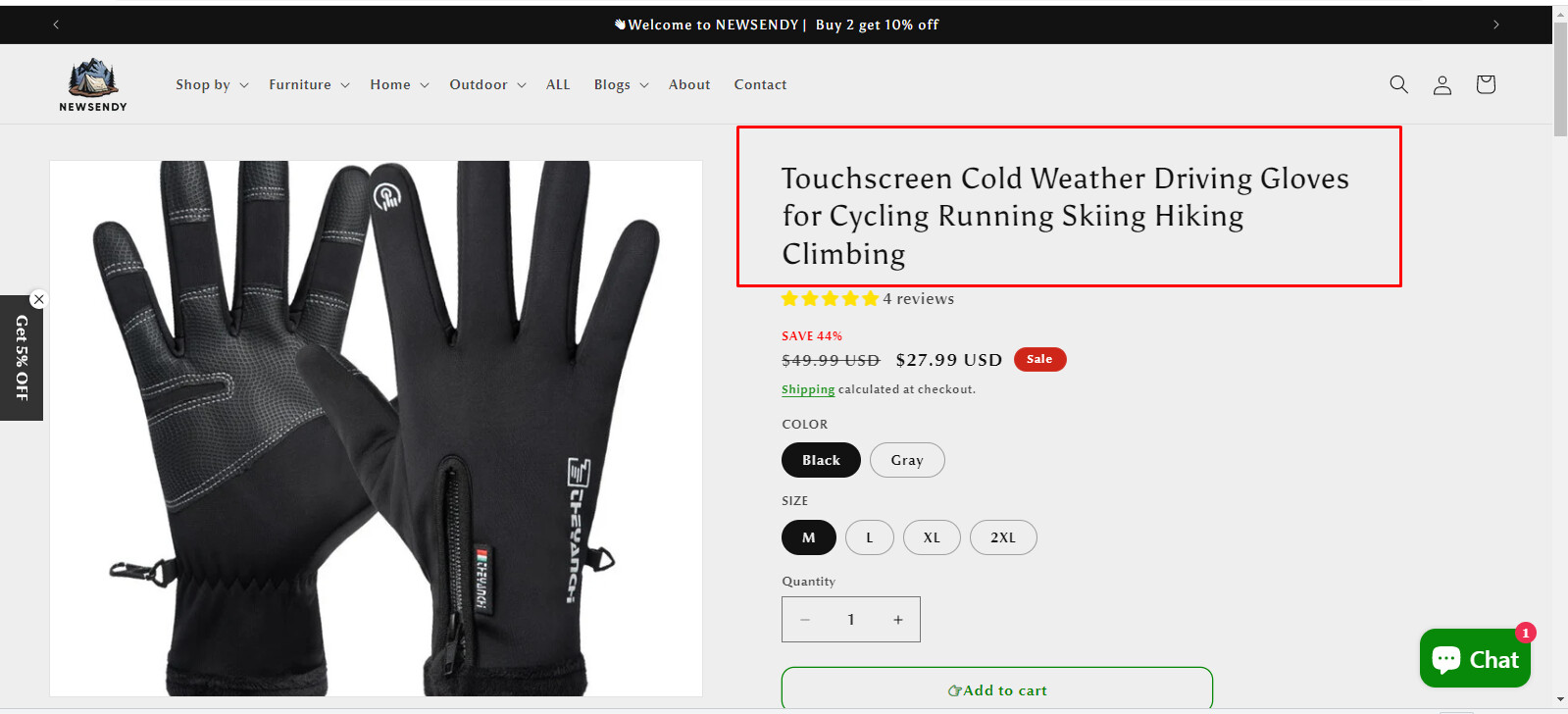
I encountered a problem, that is, the title of the product page, too huge, affecting the page effect, there is no way to make the title font smaller, before trying to replace the title with text will affect the effect of H1.

2 Likes
Hello There,
- In your Shopify Admin go to online store > themes > actions > edit code
- Find Asset > base.css and paste this at the bottom of the file:
.product__title h1 {
font-size: 25px;
}

1 Like
Please share your store url.
Do you want to make product title smaller?
Changing text of product title doesn’t effect on H1 tag.
Check this one.
From your Shopify admin dashboard, click on “Online Store” and then “Themes”.
Find the theme that you want to edit and click on “Actions” and then “Edit code”.
In the “Assets” folder, click on “base.css, style.css or theme.css” file, depending on which file your theme uses to store its CSS styles. At the bottom of the file, add the following CSS code:
.product__title h1 {
    font-size: 30px;
}
And Save.
Result:

Please don’t forget to Like and Mark Solution to the post that helped you. Thanks!
1 Like
Hello @newsendy_alc ,
I understand you are looking to decrease the size of the Product Title
You can change the font size with the help of CSS Code.
Add the code at the bottom of the theme.liquid file before tag and save
[Please feel free to set the Font-size px as per your requirements]
Output will be like this -: https://prnt.sc/V3dpJXEJvp56
I hope the code helps you.
Please share if you have any queries.
Thank you.
Hello @newsendy_alc
You can add code by following these steps
-
Go to Online Store → Theme → Edit code.
-
Open your theme.liquid file
-
Paste the below code before on theme.liquid
Was my reply helpful? Click Like to let me know!
Was your question answered? Mark it as an Accepted Solution.
1 Like
@newsendy_alc Please follow below steps to decrease the font size of the product title. Let me know whether it is helpful for you.
- From admin, go to “Online stores” → “Themes”.
- Click action button from the current theme and select “Edit code”.
- Go to “base.css” file and paste the below code at the bottom of the file and save changes.
Note: Update the font size as per your requirements.
.product .product__info-wrapper .product__title h1 {
  font-size: calc(var(--font-heading-scale) * 2.5rem);
}
@media only screen and (max-width: 750px) {
  .product .product__info-wrapper .product__title h1 {
    font-size: calc(var(--font-heading-scale) * 2rem);
  }
}
Result will be like,


Please provide your support by click “Like” and “Accepted” if our solution works for you. Thanks for your support.
1 Like