Hi guys,
Website: seraneeva.com
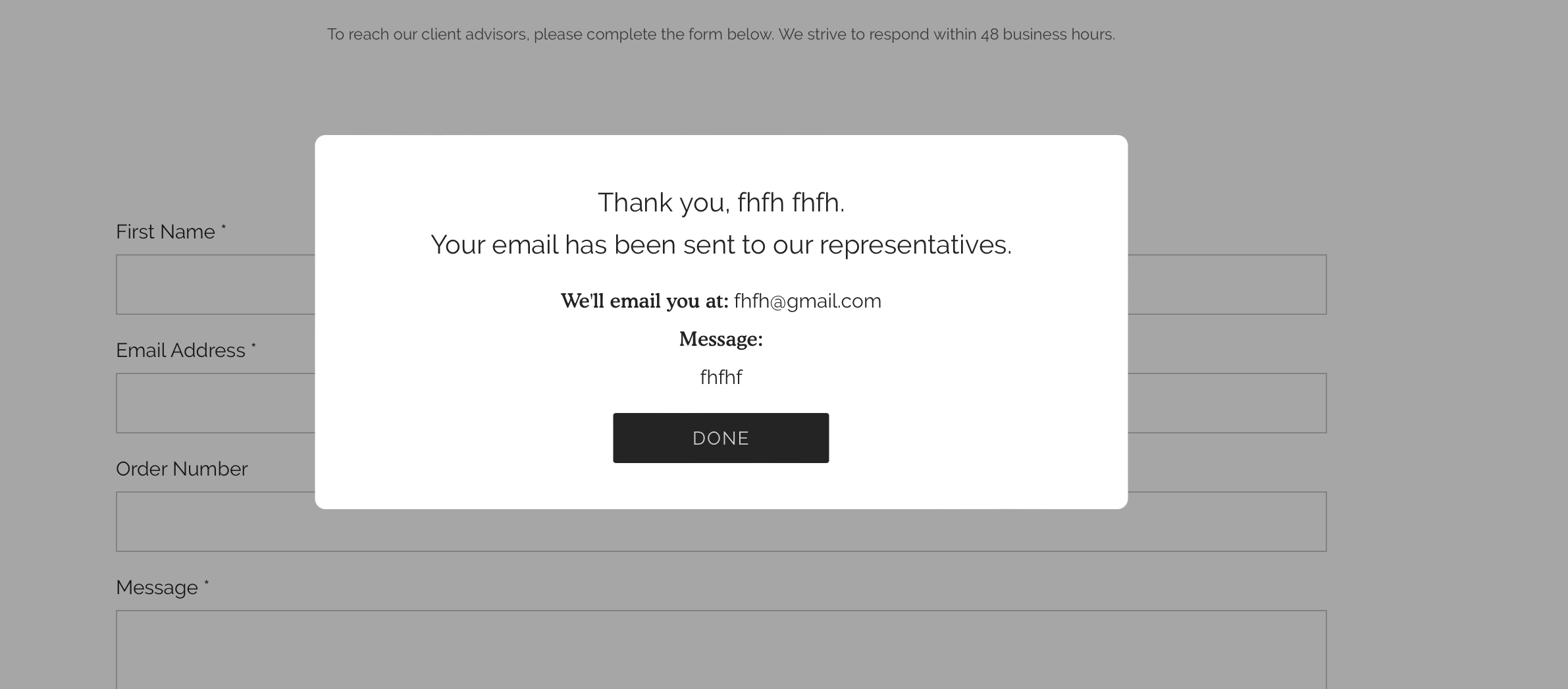
How can I reduce the text size of user’s email and message entries on the pop up after they submit the form on the contact us page?? Pic for reference. Any help would be greatly appreciated!
Hi guys,
Website: seraneeva.com
How can I reduce the text size of user’s email and message entries on the pop up after they submit the form on the contact us page?? Pic for reference. Any help would be greatly appreciated!
Hi @flammagreg ,This is Garcia from PageFly - Shopify Page Builder App
Please add this code to your theme.liquid above the to get this solved
Step 1: Online Stores > Themes > More Actions > Edit code
Step 2: click on theme.liquid and paste the code above the
.section-contact-form .custom-pop-up p.pop-up-title { font-size: 16px; } .section-contact-form .custom-pop-up .h4.email-title{ font-size: 14px; }Hope this can help you solve the issue 
Best regards,
Garcia | PageFly
Hi @flammagreg ,
Step 1: Go to Shopify Admin → Online Store ->Theme → Edit code
Step 2: Search file base.css, theme.css, styles.css or theme.scss.liquid
Step 3: Insert the below code at the bottom of the file → Save
.email-title ~ span {
    font-size: 14px;
}
Here is result:
Hope this can help you,
If our suggestions are useful, please let us know by giving it a like or marking it as a solution. Thank you