Remove author from Blog - Atlantic Theme

Topic summary

Goal: remove the “Written by” author label from blog posts in the Atlantic Shopify theme.

  • Initial replies requested the store URL/password, but a clear fix was provided via theme customization.

  • Recommended solution: Add Custom CSS in Theme > Customize > Custom CSS:
    .article-author > span { display: none !important; }

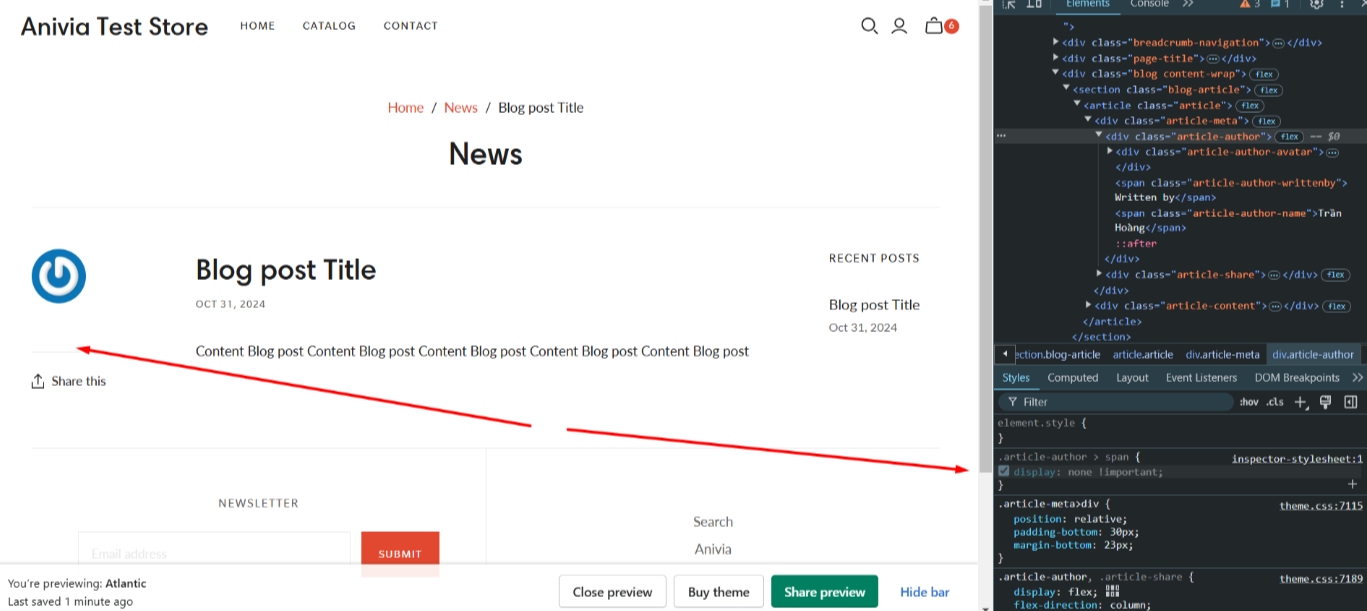
  • A screenshot from Atlantic Theme confirmed the author text is hidden; the image also highlights a blue round icon next to the author area.

  • Alternative method: Edit code (Online Store > Themes > Actions > Edit Code), open article.liquid, search for the “Written by” text, and delete/comment that line. One additional CSS example was shared but contained a selector typo.

  • Outcome: The original poster confirmed the CSS solution worked to remove the “Written by” text.

  • Latest update: They now ask how to remove the blue round icon shown in the screenshot (likely an author/avatar icon). No guidance has been provided for the icon yet, so the follow-up request remains open.

Summarized with AI on December 15. AI used: gpt-5.

Hi, I would like to remove the “Written by” from the Blog section in Atlantic Theme.
Thank you

Hey @AU_3

Share your Store URL and Password if enabled.

Best Regards,

Moeed

Please Share a Store url to better understand

Hi @AU_3

You can follow the instruction here to remove the author on the blog:

  1. Go to Shopify > Theme > Customize > open Custom CSS

  2. Copy and paste this code to the section > Save

.article-author > span {
    display: none !important;
}

Here is the result from Atlantic Theme:
1 Like

Simply go to Online Store > Themes in your Shopify admin.

Find the Atlantic theme, click Actions > Edit Code.

Open article.liquid (usually in the Sections or Templates folder).

Search for “Written by” and delete or comment out the line.

Hello @AU_3 , try this

.article-author > span {
    display: none !important;
}

Great thank you that work. Can you please advise how to also remove the blue round icon that your arrow in the image above is pointing at? Thank you,