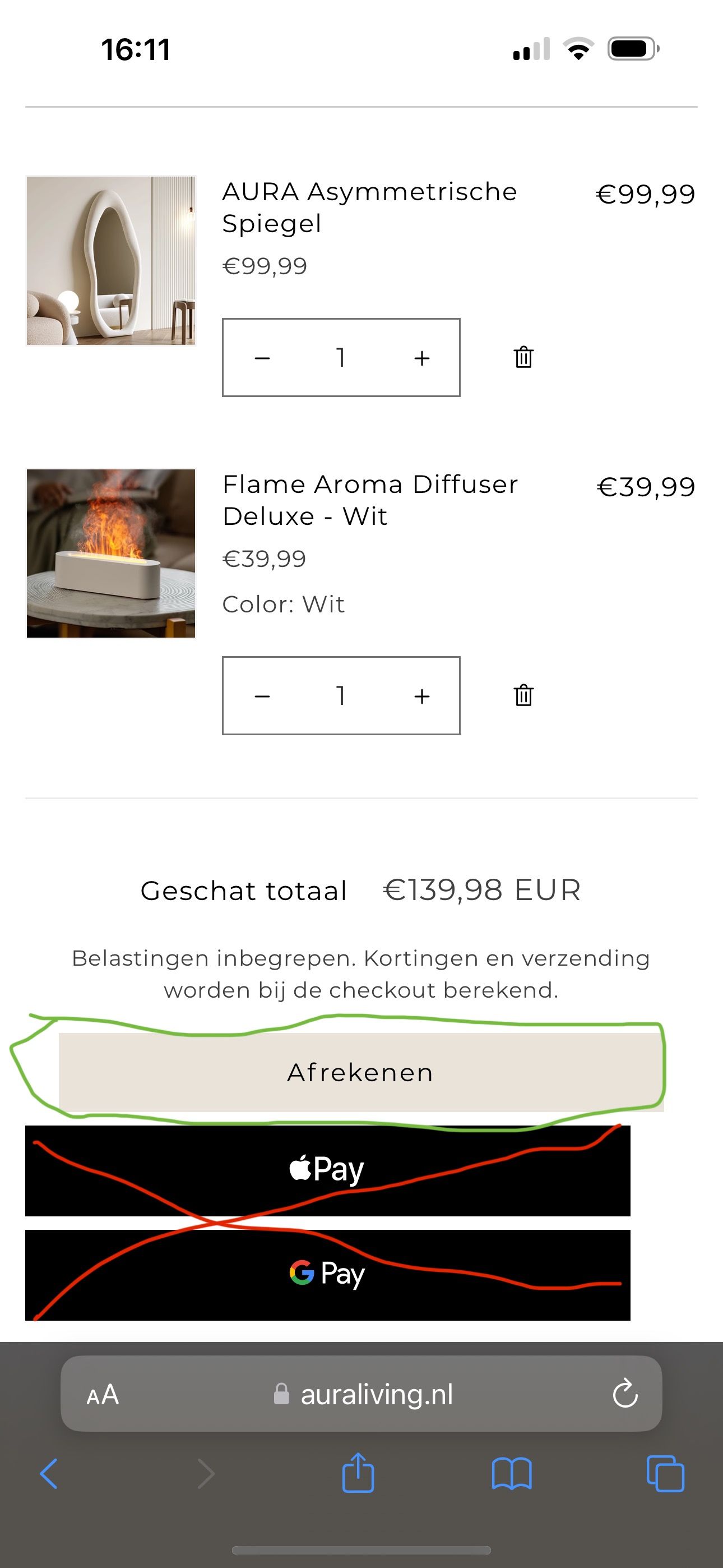
Hello, on the MOBILE version of my website www.auraliving.nl i want to Remove The Buttons in The Shopping Cart for Apple pay Google Pay & Paypal that come under the Checkout Button. Customers can use these payment options in the actuall Checkout Page, they make the Cart page to bussy in my opinion. How do i remove this guys?
Topic summary
-
Issue: On the mobile cart page of auraliving.nl, the express payment buttons (Apple Pay, Google Pay, PayPal) appear under the main Checkout button. The goal is to hide them on the cart to reduce clutter, while keeping them available on the actual checkout page.
-
Solution: Edit the theme’s CSS (base.css or theme.css) via the theme code editor and add the rule: .cart__dynamic-checkout-buttons { display: none !important; }. This targets Shopify’s dynamic checkout container to hide express buttons specifically on the cart page.
-
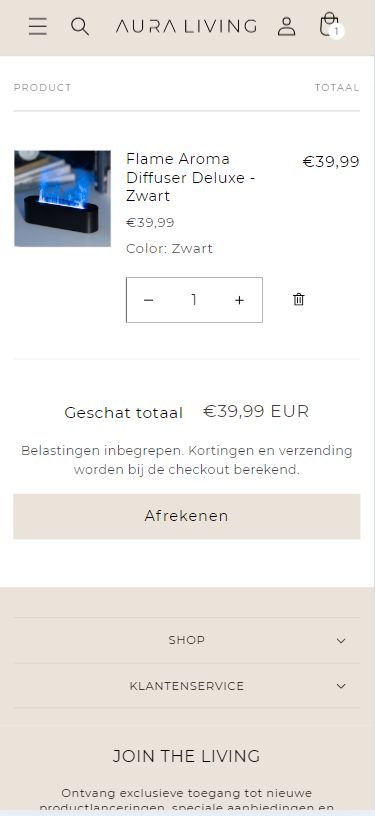
Evidence: Shared images show where to add the CSS and the before/after result with the buttons removed beneath Checkout on mobile.
-
Outcome: Simple CSS-only fix achieves the desired layout change; payment options remain accessible during checkout. No disagreements or alternative approaches were raised. Status: resolved with actionable steps.
- Here is the solution for you @NinoB97
- Please follow these steps:
- Then find the base.css or theme.css file.
- Then add the following code at the end of the file and press ‘Save’ to save it.
.cart__dynamic-checkout-buttons {
display: none !important;
}
- Here is the result you will achieve:
- Please press ‘Like’ and mark it as ‘Solution’ if you find it helpful. Thank you.


