I am trying to create a clean All-Collections page. I have created a new menu and chosen the collections I want to show on that page.
The issue is that my collection descriptions are showing up along with image and title and the page layout gets really wonky. I would like the All Collections page to ONLY show collection image and title - NO DESCRIPTION TEXT.
This is what it looks like now…
Hi @Amber_Muenz
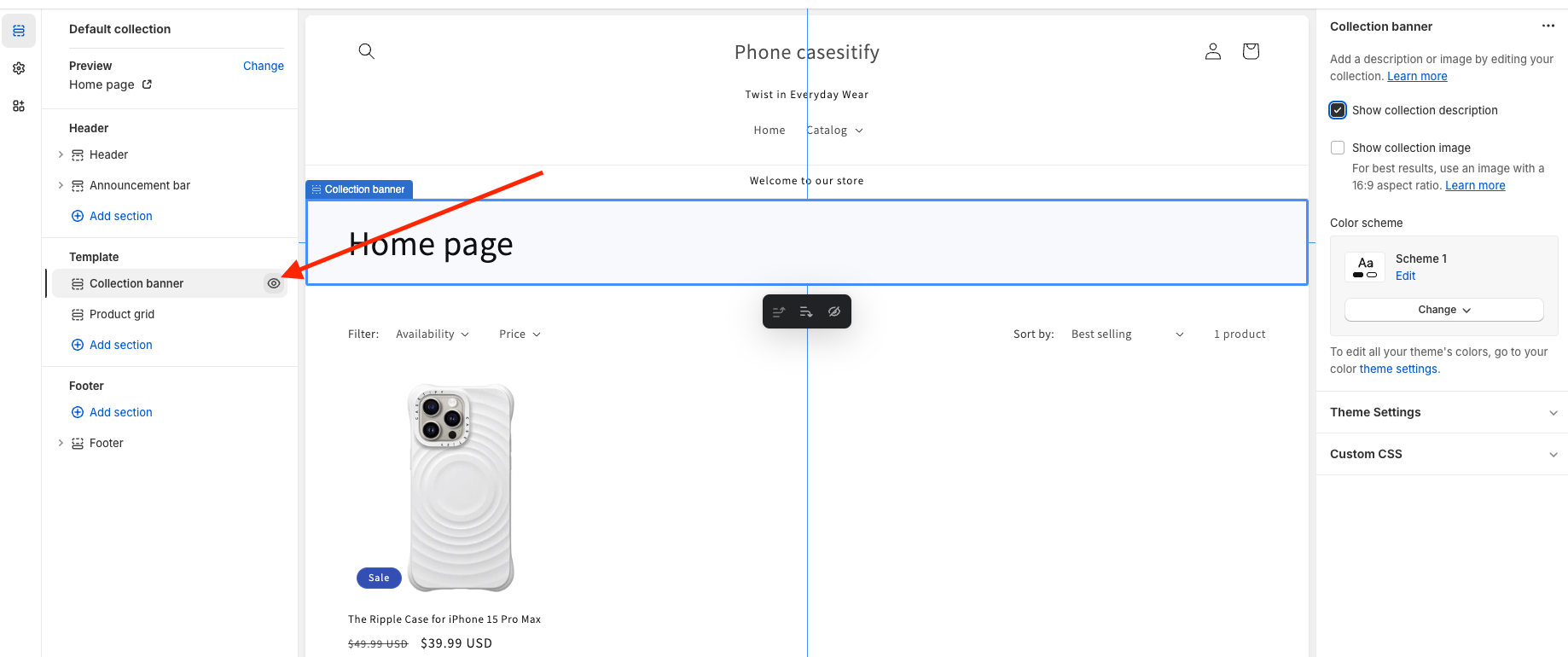
Please go to Online Store > Themes > Customize > Collections > Default collection, hide Collection banner section
Hi @Amber_Muenz ,
You can try this code by following these steps:
Step 1: Go to Online Store->Theme->Edit code.
Step 2: Search file theme.liquid
Step 3: Paste the below code at the bottom of the file → Save
{% if handle contains "all" %}

{% endif %}
Hope my solution works perfectly for you!
Best regards,
Oliver | PageFly
Hi Oliver,
Thank you for your suggestion. I gave it a try but it didn’t take the description text off of the /collections/ page. I wonder if it is because the URL does not contain the word “all”? the URL is just our “domain.com/collections”
When I set up the menu to show only certain collections, I followed these instructions and titled the menu “All Collections” which is meant to give it the handle “all-collections”
https://help.shopify.com/en/manual/online-store/themes/themes-by-shopify/vintage-themes/customizing-vintage-themes/change-collections-page#create-a-menu-to-control-your-collections-list-page
I forgot to mention I am working on the Atlantic theme.
Any other suggestions would be greatly appreciated!
Thanks again!
I tried your solution but unfortunately I do not have the option for “Collection Banner.”
If you have another suggestion for the Atlantic theme - I would love to hear it.
Thanks again!