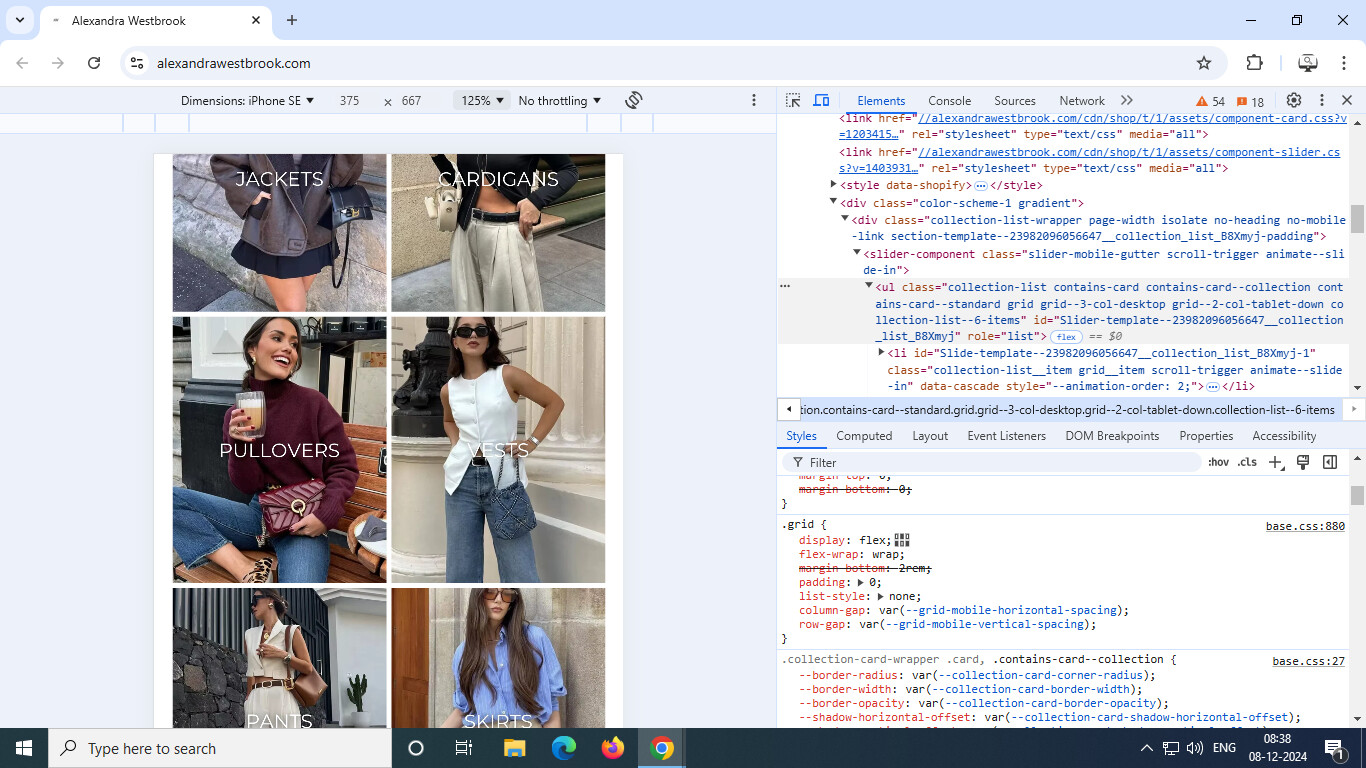
hi, i want to remove the white gaps (drawn with red lines) between my collection lists:

i want it to look something like this:

where there are no gaps.
my theme is dawn, website url is www.alexandrawestbrook.com
hi, i want to remove the white gaps (drawn with red lines) between my collection lists:
i want it to look something like this:
where there are no gaps.
my theme is dawn, website url is www.alexandrawestbrook.com
@ads18922 - please add this css to the very end of your base.css file and check,
Shopify Admin → Online Store ->Theme → Edit code → base.css
.collection-list__item .card--media .card__content{display:none;}
Hi @ads18922
To complete your requests, please follow these steps:
@media screen and (max-width: 768px){
.card__content {
    display: none !important;
}
ul.collection-list {
    gap: 0 !important;
}
}
Here is the result: https://prnt.sc/HDihmD8kw9W7
I hope this helps
Best,
Daisy
Thankyou for helping, but do you know how to remove the border, on the left and right side where the collection fits? So the pictures reach the full screen?
this works but then when you click on the collections, nothing happens
this works but then when you click on the collections, nothing happens
Hi @ads18922
Please add this code instead:
@media screen and (max-width: 768px){
.collection-list-wrapper.page-width slider-component.slider-mobile-gutter ul.collection-list li.collection-list__item.grid__item .card.card--standard.card--media > .card__content {
    position: absolute !important;
    top: 0;
    left: 0;
    bottom: 0;
    right: 0;
}
.collection-list-wrapper.page-width slider-component.slider-mobile-gutter ul.collection-list {
    gap: 0 !important;
}
}
I hope this helps
Best,
Daisy