I don’t want to display the product title here on the mobile phone, but it can still be displayed on the computer.

Any help is most welcome.
Thank you
I don’t want to display the product title here on the mobile phone, but it can still be displayed on the computer.
Any help is most welcome.
Thank you
Hey @shengwenwen
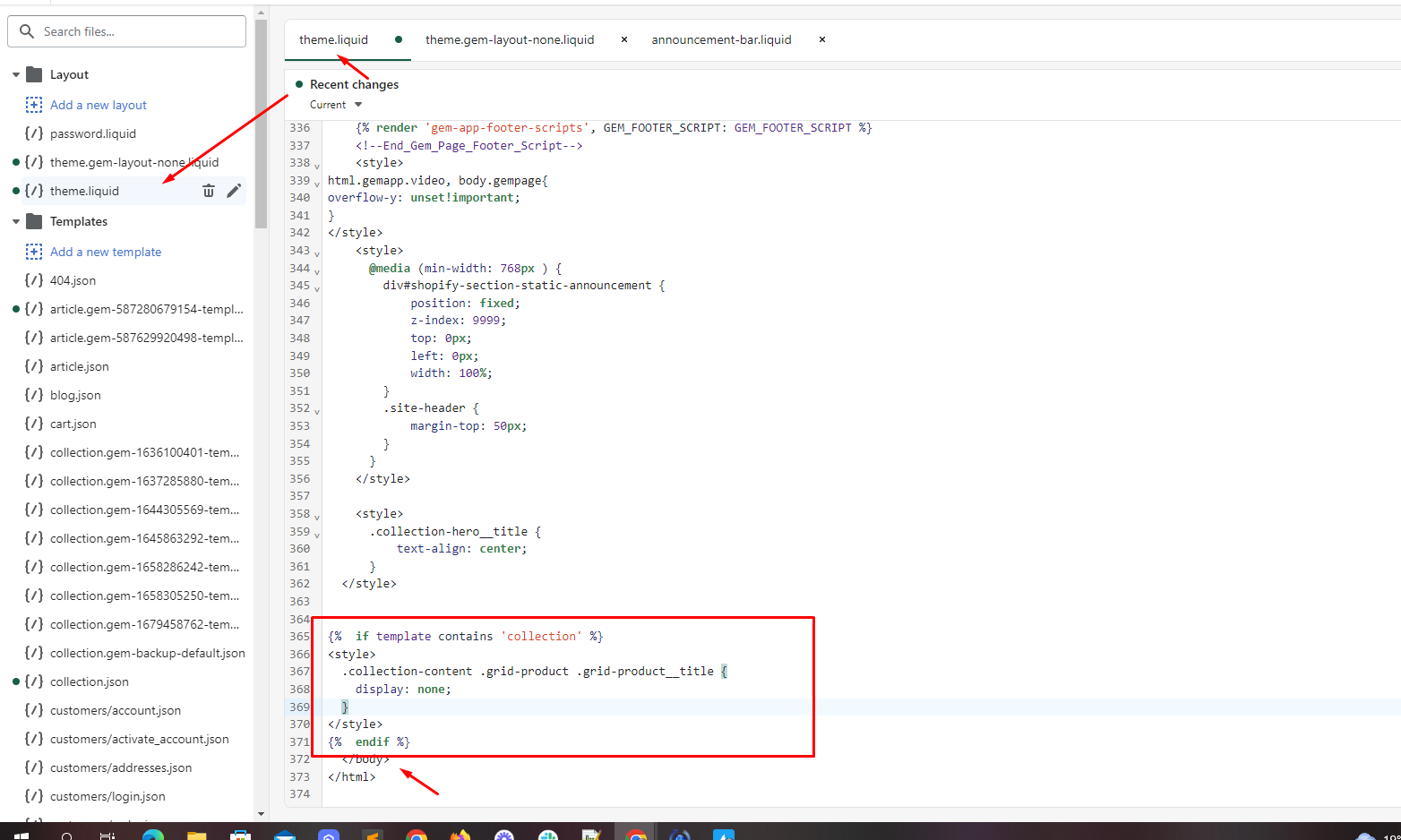
Follow these Steps:
{%  if template contains 'collection' %}

{%  endif %}
Hello @shengwenwen ,
Can you give me your Store URL( with pass if your store password is enabled) so I can check it for you?
Kind & Best regards,
GemPages Support Team
Hello @shengwenwen ,
You can follow these steps:
{%  if template contains 'collection' %}

{%  endif %}
I hope the above is useful to you.
Kind & Best regards,
GemPages Support Team
Hi @shengwenwen ,
Please follow this instruction to do that.
Go to Online store > Themes > Edit code > Assets > open theme.css or theme.css.liquid and then add this code at the bottom of file
@media only screen and (max-width: 767px){
.collection-content .grid-product__title {
    display: none !important;
}
}
Hello @shengwenwen ,
You can try to do this:
Go to Online Store → Themes → Actions → Edit code
Go to Assets → template-collection.css → Add the following code at the bottom of page:
@media only screen and (max-width: 768px) {
  .product-single__title {
    display: none;
  }
}
Save and preview
Let us know if you need any further support
OneCommerce.
@shengwenwen
add below code into theme.liquid file
{%  if template contains 'collection' %}

{%  endif %}
Thank you so much for your help
Worked perfectly!