Hi!
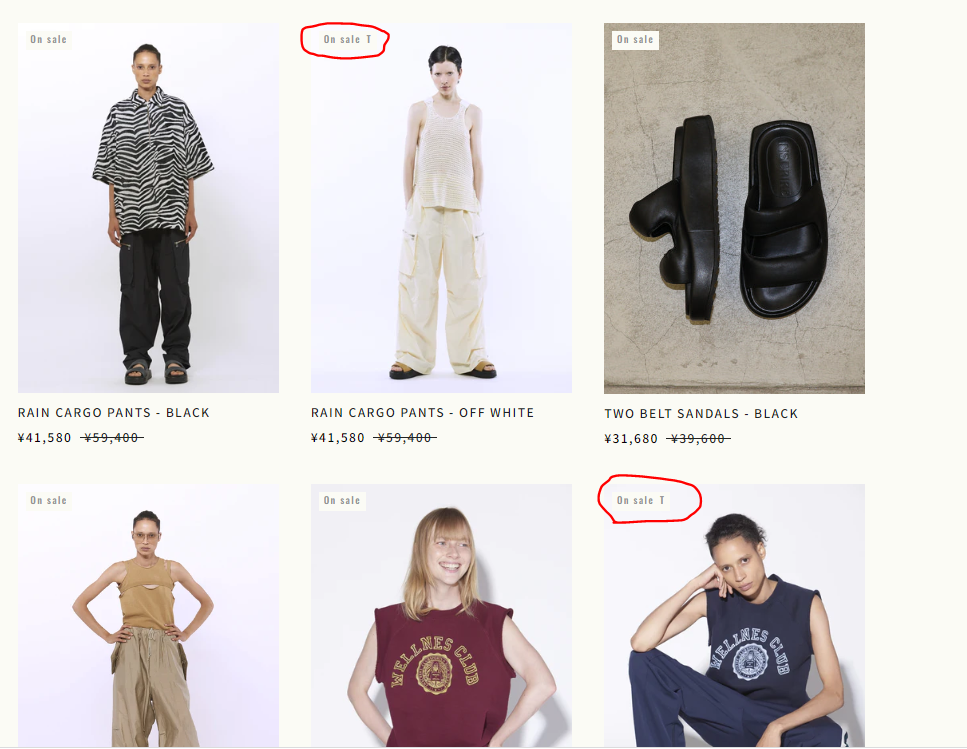
I am trying to change the variant badge in the collection grid for the theme Prestige.
Right now, the badge changes to “on sale T” when the variant is sold out.
I would like to replace it with the word “sold out”.
reference url: https://inscrire.jp/collections/all
I would appreciate any help!
1 Like
@Minako85 - please open theme default content settings, and check where you have this text -
“on sale T” in the product tab and change this text to one you like and check
Hello There,
- In your Shopify Admin go to online store > themes > actions > edit code
- Find Asset > theme.scss.css and paste this at the bottom of the file:
.ProductItem__LabelList .ProductItem__Label--soldOut {
font-size: 0; /* Hide the original text */
}
.ProductItem__LabelList .ProductItem__Label--soldOut:before {
content: "On sale T";
font-weight: bold;
font-size: 12px;
}