Hiiii
I want to resize quantity selector button in checkout page shopify dawn theme 15v
Please suggest me a way!
my store link— http://5a3cf5-fc.myshopify.com
Hiiii
I want to resize quantity selector button in checkout page shopify dawn theme 15v
Please suggest me a way!
my store link— http://5a3cf5-fc.myshopify.com
Hi @ctal37
Please follow these steps:
Step 1. Go to Online Store/Themes > Select “Edit Code” on a theme.
Step 2. Open assets/base.css file and find the following code.
.quantity {
    color: rgba(var(--color-foreground));
    position: relative;
    width: calc(11rem / var(--font-body-scale) + var(--inputs-border-width)* 2);
    display: flex;
    border-radius: var(--inputs-radius);
    min-height: calc((var(--inputs-border-width)* 2) + 4.5rem);
}
And update like this:
.quantity {
    color: rgba(var(--color-foreground));
    position: relative;
    width: calc(11rem / var(--font-body-scale) + var(--inputs-border-width)* 2);
    display: flex;
    border-radius: var(--inputs-radius);
    min-height: calc((var(--inputs-border-width)* 2) + 4.5rem);
    @media (max-width: 767px) {
        min-height: calc((var(--inputs-border-width)* 2) + 3rem);
    }
}
That’s it. Please let me know if you have any concern.
Regards,
Vinh
Hii @vinh0225
this code is resizing the quantity selector length wise,
I want the quantity selector minimise width wise and length wise too just like i am showing you in the screenshot but the + - and numbers going out of the box. how do i fix that. Check the screenshot
Then we need to adjust width too.
.quantity {
    color: rgba(var(--color-foreground));
    position: relative;
    width: calc(11rem / var(--font-body-scale) + var(--inputs-border-width)* 2);
    display: flex;
    border-radius: var(--inputs-radius);
    min-height: calc((var(--inputs-border-width)* 2) + 4.5rem);
    @media (max-width: 767px) {
        width: calc(8rem / var(--font-body-scale) + var(--inputs-border-width)* 2);
        min-height: calc((var(--inputs-border-width)* 2) + 3rem);
    }
}
And we need to update .quantity-button style too. Please find the following code:
.quantity__button {
    width: calc(4.5rem / var(--font-body-scale));
    flex-shrink: 0;
    font-size: 1.8rem;
    border: 0;
    background-color: transparent;
    cursor: pointer;
    display: flex;
    align-items: center;
    justify-content: center;
    color: rgb(var(--color-foreground));
    padding: 0;
}
And update it like this:
.quantity__button {
    width: calc(4.5rem / var(--font-body-scale));
    flex-shrink: 0;
    font-size: 1.8rem;
    border: 0;
    background-color: transparent;
    cursor: pointer;
    display: flex;
    align-items: center;
    justify-content: center;
    color: rgb(var(--color-foreground));
    padding: 0;
    @media (max-width: 767px) {
        width: calc(2.5rem / var(--font-body-scale));
    }
}
Please let me know the result.
Regards,
Vinh
Now there is two gaps in between bin box and quantity selector, size box and quantity selector. how do I fix this gap.
Check the screenshot
Please find the following code in assets/component-cart-items.css.
@media screen and (max-width: 749px) {
    .cart-item {
        display: grid;
        grid-template: repeat(2, auto) / repeat(4, 1fr);
        gap: 1.5rem;
        margin-bottom: 3.5rem;
    }
}
And update it like this:
@media screen and (max-width: 749px) {
    .cart-item {
        display: grid;
        grid-template: repeat(2, auto) / repeat(4, 1fr);
        gap: 0 1.5rem;
        margin-bottom: 3.5rem;
    }
}
This is what I want to tell you. For some reason, the code is updated for desktop. Please confirm if you have this numbers for width and height in this code snippet.
yes I had this code with same number but I changed it with your given code and now its only changing quantity selector length wise only.
Added this code of yours—
.quantity {
color: rgba(var(–color-foreground));
position: relative;
width: calc(11rem / var(–font-body-scale) + var(–inputs-border-width)* 1);
display: flex;
border-radius: var(–inputs-radius);
min-height: calc((var(–inputs-border-width)* 1) + 1rem);
@media (max-width: 767px) {
min-height: calc((var(–inputs-border-width)* 1) + 3rem);
}
}
help me… check the screenshot
Is it working?
Please let me know if you have any concern.
@vinh0225 Yes you missed this line-- width: calc(8rem / var(–font-body-scale) + var(–inputs-border-width)* 2); in this code.
its resolved in first code only. thanks
Yes its working.
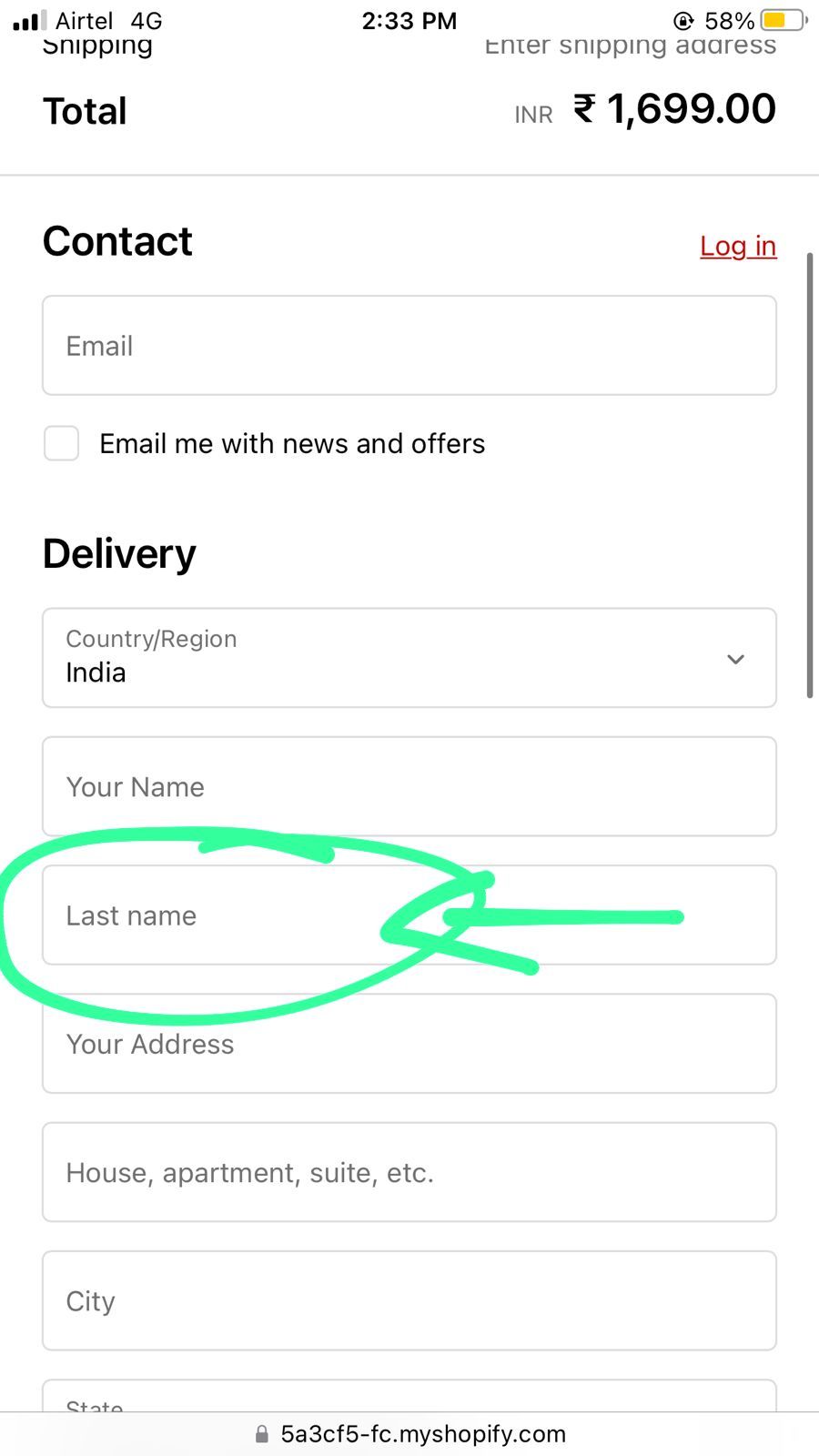
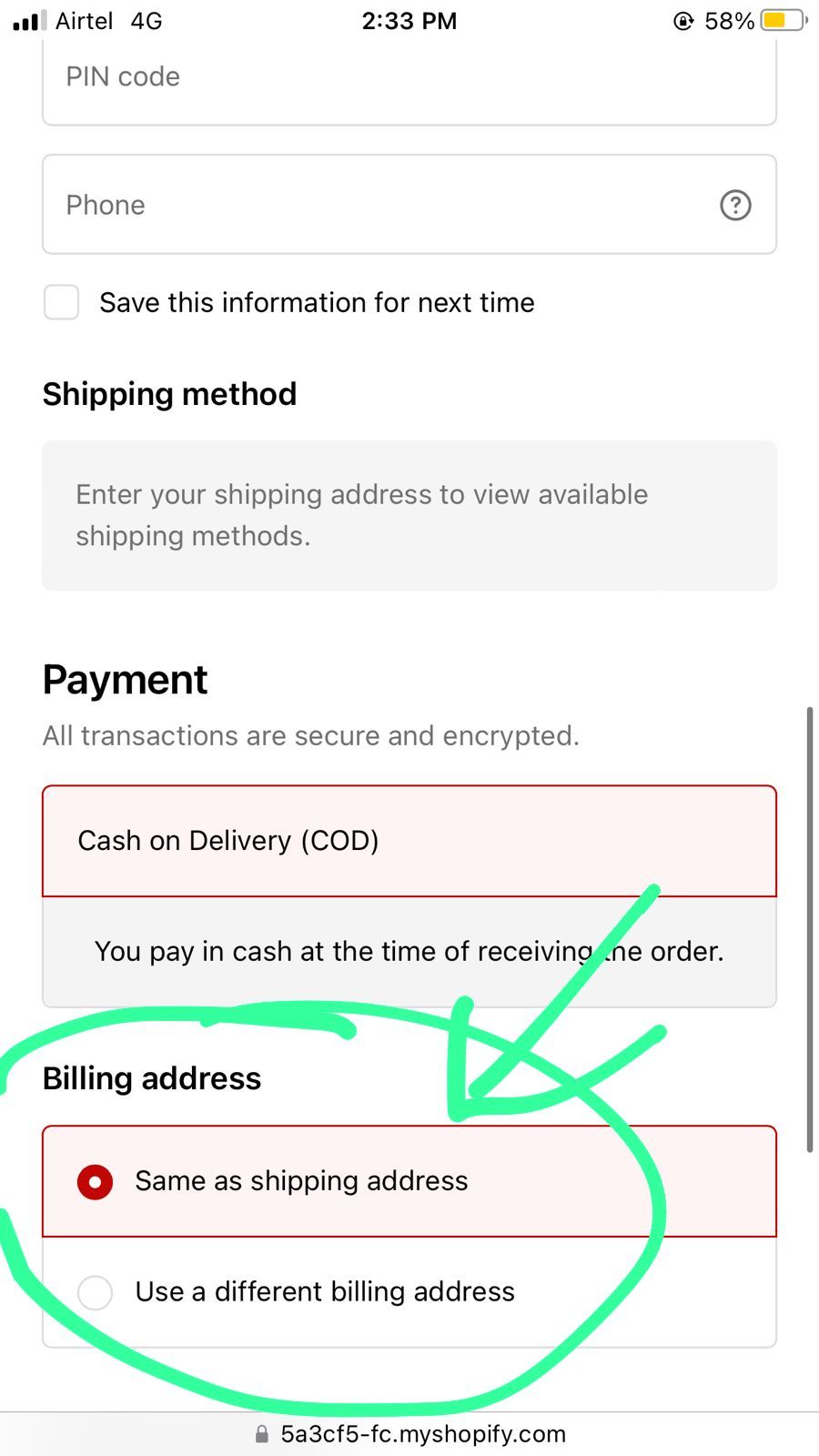
@vinh0225 can you help me with this issue as well-
Hi @ctal37
There is no option to remove Last name field. Instead, we can use Last name only.
Please follow these steps:
Regarding the Billing address, as far as I know, there is no way to remove Billing address yet.
Please refer to this: https://community.shopify.com/c/shopify-discussion/ct-p/shopify-discussion
Hope it will help you.
Regards,
Vinh