I am trying to add different sections to different pages in the dawn theme. However, once I add an element on one page, it also shows up on all other pages. For example the contact form now showing up on the “contact” page but also all the others e.g. “about”.
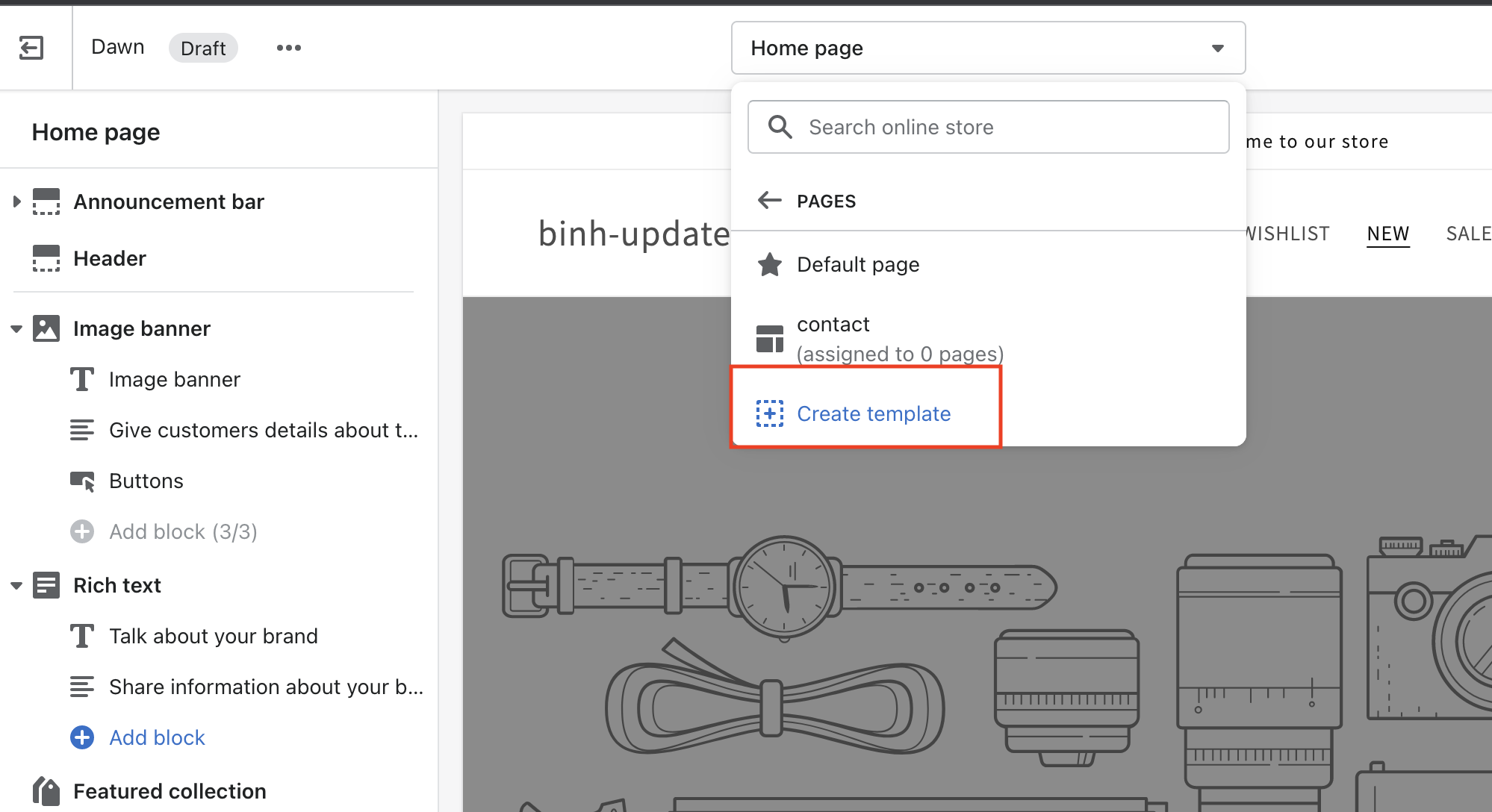
You should create a template from 1. Separate 2 pages into 2 separate templates. Because each template has its own json data. If your 2 contact and about pages use the same template, the data will be the same
once a new template is created, you have to assign the page to that template. Go to online store > pages, select the page you want to assign to the new template. On the right hand side, you will see a dropdown with the title ”theme template”. Choose your custom template.