Hey guys, I am using showcase theme, I need to show Pre-order on my buy button instead of add to cart, I saw that you can do this by tagging the product and adding code, I just don’t know what code and where in the code to put it, the product is only active in POS at the moment as it has not gone live for preorders, hopefully you can still assist ?
Topic summary
A Shopify store owner using the Showcase theme needed to change their product buy button text from “Add to Cart” to “Pre-order” for specific products tagged as pre-orders.
Initial Request:
- User knew this could be done via product tagging and code modification but didn’t know the specific implementation
- Product was only active in POS, not yet live for pre-orders
- Included screenshot of current button state
Solutions Offered:
- One developer requested store URL and collaborator access to implement the solution directly
- Another user suggested using Shopify’s built-in AI tool or a dedicated pre-order app (mentioning free plans available)
- A third responder provided specific code to modify
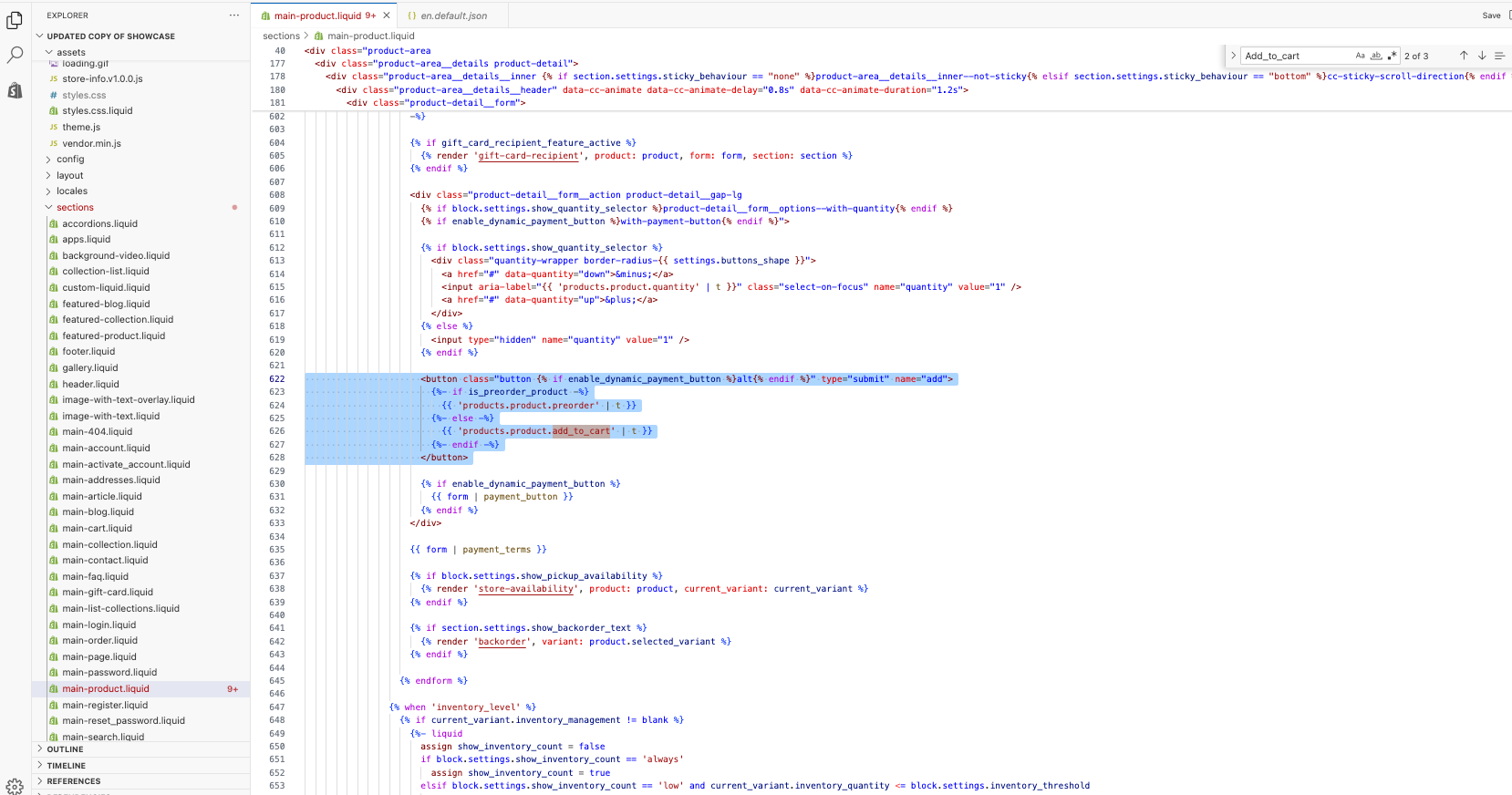
product-form.liquid, using conditional logic to check for ‘preorder’ tag:{% if product.tags contains 'preorder' %} Pre-order {% else %} {{ 'products.product.add_to_cart' | t }} {% endif %}
Resolution:
- User granted collaborator access to a developer
- Developer successfully implemented the button text change
- User confirmed the solution worked as intended
- Issue marked as resolved

1 Like
Hi @BK01
Ok dear, please share your store URL and collaborator code with me so I can check and provide you with the proper solution.
2 Likes
I’m sure there’ll be others who can help, but in case no one else replies, check if you have access to Shopify’s (free) built-in AI tool that can generate the custom code block for you when you open the theme editor and visit the page where you want to modify the product form section.
Alternatively, you can just use a pre-order app to setup within minutes. Many pre-order apps have free plans and can automatically handle your button text changes and much more without requiring code edits. (I run a pre-order & deposit app Early Bird and we actually swap out the whole button so customers aren’t placing a normal in-stock order by accident).
1 Like
www.saltsista.com please use code 8593
DO NOT USE AI!!!
Go straight to product-form.liquid, Find the “Add to cart” text
It’s in a button element, just replace with these
Your myshopify link is what Is needed to request

Hi @BK01
Bro, I’ve sent you the request — please accept it. Also, message me on email in case I need anything.
1 Like
Hi @BK01
I also need access to the product tab because I’ll have to set it up based on the tag — the “Pre-order” text should only appear on products that have the “pre-order” tag.
1 Like

Hi @BK01
Please send me the URL of this product and your email address.
1 Like
Hi @BK01
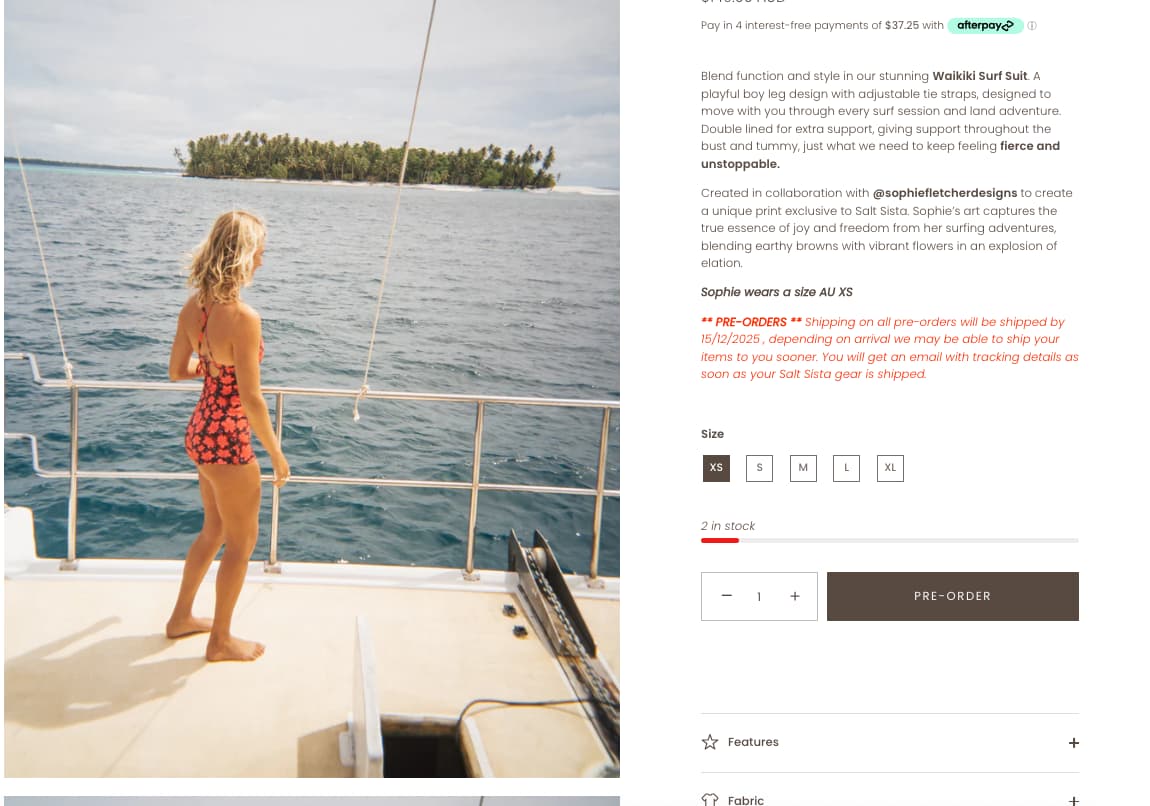
Please check it.

2 Likes
Looks good thank you for that 
1 Like
Hi @BK01
Thank you for your response. It’s good to know that it’s worked for you. Kindly feel free to get back to me if you need any further assistance. If helpful, please like all posts.
1 Like