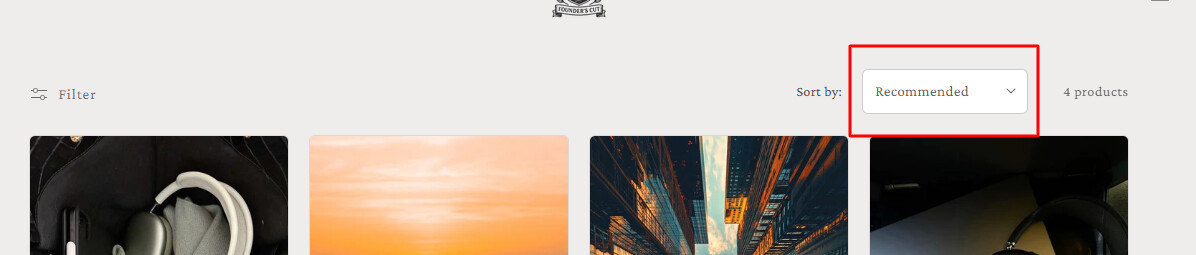
Hi! I’m building my product page in the Craft theme and the sort menu only shows up with the MacOS basic design. Is there a way to change it to a custom designed dropdown or I will have to live with it? Thank you!

Hi, I can help you with it. But it needs to add some custom code. If you need my help, please let me know.
Hi @Mateyss
Welcome to the Shopify Community! Please share your store URL and password (if it’s password-protected), so I can check and provide you with the exact solution.
Best regards,
Devcoder 
Hi @Mateyss
Kindly provide your store URL please and if it is password protected, please share the password as well.
Thanks!
https://founderscut.co thank you!
Hi @Mateyss
1. Go to Online Store → Theme → Edit code.
2. Open your theme.css / based.css file and paste the code in the bottom of the file.
option {
    background-color: #efecec !important;
}

Thanks!
Hi @Mateyss
- In your Shopify Admin go to online store > themes > actions > edit code
- Find Asset > base.css and paste this at the bottow of the file:
.facet-filters__sort.select__select {
  appearance: none;
  -webkit-appearance: none;
  -moz-appearance: none;
  background-color: #fff;
  border: 1px solid #ccc;
  border-radius: 6px;
  padding: 10px 36px 10px 12px;
  font-size: 15px;
  font-weight: 500;
  cursor: pointer;
}

.facet-filters__sort.select__select:focus {
  outline: none;
  box-shadow: none;
  border-color: #ccc;
}

.select .svg-wrapper {
  position: absolute;
  right: 12px;
  top: 50%;
  transform: translateY(-50%);
  pointer-events: none;
}

.select {
  position: relative;
  display: inline-block;
}
If my assistance was helpful to you, please like and accept all my solutions. 
Best regards,
Devcoder
its till the standard macos dropdown for me:(
@Mateyss Please share screenshot.

Hi @Mateyss
Try this code.
.facet-filters__sort.select__select {
  appearance: none;
  -webkit-appearance: none;
  -moz-appearance: none;
  background-color: #fff;
  border: 1px solid #ccc;
  border-radius: 6px;
  padding: 10px 36px 10px 12px;
  font-size: 15px;
  font-weight: 500;
  cursor: pointer;
  color: #000;
}

/* Safari focus outline fix */
.facet-filters__sort.select__select:focus {
  outline: none;
  box-shadow: none;
  border-color: #999;
}

/* For Safari (try to override minimal native look) */
@supports (-webkit-appearance: none) {
  .facet-filters__sort.select__select {
    background-color: #fff !important;
    color: #000 !important;
  }
}

/* Wrapper icon position */
.select {
  position: relative;
  display: inline-block;
}

.select .svg-wrapper {
  position: absolute;
  right: 12px;
  top: 50%;
  transform: translateY(-50%);
  pointer-events: none;
}
its still the same I don’t know why
Hi @Mateyss
Which browser are you checking it on, dear?
i’m using safari but tried chrome too both show it like this