We still having a syntax error recently as well. We error we are getting is “incorrect value type”. I haven’t unable to find the fix for this error. Any help is appreciated.
Topic summary
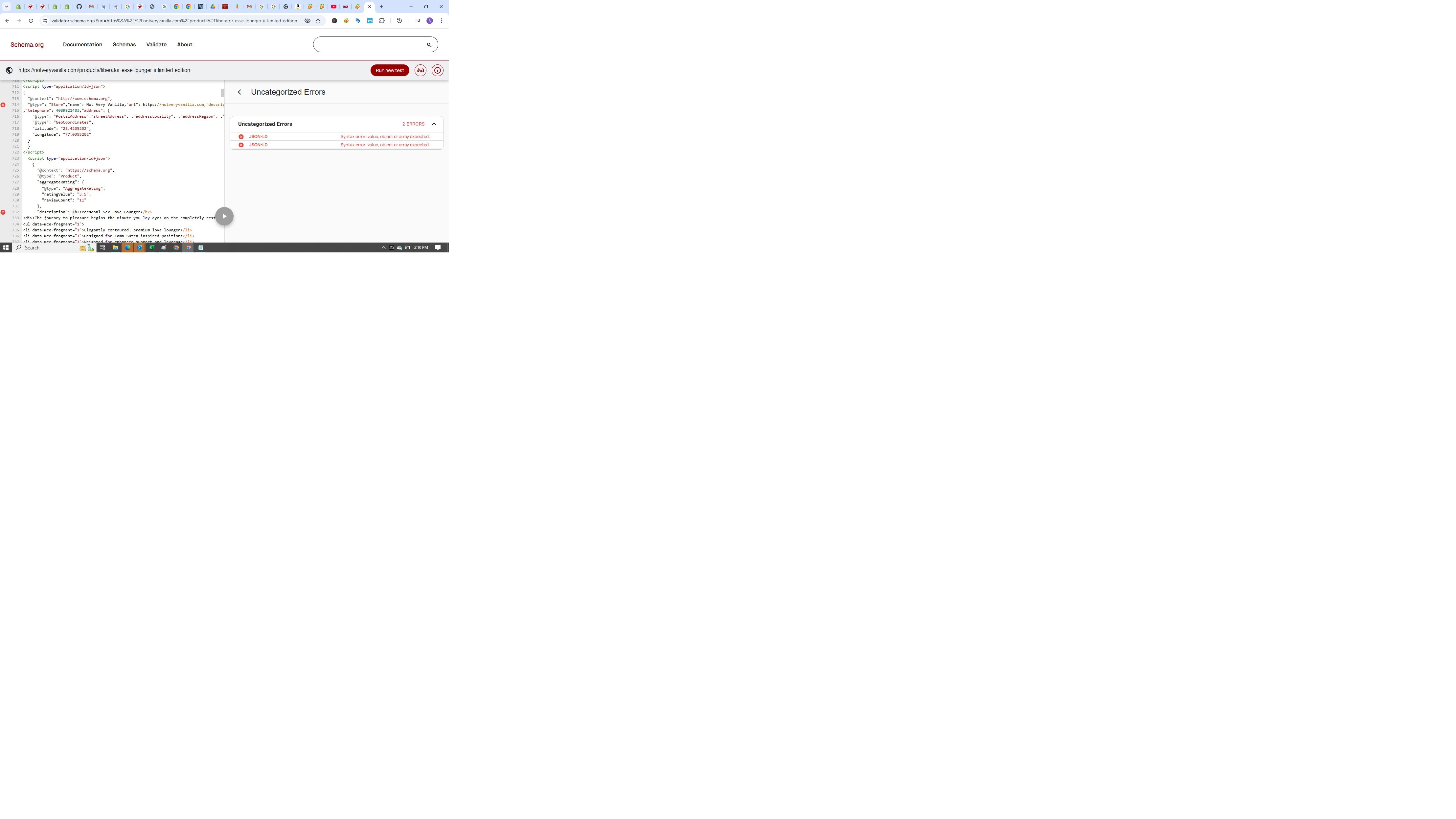
A user is encountering a syntax error in their structured data, specifically an “incorrect value type” message. An attached screenshot shows the problematic code.
Proposed Solutions:
- One suggestion recommends wrapping HTML content using backticks (`) in the description field
- Another identifies the root cause: missing quotation marks around values like store names and descriptions in the JSON structure
Key Issue Identified:
The error appears to originate from the Spider Free SEO Optimizer app, which is generating improperly formatted structured data (missing quotes around string values).
Recommended Action:
Contact the app developer to fix the code generation issue, or switch to a different structured data app.
The discussion remains open pending the user’s response or confirmation of resolution.
Hi @NVV
You can try using the symbol to wrap the html content
{
"description":`# This is demo
asdlala

asfladflkjaldf

`
}
Hey @NVV
You see the errors because you’re missing quotes around the store name and the description.
As an example:
Wrong: “name”: Not Very Vanilla,
Correct: “name”: “Not Very Vanilla”,
It looks like Spider Free SEO Optimizer is generating that code so you’ll either want to talk with them about resolving the issue or choose a different app for your structured data.
Hope that helps but if you have any other questions, let me know.