Theme app extension: Liquid syntax error: Unknown tag 'schema'

Topic summary

Newly generated Shopify theme app extension fails with “Liquid syntax error: Unknown tag ‘schema’” in blocks/star_rating.liquid (line 11).

Reproduction steps:

  • shopify app init (React Router app, TypeScript, new app)
  • shopify app generate extension (Theme app extension)
  • shopify app dev → error; same error on deploy.

Environment:

  • @shopify/cli 3.88.1
  • macOS (darwin-x64)
  • Node v22.20.0.

Artifacts:

  • Screenshots of the CLI error, star_rating.liquid, and package.json are provided (images central for exact file contents and configuration).

Impact:

  • Local development and deployment both blocked by the same Liquid parsing error.

Status:

  • No workaround or fix identified in the thread. The author requests help; issue remains open with unresolved cause and unanswered questions (e.g., whether the generated template includes unsupported Liquid tags or environment/tooling compatibility problems).
Summarized with AI on December 16. AI used: gpt-5.

Hi all,

I got error when create new app with theme extension.

shopify app init
// choose Build a React Router app (recommended)
// choose TypeScript
// choose organization
// choose "Yes, create it as a new app"

cd app_folder/
shopify app generate extension
// choose "Theme app extension"

shopify app dev
// => error: [blocks/star_rating.liquid] Liquid syntax error (line 11): Unknown tag 'schema'

@shopify/cli/3.88.1 darwin-x64 node-v22.20.0

`star_rating.liquid`
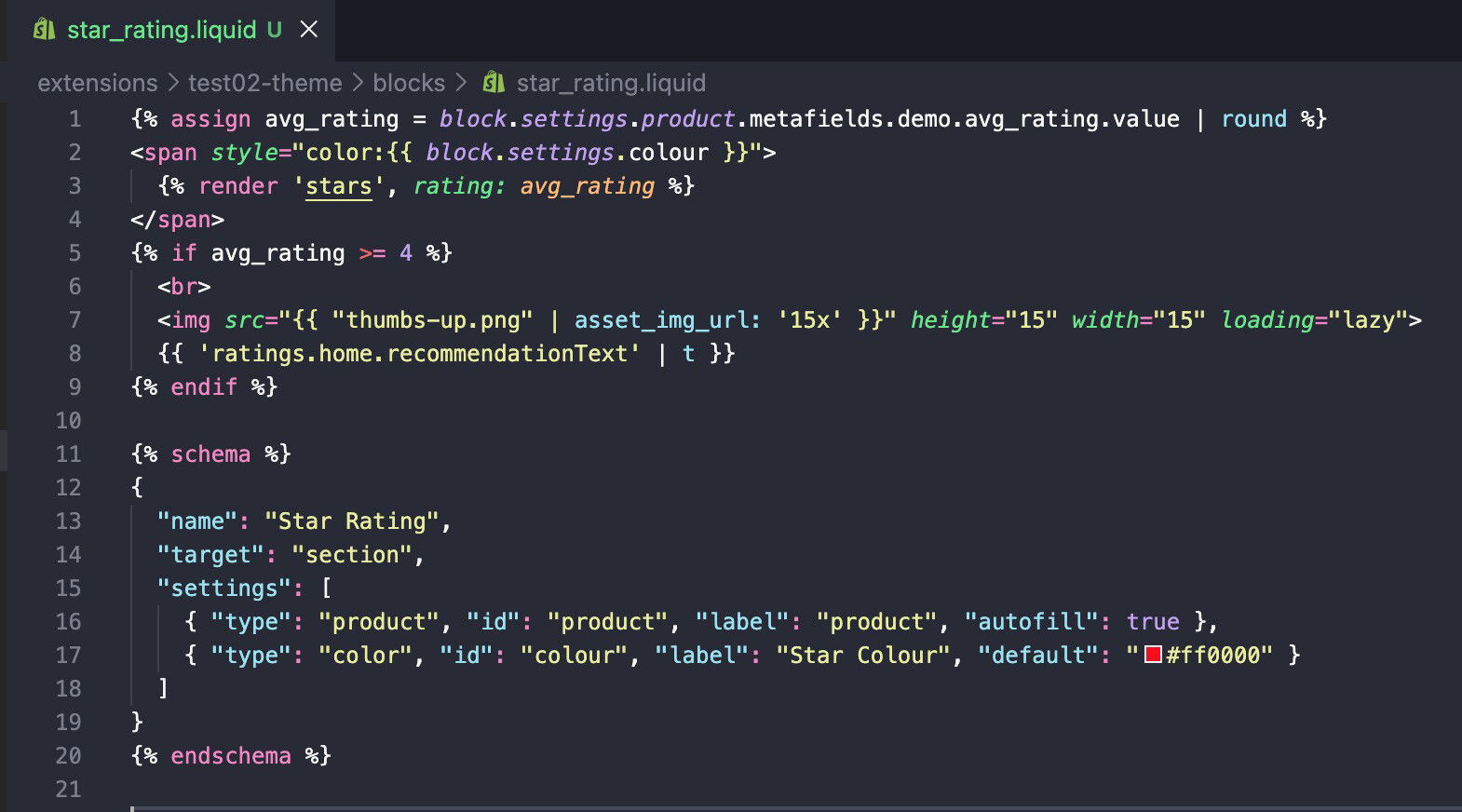
and `package.json`:

I tried to deploy this extension but got same error.

I can’t manage to find why I get this error. Help me please.

1 Like

Lots of people (including me) are seeing this problem. There’s a shopify dev community thread where we’ll likely get the best response.