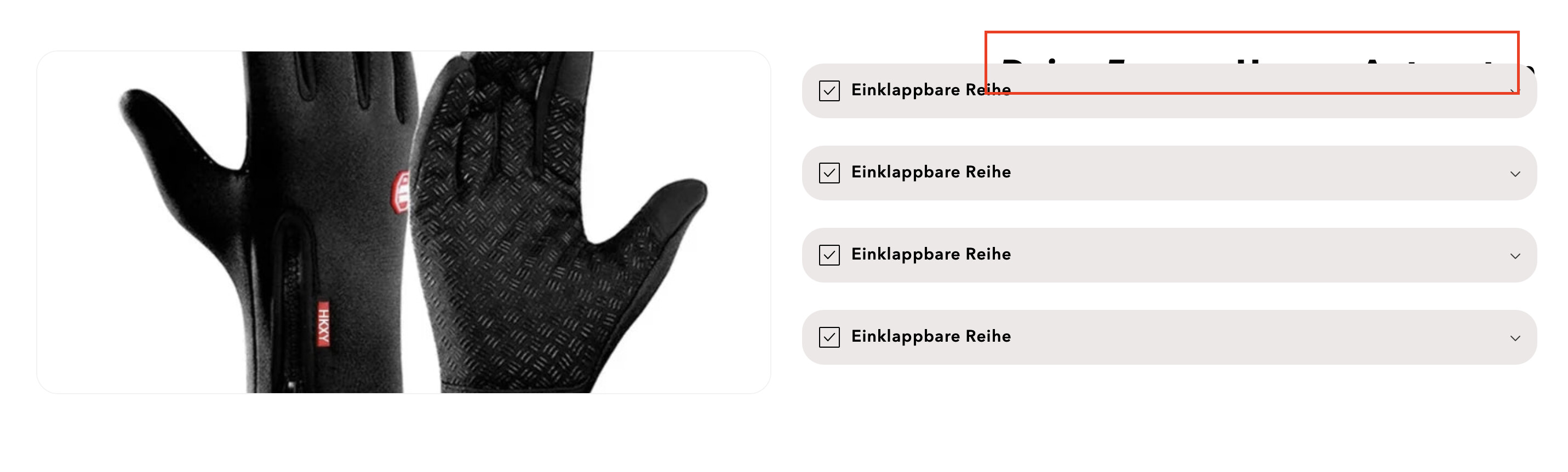
Hello guys, as you can see in the image my Title hides under the container, how can I change that?
Topic summary
A Shopify store owner is experiencing a CSS layout issue where a page title is being hidden underneath a container element, as shown in their screenshot.
Troubleshooting attempts:
- One user suggested removing CSS code that uses
position: absoluteon the.collapsible-content__wrapperelement, noting that absolute positioning is often problematic - The original poster attempted to remove the suggested CSS but reported the title only moved further right without resolving the issue
Current status:
- The issue remains unresolved
- There’s a discrepancy: the helper can still see the problematic CSS in the live site’s source code, while the poster’s screenshot shows it removed from their editor
- This suggests a caching issue or the changes haven’t been properly saved/published
The helper has provided a screenshot showing how the layout should appear after properly removing the absolute positioning CSS.
Hi @NikosBat it seems like you need to fix the css, can you send the link of your website here
Hello @NikosBat ,
Remove the css which you used previously
@media screen and (min-width: 1024px) {
.collapsible-content__wrapper.section-template--22708756021580__collapsible_content_iH7YMU-padding .collapsible-content__header {
position: absolute;
right: 0;
}
}
css solution with position: absolute always tricky think twice before using them.
Regards
Guleria
Hey WaitWhatWeb, here is the link https://www.nistore.de/products/nistore™-winterhandschuhe
I can still see the css I shared above in the source code.
If you remove that css title will display in the center.


