Hey all, with sense 12.0.0 i’m trying to figured out how to add a badge that display the number 48, on product grid in collection
All by using metafield
Hey all, with sense 12.0.0 i’m trying to figured out how to add a badge that display the number 48, on product grid in collection
All by using metafield
Hello @clavilla57 ,
You can create a product meta field for the badge and add conditions to display the badge on the product grid.
Example: Create a Product Metafield: product.metafields.custom.badge
add a condition in the product grid:
{% if product.metafields.custom.badge != blank %}
  {{ product.metafields.custom.badge }}
{% endif %}
where i had to put this condition?
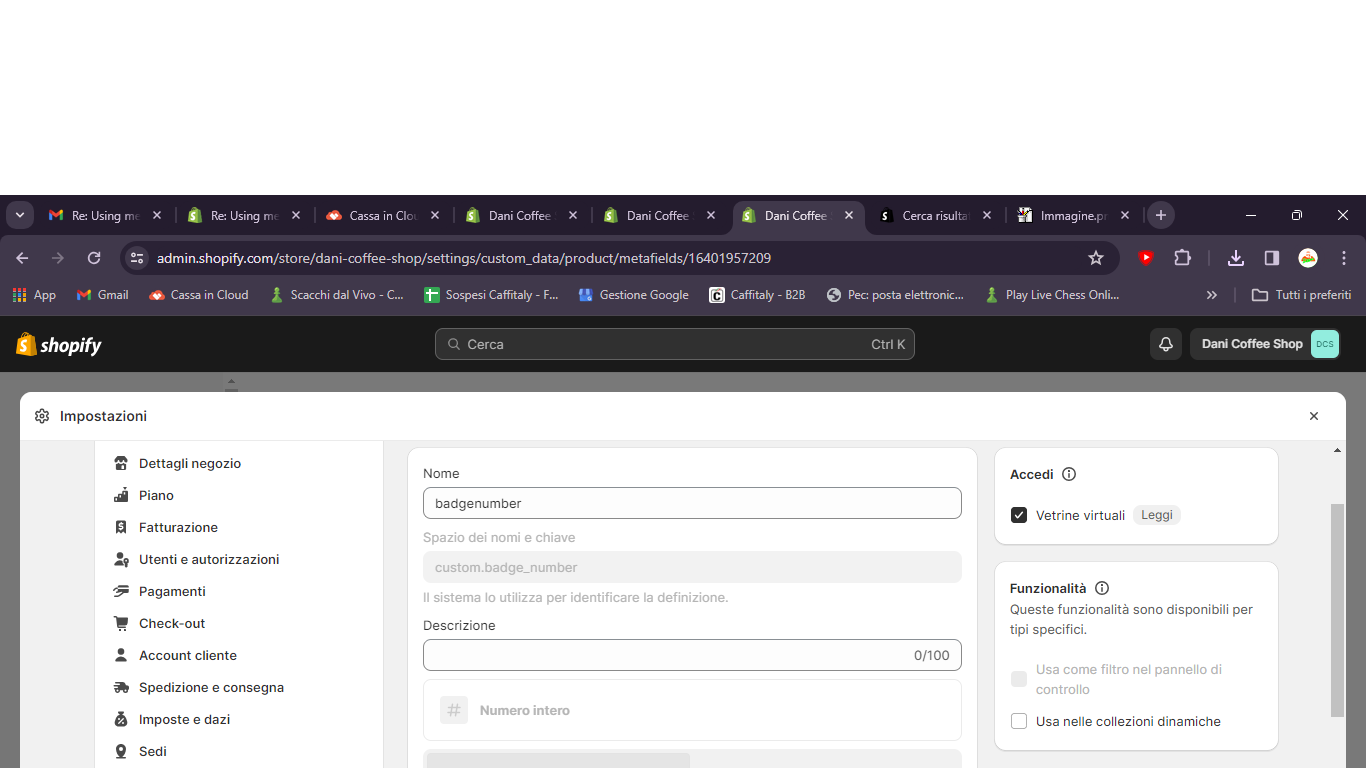
Click on “Settings” and then “Custom data.”
Click on “Products.”
Under “Product details,” click “Add definition” to create a new Metafield definition.
Save your Metafield definition.
{% assign badgeNumber = product.metafields.global.badge_number %}
    {% if badgeNumber == 48 %}
      {{ badgeNumber }}

    {% endif %}
how do i recognize where to put
{% assign badgeNumber = product.metafields.custom.badge_number %}
{% if badgeNumber == 48 %}
Where place do you want to add this badge?
Collection page. over the product image to indicate that product have “48 Capsules” pack
Please go to your card-product.liquid file, go to line 123, add code above this line of code
{%- if card_product.available == false -%}
My mistake, please update code
{% assign badgeNumber = card_product.metafields.global.badge_number %}
    {% if badgeNumber == 48 %}
      {{ badgeNumber }}

    {% endif %}
Perfectly work
Would you mind, if u can, helping me with this?