Hi there, @Benjomans ! Thanks for taking the time to reach out to the Shopify Community Forums with your question regarding your ‘.myshopify.com’ URL! My name is Imogen. I’m happy to take a few minutes to help you find your URL!
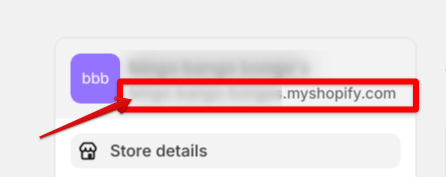
You can actually see your URL in a few different places! For starters, you can see it when you hit ‘Settings’ from your Admin Dashboard! A second screen will appear that shows some of your store information above the menu that appears on the left. This information includes your store name, and your ‘.myshopify.com’ URL for your store just below it. I’ve attached a screenshot (with the relevant information blurred because privacy reason!) so you can get an idea for where you can see this info.
Additionally, you can also go to ‘Settings > Domains’ and your ‘.myshopify.com’ URL will appear as one of your domains, specifically the one that ends with ‘.myshopify.com’. I hope you find this information helpful!