Good afternoon, I’m having problems with Shopify Payments, I seem to have activated it, but when I try to place an order from another account, the only payment option is PayPal, but I don’t know what to change and where, help me solve this problem!
Hey, @OlenaHutsol .
Thanks for reaching out and bringing this to our attention.
I understand that you’re experiencing some issues with Shopify Payments not appearing at checkout. However, there doesn’t appear to be enough information for us to identify the problem. I’d recommend reviewing the Shopify Payments eligibility to ensure that your store can use Shopify Payments, and then following our guide on setting up Shopify Payments. We also don’t recommend placing orders on your own store as that could pose a problem for the banking partners involved. Instead, you’ll want to follow our guide on testing Shopify Payments.
If the problem continues to persist and you’re unable to set up Shopify Payments, then it looks like we’ll need to access your account in order to get a closer look at the issue. While we’re unable to provide account-specific support via the Shopify Community, we’d be happy to continue assisting you through live chats. Simply visit the Shopify Help Center and login to your account to create a support request.
Since you’re a new member of our Shopify Community, then I’d love to hear more about your business and share some resources to help you get started. What types of products are you selling? Do you have a marketing plan prepared for your store?
1 Like
during a test purchase there is payment, but when I try to place an order on the website, the only payment option is PayPal (I don’t order, I just look at the payment methods)
Hi there,
I am having the same issue as well. The checkout page only shows PayPal payment method and other shopify payment methods are missing.
According to this previous post,
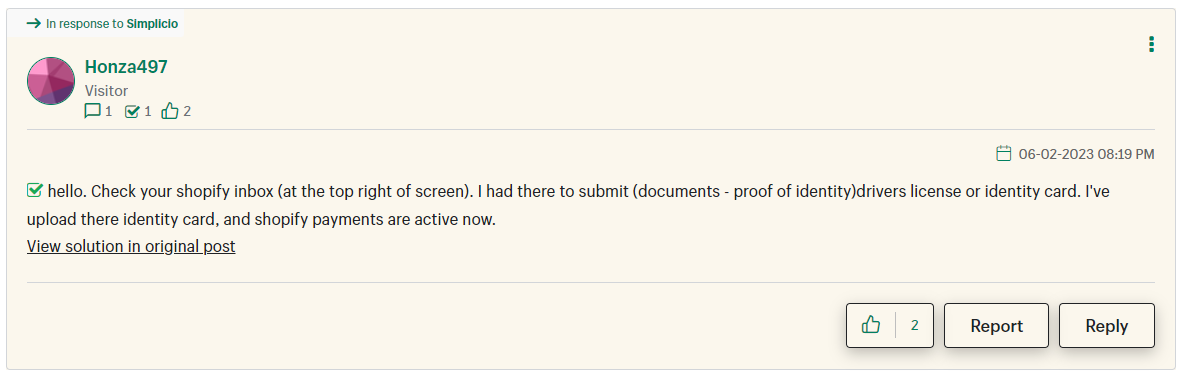
they needed to submit some proof of documents to identify and the shopify payments activated again.
If this is the issue, Shopify needs to send a notice regarding this matter and alert via email or direct message to the user. I didn’t get any notice about any document and spent my time trying to figure out the issue where it can be solved easily.
Hi @irisbr325 ,
Thanks for joining this thread. To gather a bit more information, are you still having troubles with getting your Shopify Payment activated?
If so, I’d encourage you to connect with us directly. This will allow our support team to take a closer look, as we wouldn’t have access to any account details here through the Community. They will be able to share more information with you on whether documentation is required and/or how to proceed.
Please let me know if you have any other questions.