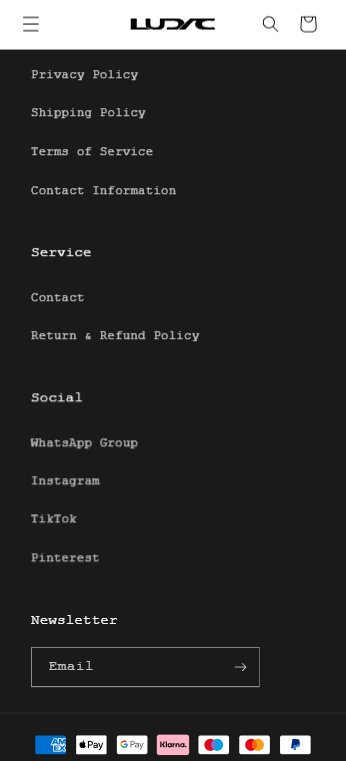
Align Newsletter banner in Footer section to the left

Topic summary

A user seeks to left-align the newsletter banner in their footer on mobile view to match other footer sections (service, social) on their Shopify store.

Proposed Solution:
Another user provided CSS code to be added to the theme.liquid file above the </body> tag. The solution appeared to work in Chrome’s desktop mobile view.

Current Status:
The fix is not working on actual mobile devices (iPhone). While the alignment changed in Chrome’s responsive design mode, the newsletter banner remains centered when viewed on a physical smartphone. The issue remains unresolved and requires further troubleshooting to ensure the CSS applies correctly across real mobile browsers.

Summarized with AI on October 31. AI used: claude-sonnet-4-5-20250929.

Hey, i want to align the newsletter section in the footer at mobile view also to the left like the other sections service, social. Domain: https://ludac.de

1 Like

Hey @ludac

Follow these Steps:

  1. Go to Online Store

  2. Edit Code

  3. Find theme.liquid file

  4. Add the following code in the bottom of the file above tag


RESULT:
If I managed to help you then, don’t forget to Like it and Mark it as Solution!

Best Regards,
Moeed

Hey, thanks for the quick answer. In chrome on desktop but in mobile view it changed. When i open the website on my Iphone it hasnt changed, so the newsletter banner is still centered. Would you kindly take a look at this again?