Hi everyone,
We hope you can help us. We can not seem to add another menu on our footer as seen on the screenshot of the back end below.
Is there anything we are doing wrong?
Another note is that, when you look at the back end of our Navigation tab, we have another menu that we have created that is named “Footer - First Column” because we would like to add two to three columns of menu to our footer.
Please help.
Website: theoutdoorarmory.com
Theme: Xtra
Thanks,
Outdoor Armory
Hi @outdoorarmory ,
If You want to add more than one menu you need to modify the footer.liquid file
- Go to Online Store > Themes > Actions > Edit Code > footer.liquid > Find ‘link_list’
- Above the link_list you can see there is “limit”: 1, to be set you can modify to “limit”: 4,
- Then save and check on customization you are able to add more than one menu.
1 Like
Hi @outdoorarmory
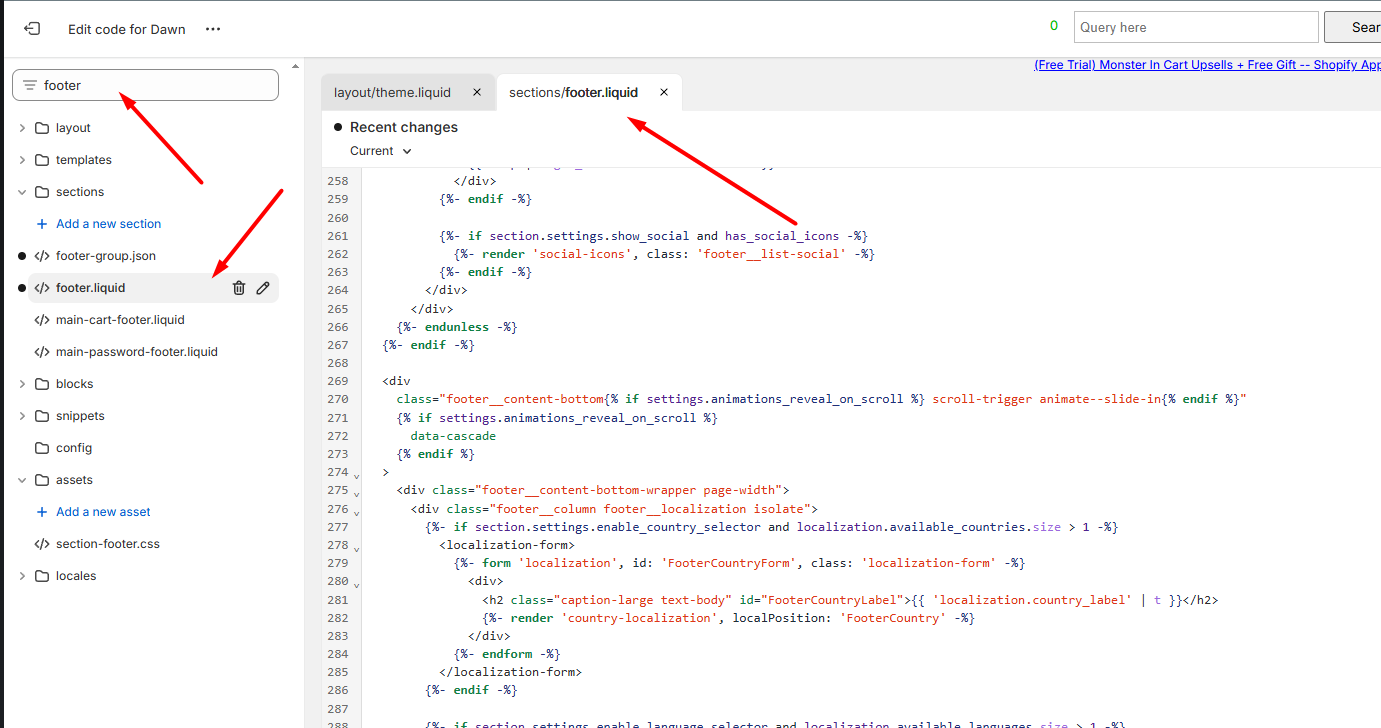
Could you please go to your theme > edit code here https://prnt.sc/M4p-gua99Uf4 and share with us all the code from your theme footer.liquid file?
Here is the screenshot for your reference:
Looking forward to hearing from you soon. Thank you!
Best,
Daisy - Avada Support Team.
Hi @outdoorarmory
Not sure if you received our latest message?
Best,
Daisy - Avada Support Team.