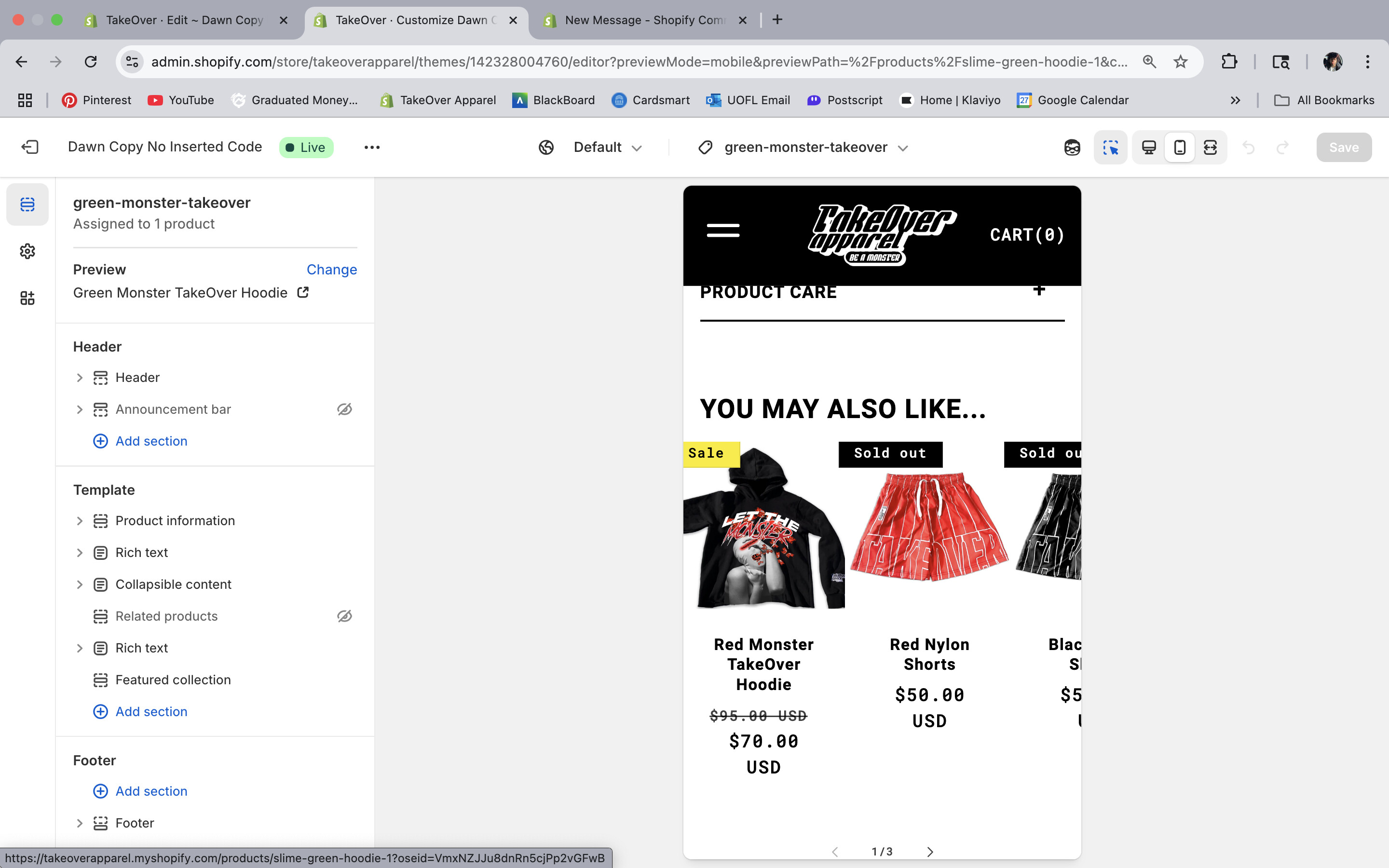
Hi, for all my product pages, I have a related collection at the bottom of the page. I want to change the collection sale price to red. Basically want it to look like my home page. I included a picture of both below. My website is www.takeoverapparel.com, and the password is takeover.
Home Page
What I want to change
1 Like
@takeoverapparel Either change the related color theme settings or color schemes theme settings.
Or that would require an advanced theme customization to add data to those elements to indicate what type of badge it is for styling to target.
Because currently any styles targeting badges would apply to both ‘sold out’ and ‘sale’ badges.
If you need this customization then contact me for services.
Contact info in forum signature below  .
.
ALWAYS please provide context, examples: store url, theme name, post url(s) , or any further detail in ALL correspondence.
Hey @takeoverapparel ,
In order to make the color of the compare_at_price in the related products on the product page then you need to paste the following code in the end of base.css file.
Here is how you can find the base.css file.
Go to Shopify Admin >> Click on Online Store >> Themes >> Edit Code >> base.css >> Go to the end of this file and paste the following code.
s.price-item.price-item--regular {
  color: #f00 !important;
}
Results:
Thank you that worked! Do you know how I can get the black price text to be on top and the red price text to be on the bottom like it is on my home page in the same section you gave me code for.