Dawn Theme - Collapsible Row With Image (Size Chart)

Hello, I have made some steps to display jpg. image as a size chart in Collapsible Row using metafields (each jpg for each product).

This is what I did:

  1. Created a Metafield with the file as a content type:

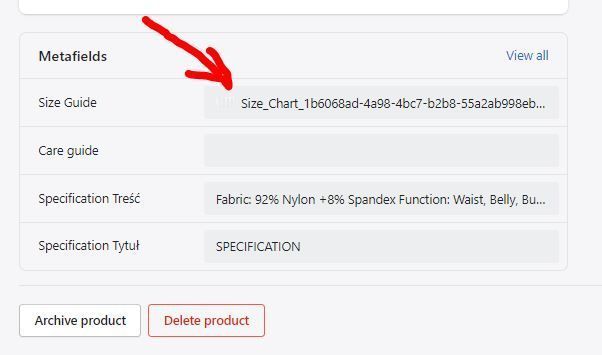
  1. On the product page added a jpg file with the size chart:

  1. Edited the main-product.liquid and replaced “richtext” with “liquid”:

  1. in the theme editor added a Collapsible Row with content as: product.metafields.my_fields.size_guide | img_url }}" alt=“Top Notes” width=“530”>

IT SEEMS TO WORK BUT AS YOU CAN SEE THE IMAGE IS VERY BLURRY (SHRUNK TO LOW RESOLUTION).

DO YOU KNOW WHAT TO CHANGE TO DISPLAY THE IMAGE WITH THE ORIGINAL RESOLUTION?

2 Likes

Hi @Maro33 ,

Please change the code in step 4 as follows:


Hope it helps!

3 Likes

Yes! It’s working now. Thank you!

1 Like

Hi, I am trying to implement this collapsable Size Chart in Dawn. I did steps 1 to 4 and replace 4 with the new suggested code but I am getting that product.metafields.my_fields.size_guide | img_url: ‘master’ is invalid. It says change or remove the dynamic source… Any idea? I am new to this … Thanks

1 Like

Will img_url change for different themes? Im working with sense theme in shopify

Just followed all steps, but now it says ‘‘no image’’ when I open the collapsible row… The image is already added in the metafield of the product. Am I missing something?

Hi @Julia777 ,

You can create a question on the community and send me the link. I will check it.
Because this will help build a better community.
Thank you.

here is the new question! thanks

Having this issue too, can you help us! @LitCommerce

I pasted the code: Top Notes

Thanks in advance! :blush: