happytappyshop.com
I’ve checked though all the apps by turning them off to see if that would fix the issue, but nothing. I’ve also tried looking through all the main-cart-items.liquid to see if there were any duplicates text of product prices, but am struggling to see any errors as code is NOT my forte. Any help would be greatly appreciated!
Topic summary
A user encountered duplicate price displays on their cart page (not checkout) for the Dawn theme on their Shopify store. The issue only occurred when the UK market (their base country) was selected in the country selector.
Root Cause:
The problem stemmed from incorrect currency formatting settings in the store’s base market configuration.
Solution:
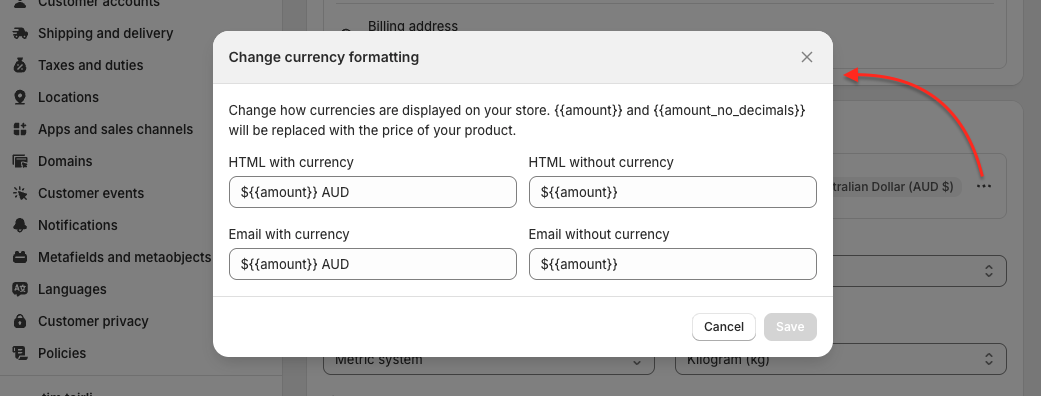
Navigate to Settings → General → “Store defaults” → Click the 3-dot button in “Currency display” → Select “Change currency formatting.” Check that the ${{amount}} variable is not entered twice in any input fields.
Status: Resolved. The user confirmed the solution worked.
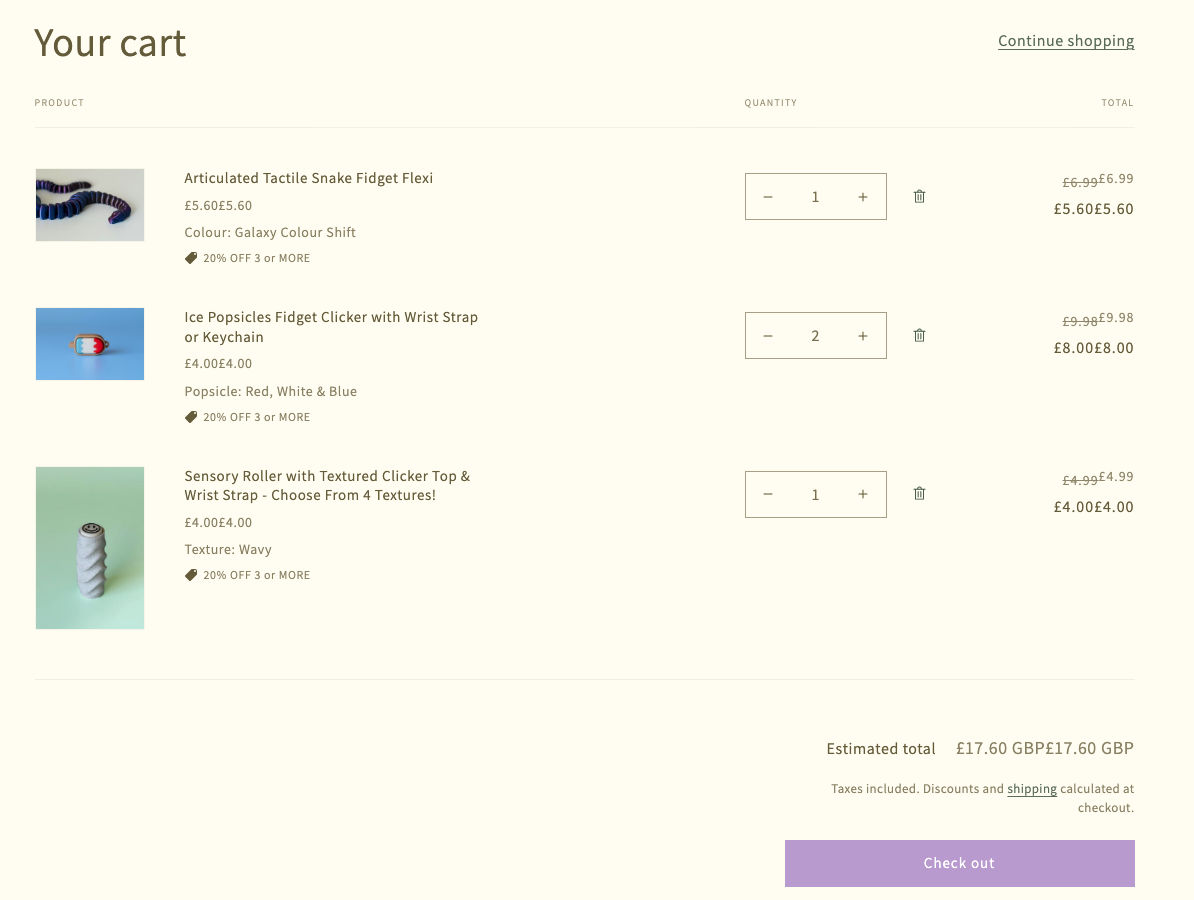
This is not a Checkout, it’s a Cart page.
This only happens when you select UK in your country selector (which is your base country). For other markets Shopify uses fixed default format, but for your base marker you can meddle with it.
Go to Settings=> General, scroll to “Store defaults”, click 3-dot button in “Currency display” and select “Change currency formatting”.
Make sure ${{amount}} is not entered twice in some of the input fields there.
2 Likes
Tim, you are amazing! Thank you sooo much for answering this when no one else would! 