Hi everyone,
I’m currently using the Motion Theme version 10.5.1 on my Shopify store. I have enabled the dynamic checkout button option because I want PayPal, G Pay (Google Pay), and Shop Pay to show directly on my product pages.
However, after enabling the option, only Shop Pay is showing along with a “More Options” dropdown. This is not the experience I want — I need PayPal and G Pay buttons to display visibly alongside Shop Pay without customers having to click “More Options.”
Has anyone successfully solved this issue before?
Is there a specific code I need to add, and where exactly should I insert it (e.g., which liquid file)?
I would really appreciate any guidance or working code snippet to fix this.
Thanks in advance!
Hey! @Muhammad42
It’s normal — Shopify decides which wallets show based on the customer’s device and browser. The Motion theme isn’t blocking anything. If PayPal and G Pay are set up right, they should pop up on supported devices. Try checking on different browsers or phones! 
Happy to dive deeper if you need more help!It’s normal — Shopify decides which wallets show based on the customer’s device and browser. The Motion theme isn’t blocking anything. If PayPal and G Pay are set up right, they should pop up on supported devices. Try checking on different browsers or phones!
Happy to dive deeper if you need more help!
Yes, I know this and it was setup correctly that why is showing on the checkout page but i want it to also show on the product page which i know it is very possible but it some coding implementation and shopify support confirm this when i chatted them which they are the one that recommend posting my issue here if i could get solution
Do you mind telling me where to enable the dynamic checkout buttons?
Every theme has the option to add the Dynamic Button.
You need to follow these steps.
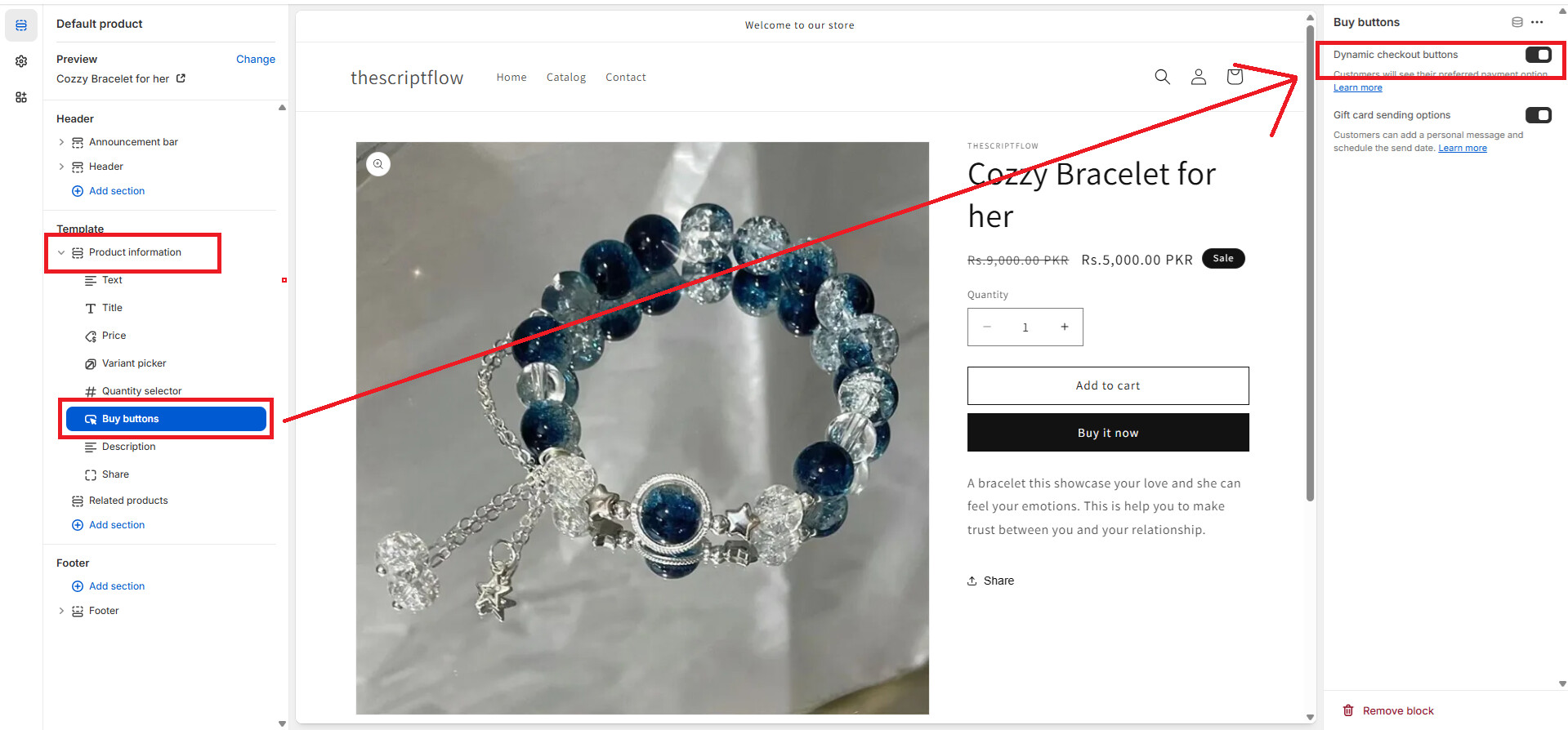
Go to Shopify Admin >> Online Store >> Customize theme >> Product Page >> Buy Button Block of Shopify.
[See Image below on how it’s can be enable on the Shopify Dawn theme].
If you need more help then let me know.
Thanks