Hi,
I’m adding a video section on my homepage and I doesn’t give me an option to hide the controls and mute the video or set it to autoplay. I also want to resize it to the same style as this site: https://arrivalhall.com.au/
My website is: https://www.designfruit.com.au/
Thanks
Hello @jasondane
This is Amelia at PageFly - Shopify Advanced Page Builder app.
You can try the following steps I have provided to help you solve the problem you are facing:
Step 1: Online Store → Themes → Edit Code
Step 2: Choose file theme.liquid
Step 3: Add code above the tag
Hoping my solution helps you solve your problem.
Best regards,
Amelia | PageFly
Hi, thanks for replying. Unfortunately, it didn’t work. It did no changes
Hello @jasondane
You can try the code below instead
Hi @jasondane
- Sorry but in Dawn theme doesn’t have an option to hide the controls and mute the video or set it to autoplay. If you want to set, you should add javascript code or edit liquid code at sections/video.liquid
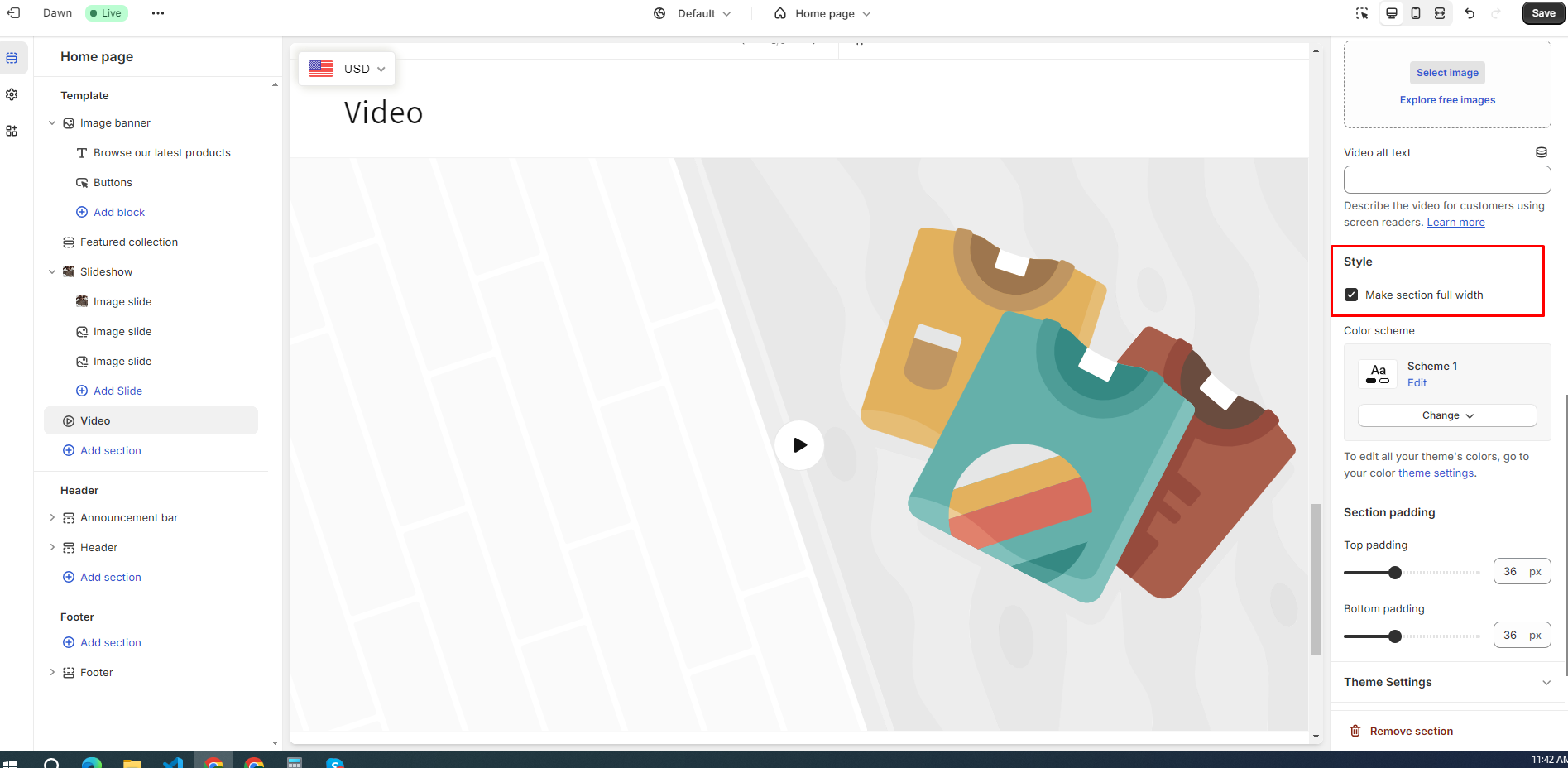
- In order to resize video section:
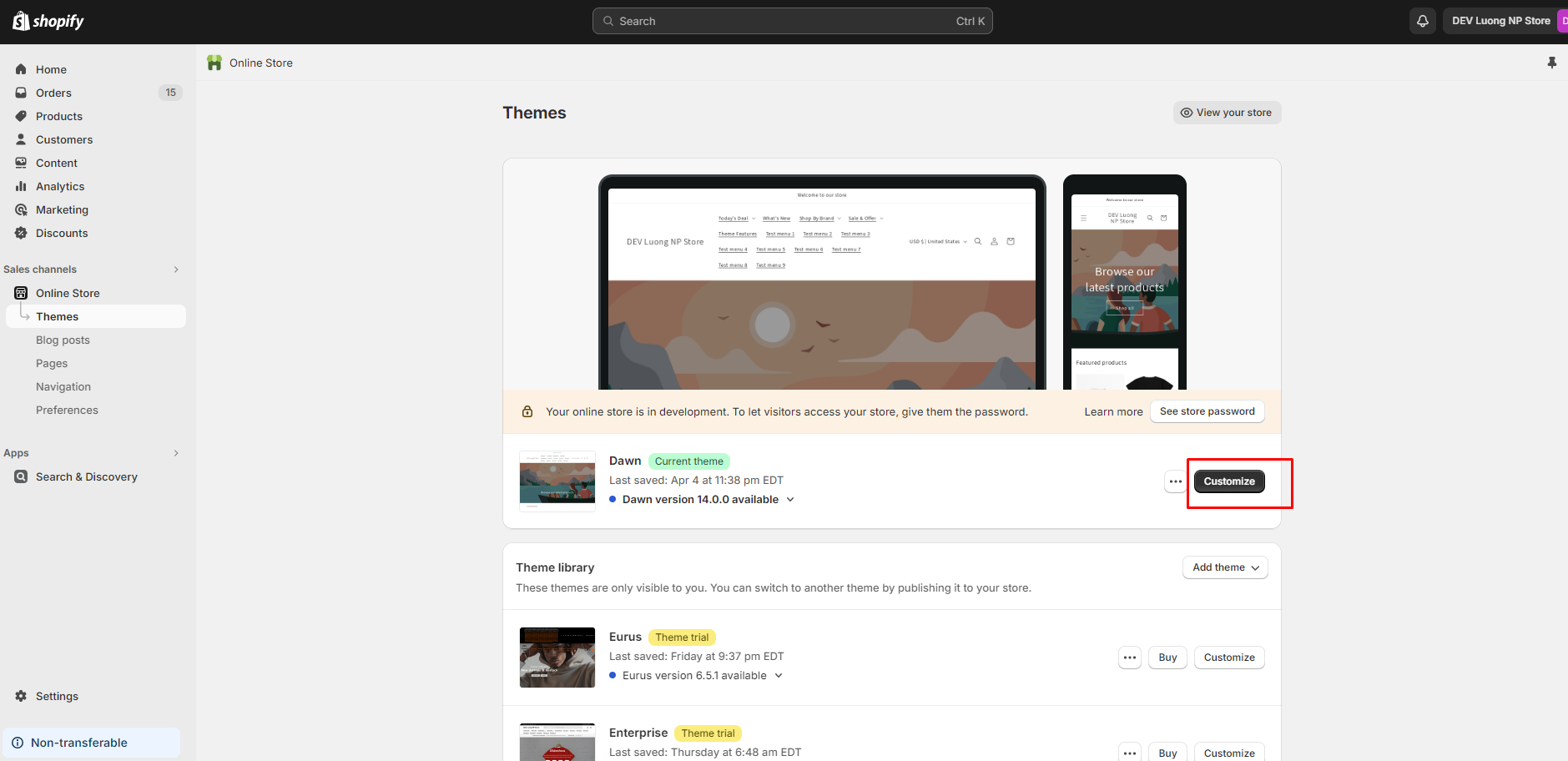
Step 1: Go to Admin → Online store → Theme > Customize:
Step 2: Go to Video section, in section setting, click Make section full width
I hope these instructions will help you. If they are helpful, don’t forget to like and mark as the solution.
Have a nice day sir!