Hello, I want to make the dropdown-menus Watches and More to be displayed like the currency Menu shown on the picture. I want them to have white background with black letters and when I hover to have shadow effect.
Thank you in advance!

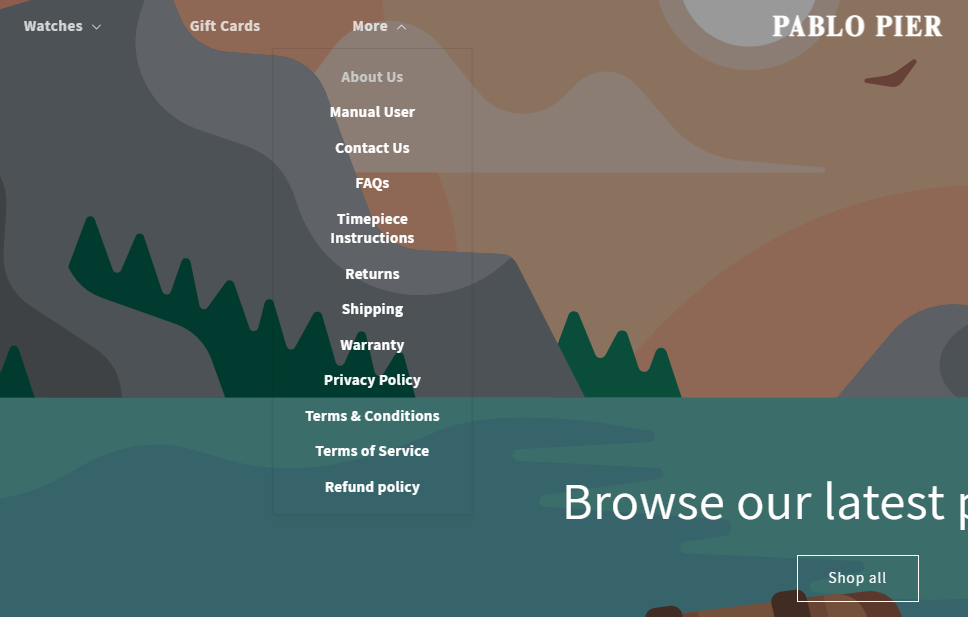

- Here is the solution for you
- Please follow these steps:

- Then find the base.css file.
- Then add the following code at the end of the file and press ‘Save’ to save it.
.header__submenu .header__menu-item {
    color: #000 !important;
    border-bottom: 1px solid black !important;
}
.js details>.header__submenu {
 background: white !important;
}
.js details>.header__submenu:hover {
  background: gray!important;
}
- Here is the result you will achieve:

- Please press ‘Like’ and mark it as ‘Solution’ if you find it helpful. Thank you.
1 Like
Hello @PabloPier
Go to online store ---------> themes --------------> actions ------> edit code------->base.CSS
add this code at the very end of the file.
.js details>.header__submenu {
 background: white !important;
}
.js details>.header__submenu:hover {
  background: gray!important;
}
.header__submenu .header__menu-item {
    color: #000 !important;
}
If this was helpful, hit the like button and mark the job as completed.
Thanks
1 Like
Hi, thank you for the reply but when I hover the background is changed on all the tabs:

And also can we remove the space?


.header__submenu .header__menu-item {
    color: #000 !important;
}
.js details>.header__submenu {
 background: white !important;
}
.header__submenu .header__menu-item:hover {
  background: gray!important;
}
@PabloPier can you try it
1 Like
Please add this code
.header__submenu .header__menu-item:hover {
    background-color: #c8c8c8 !important;
}
let me know if this works.
1 Like