How can I change the color of the Sale icon on the Sense theme. It is currently white but I want it to be something else. Thank you!
Topic summary
A Shopify store owner wants to change the default white “Sale” badge color in the Sense theme.
Initial Solution:
- A CSS code snippet was provided to add to the
base.cssfile - The code successfully changed the badge background to black (#000) and text to white (#fff) on desktop
Ongoing Issue:
- The CSS modification only works on desktop browsers
- On actual mobile devices, the sale badge still displays as white
- Mobile preview on desktop shows the correct color, but real mobile devices do not
Current Status:
- The problem remains unresolved for mobile devices
- Cache clearing was suggested but did not fix the mobile display issue
- Participants acknowledge the mobile-specific behavior is “strange” and are still troubleshooting why the CSS code isn’t applying on mobile platforms

@Simon159 - it will need css, can you share this page link?
@Simon159 - add this css to the very end of your base.css file and check, adjust colors as per the need
span.badge.price__badge-sale {background-color: #000; color: #fff;}

It worked thank you so much!
It seems like it only works on the desktop version of my website. The mobile version of my website still shows the sale icon as white.
1 Like
Hello @Simon159
please add this css Asset > base.css and paste this at the bottom of the file:-
.product .price .badge {
background-color: #000;
color: #fff;
}
This still only works for the desktop version of my website. If you go on mobile it still shows the sale icon as white.
@Simon159 - please clear cache and check , I see it like this
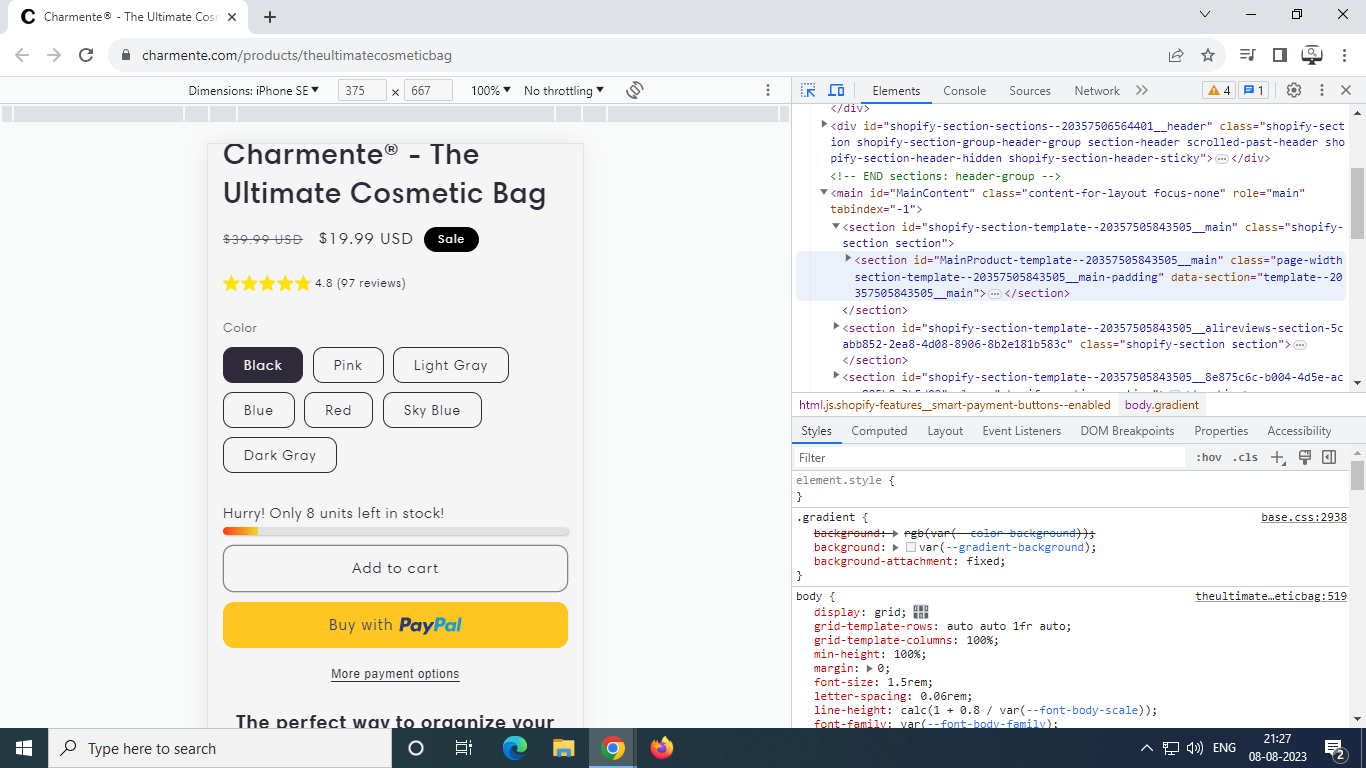
It is still showing up as white. When you try using mobile version on desktop it shows up as black, but when you actually go on a mobile device it shows up as white.
@Simon159 - yes it is really strange, somehow code not working on mobile