How can I get the product title, price, and size on the image of the product using dawn theme

Topic summary

Goal: Overlay product details (title, price, size) directly on the product image in Shopify’s Dawn theme.

Context and inputs:

  • The requester shared current vs desired screenshots and believed changes might be in main product.liquid.
  • A helper requested the store URL; the requester provided it.

Proposed solution (no Liquid edits):

  • Use Online Store > Customize > Theme settings > Custom CSS.
  • Add CSS to position product card content over the image by making the card wrapper relative and the content absolute.
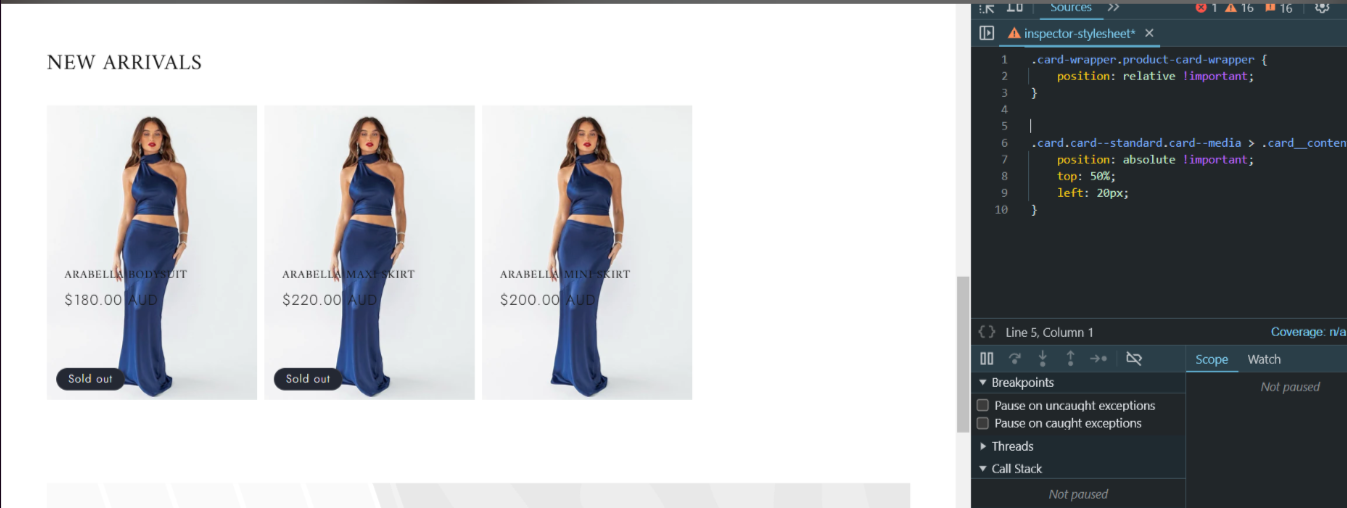
  • Key rules: set the product card wrapper to position: relative; set the card content to position: absolute with top: 50% and left: 20px to place text over the image.

Artifacts:

  • A code snippet and a “result” screenshot were provided to illustrate the overlay.

Notes and status:

  • The approach targets product cards (collection grid) using Dawn’s default selectors. It relies on the theme’s markup and may need adjustments for different layouts or to include size information.
  • No confirmation from the requester yet; outcome unresolved and the discussion remains open.
Summarized with AI on December 14. AI used: gpt-5.

Hey there!

Can someone let me know how to place my product title, price, and size above the product image.

I am using the dawn theme.

Ill attach a photo of what id like it to look like , compared to what it looks like now.

I believe I have to be in main product.liquid

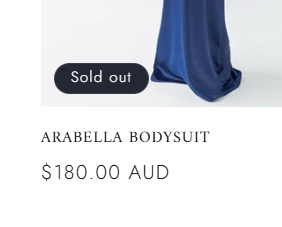
Here’s what it looks like now

Id like it to look like this

Hey @kmajetic

Welcome to Shopify Community! Can you share your Store URL so I can have a look on it? Also, if you have password enabled then please share the password as well. Your cooperation would be greatly appreciated.

Best Regards,
Moeed

Hi, https://vrvpi1-q4.myshopify.com/

Hi @kmajetic ,

You can follow the steps here:

Step 1: Shopify admin > Online store > Customize: https://prnt.sc/XQ6IDB99kUCd
Step 2: From the left menu > Theme settings > Open Custom CSS: https://prnt.sc/ypQ7nly2wv27
Step 3: Copy the code below and paste it there

Here is the code for step 3:

.card-wrapper.product-card-wrapper {
    position: relative !important;
}
.card.card--standard.card--media > .card__content {
    position: absolute !important;
    top: 50%;
    left: 20px;
}

Here is the result:

Hope this can help!

Best,

Daisy